14
ENGLISH
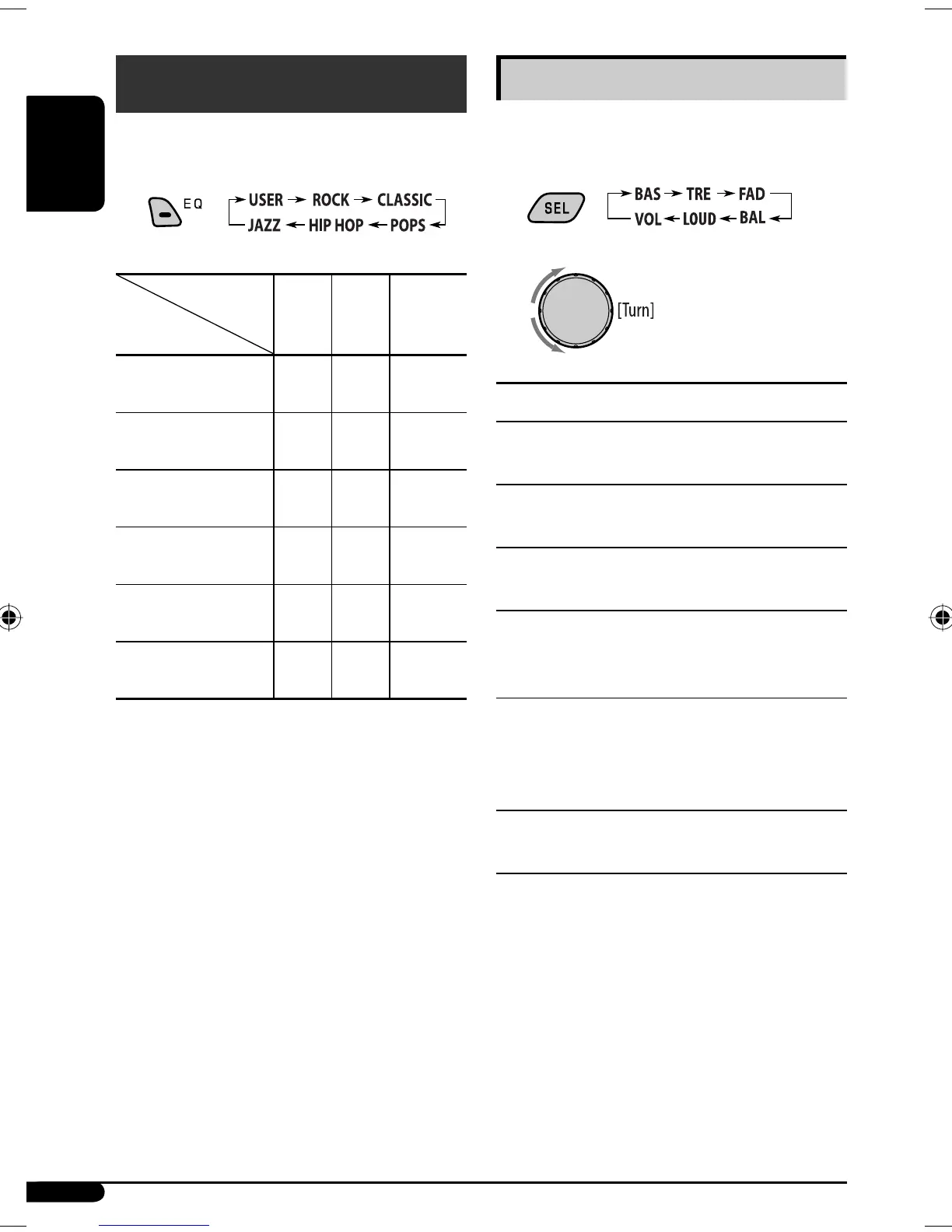
Adjusting the sound
You can adjust the sound characteristics to your
preference.
1
2
Indication [Range]
BAS*
1
(bass)
Adjust the bass. [–06 to +06]
TRE*
1
(treble)
Adjust the treble. [–06 to +06]
FAD*
2
(fader)
Adjust the front and rear speaker balance. [R06 to F06]
BAL (balance)
Adjust the left and right speaker balance.
[L06 to R06]
LOUD*
1
(loudness)
Boost low and high frequencies to produce a well-
balanced sound at low volume level.
[LOUD ON or LOUD OFF]
VOL (volume)
Adjust the volume. [00 to 30 or 50*
3
]
*
1
When you adjust the bass, treble, or loudness, the
adjustment you have made is stored for the currently
selected sound mode (C-EQ) including “USER.”
*
2
If you are using a two-speaker system, set the fader
level to “00.”
*
3
Depending on the amplifier gain control setting. (See
page 16 for details.)
Sound adjustments
You can select a preset sound mode suitable to the
music genre (C-EQ: custom equalizer).
Indication (For)
BAS
(bass)
TRE
(treble)
LOUD
(loudness)
USER
(Flat sound)
00 00 OFF
ROCK
(Rock or disco music)
+03 +01 ON
CLASSIC
(Classical music)
+01 –02 OFF
POPS
(Light music)
+04 +01 OFF
HIP HOP
(Funk or rap music)
+02 00 ON
JAZZ
(Jazz music)
+02 +03 OFF
Preset values
EN14-19_SV3305_007A_1.indd 14EN14-19_SV3305_007A_1.indd 14 1/5/07 2:54:18 PM1/5/07 2:54:18 PM


 To Next Page