EN17
RETAKE (
2
/
3
) Button
5 SEC. REC
Button
Set to “
” or “ ”.
Set to “
” or “ ”.
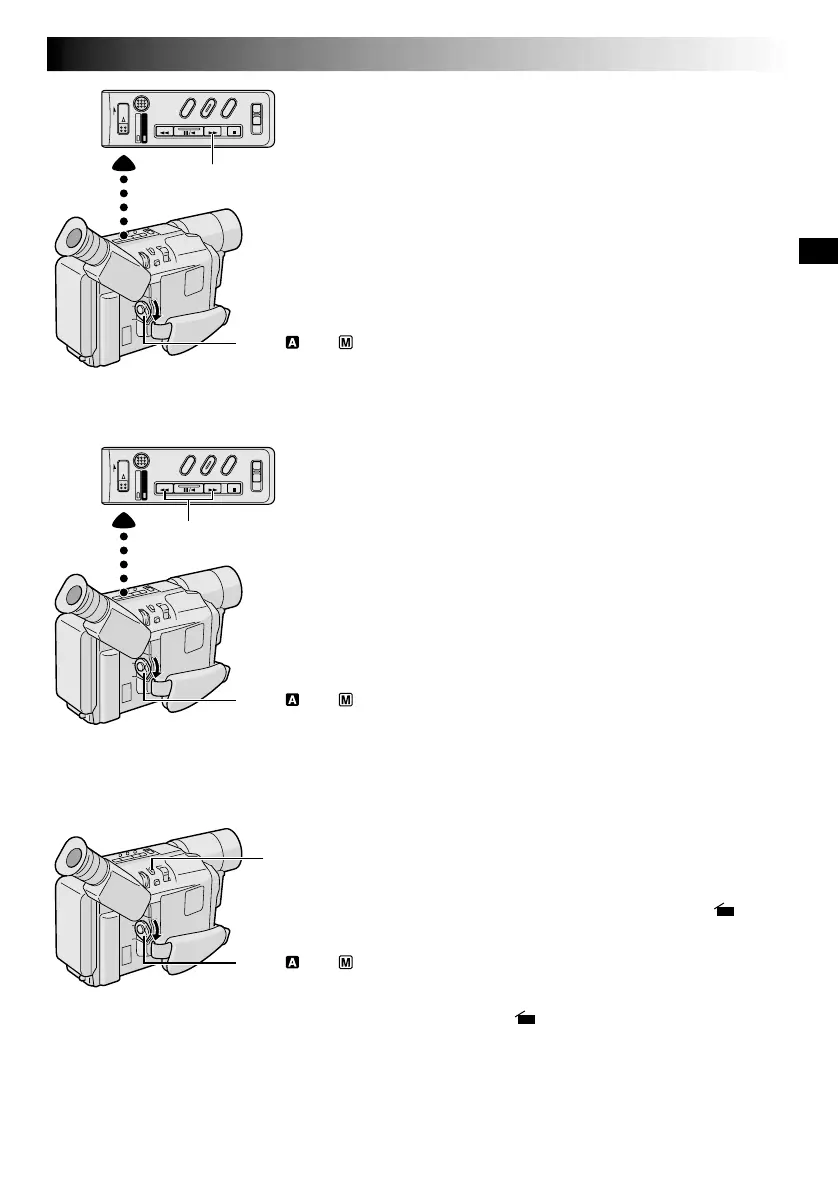
Quick Review:
To check the end of the last
recording.
1) Make sure the camcorder is in the Record–Standby
mode.
2) Press
2
and release quickly.
Tape is rewound for approx. 2 seconds and played
back automatically, then pauses in Record–Standby
mode for the next shot.
●
Distortion may occur at the start of playback. This is
normal.
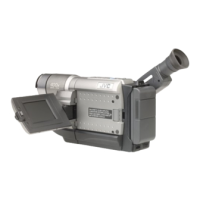
Retake:
To re-record certain segments.
1) Make sure the camcorder is in the Record–Standby
mode.
2) Press and hold either RETAKE to reach the start point for
new recording. Pressing
3
forwards the tape and
pressing
2
reverses it.
3) Press the Recording Start/Stop Button to start recording.
●
Noise bars appear and pictures may become mono-
chrome or darken during Retake. This is normal.
5Sec. Rec (5-Sec. Recording):
To record a scene for 5 seconds, providing quick scene
transitions like those seen in TV programs.
1) Make sure the recording mode is set to “SP”.
2) During Record–Standby, press 5 SEC. REC. “ 5S”
appears and 5Sec. Rec is reserved.
3) Press the Recording Start/Stop Button. Recording starts,
and after 5-second recording is finished, the camcorder
reenters the Record–Standby mode automatically.
4) To cancel the 5Sec. Rec. function, press 5 SEC. REC
again so that “ 5S” disappears.
●
Fade/Wipe (
墌
pg. 19) cannot be activated by pressing
5 SEC. REC.
Quick Review (
2
) Button
Set to “ ” or “ ”.


 To Next Page