EN51
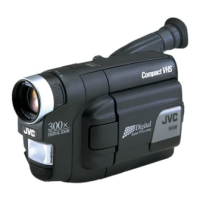
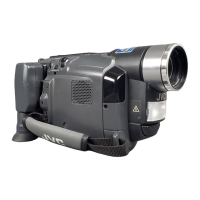
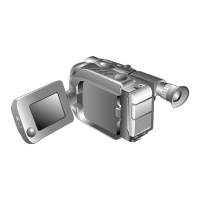
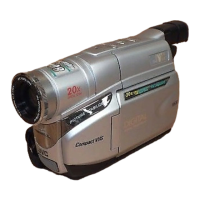
Controls
1 Diopter Adjustment Control ................. Z pg. 14
2 Lens Cover Open/Close Ring................ Z pg. 16
3 Video Light Switch [LIGHT OFF/AUTO/ON]
(GR-AXM310 only) .............................. Z pg. 23
4 •Snapshot Button [SNAPSHOT]
(GR-AXM310 only) ........................... Z pg. 24
•5-Second Recording Button [5 SEC REC]
(GR-AXM210 only) ........................... Z pg. 21
5 •Power Zoom Lever [T/W] .................. Z pg. 20
•Speaker Volume Control [VOL.] ........ Z pg. 41
6 Picture Stabilizer Button
[P.STABILIZER] ..................................... Z pg. 22
7 Program AE Button [P.AE]..................... Z pg. 26
8 Fade/Wipe Button [EFFECT] ................. Z pg. 25
9 •Rewind Button [
2
, REW] ................ Z pg. 40
•Retake Rewind Button [RETAKE R]..... Z pg. 21
•Quick Review Button [ R] ............. Z pg. 21
0 •Fast-Forward Button [
3
, FF] ............ Z pg. 40
•Retake Forward Button [RETAKE F] .... Z pg. 21
! Stop Button [5, STOP] ......................... Z pg. 40
@ Play/Pause Button
[
4
/6, PLAY/PAUSE]............................. Z pg. 40
# •Select Dial [+, –, PUSH] .............. Z pg. 11, 30
•Bright Dial [BRIGHT] ........................ Z pg. 19
$ MENU/DISPLAY Button ................. Z pg. 17, 30
% •Counter Reset/Memory Button
[COUNTER R/M] .............................. Z pg. 42
•Recording Mode Button [SP/EP] ......... Z pg. 12
^ EJECT Switch ....................................... Z pg. 13
& Recording Start/Stop Button.................. Z pg. 16
* Power Switch ................................ Z pg. 16, 40
( Battery Release Switch
[BATTERY RELEASE] .............................. Z pg. 8
) PUSH Button ....................................... Z pg. 13
Connectors
q DC IN Jack ............................................ Z pg. 9
The connectors w to r are located beneath the
cover.
w Video Output Connector ...................... Z pg. 44
e Audio Output Connector ..................... Z pg. 44
r J Terminal [JLIP (Joint Level Interface Protocol)
Connector]
• It is used to connect the camcorder to a device
such as a personal computer.
For further details consult your nearest JVC
dealer.
• JLIP-controlled editing from camcorder to VCR
is not possible if the VCR is not equipped with a
J terminal.
Indicators
t Tally Lamp ........................................... Z pg. 16
y Power Lamp ........................................ Z pg. 16
Other Parts
u Battery Pack Mount ............................... Z pg. 8
i Viewfinder ........................................... Z pg. 14
o Grip Strap ............................................ Z pg. 14
p Camera sensor
Be careful not to cover this area; a sensor
necessary for shooting is built-in here.
Q Video Light (GR-AXM310 only) ............ Z pg. 23
W Microphone
For use when recording.
E Eyepiece .............................................. Z pg. 46
R Speaker ............................................... Z pg. 41
T LCD Monitor ....................................... Z pg. 19
Y Shoulder Strap Eyelets .......................... Z pg. 15
U Clock Battery Slot ................................ Z pg. 10
I Tripod Mounting Socket ....................... Z pg. 15


 To Next Page
 Loading...