EN 53
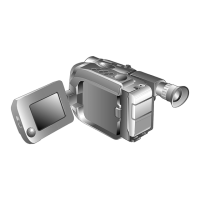
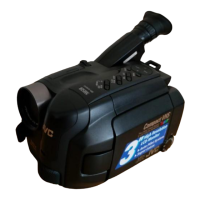
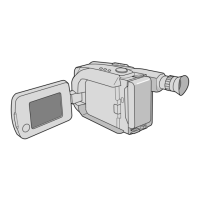
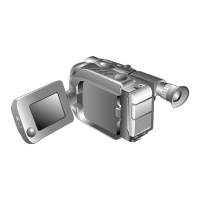
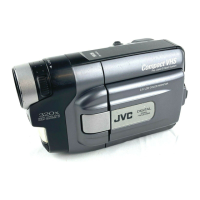
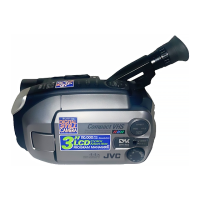
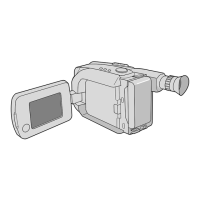
Controls
1 Power Zoom Button ........................... Z pg. 16
2 Multi-Function Control
•EFFECT Button .................................
Z pg. 22
•WIDE Button ................................... Z pg. 23
•TITLE Button ....................................
Z pg. 24
•SUPER LOLUX Button .....................
Z pg. 23
3 Select Dial ......................................... Z pg. 20
4 DATE/TIME Button ............................. Z pg. 19
COUNTER R/M Button .......................
Z pg. 38
5 P. [Picture] STABILIZER Button ........... Z pg. 18
6 REW Button ....................................... Z pg. 36
RETAKE R [Quick Review] Button ...... Z pg. 17
7 PLAY/PAUSE Button ........................... Z pg. 36
8 FF Button ........................................... Z pg. 36
RETAKE F Button ................................
Z pg. 17
9 STOP Button ...................................... Z pg. 36
0 EJECT Switch ...................................... Z pg. 9
! PUSH Button ...................................... Z pg. 9
@ BATT. [Battery] RELEASE Switch ......... Z pg. 4
# Dioptre Adjustment ............................ Z pg. 10
$ Function Navigator Dial
[MENU Jog Dial] ................................ Z pg. 7
% Recording Start/Stop Button................ Z pg. 12
^ Power Switch ................................ Z pg.12, 36
& LENS COVER Switch .......................... Z pg. 12
* BRIGHT Dial ...................................... Z pg. 37
( VOLUME Dial .................................... Z pg. 37
Connectors
) DC IN Jack ......................................... Z pg. 5
The jacks q to t are located beneath the jack
cover.
q External Microphone Input Jack ......... Z pg. 49
w J terminal [JLIP (Joint Level Interface Protocol)
Connector.]
•Connect the editing cable when performing,
Random Assemble Editing (
Z pg. 44 – 47).
•It is used to connect the camcorder to a device
such as a personal computer.
For further detail consult your nearest JVC
dealer.
•JLIP-controlled editing from camcorder to VCR
is not possible if the VCR is not equipped with
a J terminal.
e VIDEO OUT Connector ..................... Z pg. 40
r RF DC OUT Connector ...................... Z pg. 40
t AUDIO OUT Connector .................... Z pg. 40
Indicators
y Power Indicator .................................. Z pg. 12
u Tally Lamp ......................................... Z pg. 12
Other Parts
i Microphone ....................................... Z pg. 49
o • Camera sensor
Be careful not to cover this area; built-in
here is the sensor necessary for shooting.
•Remote Sensor .................................
Z pg. 43
p Clock Battery Compartment ............... Z pg. 6
Q Battery Pack Mount ............................ Z pg. 4
W Shoulder Strap Eyelets ........................ Z pg. 11
E Electronic Viewfinder ......................... Z pg. 10
R Grip Strap .......................................... Z pg. 10
T Speaker .............................................. Z pg. 37
Y LCD monitor ................................. Z pg.14, 36
U Tripod Mounting Socket ..................... Z pg. 11



 To Next Page