VIDEORECORDXN5EN 17
I BasicRecording
NOTE:
Before continuing, perform the procedures listed
below:
• Power (: pg, 11)
• Loading A Cassette (pg, 16)
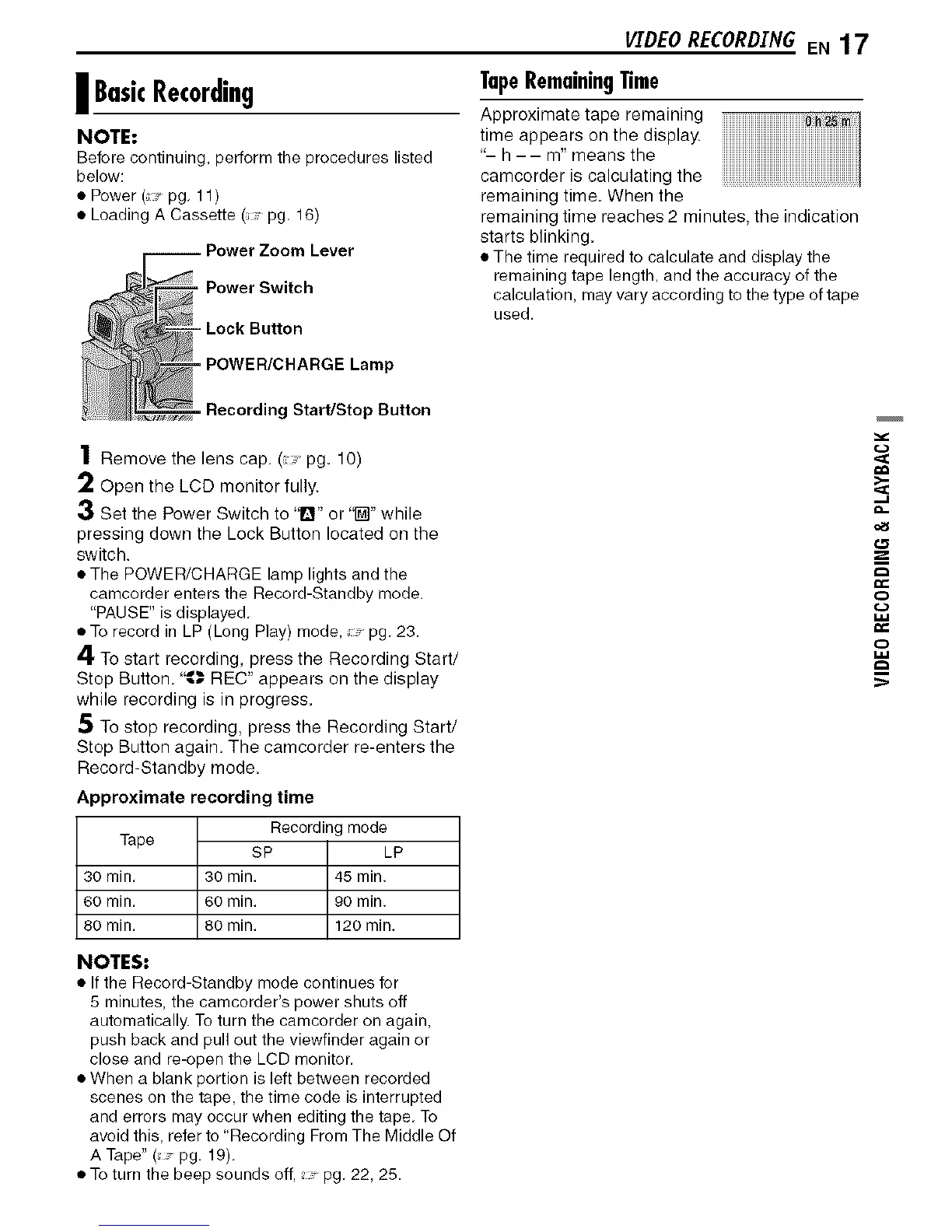
, Power Switch
- Lock Button
TapeRemainingTime
timeApproximatetaperemainingappearson the display.
"- h -- m" means the
camcorderisca,cu,atingthe..............................................
remaining time When the
remaining time reaches 2 minutes, the indication
starts blinking.
• The time required to calculate and display the
remaining tape length, and the accuracy of the
calculation, may vary according to the type of tape
used.
=POWER/CHARGE Lamp
=Recording Start]Stop Button
1 Remove the lens cap.( -pg. 10)
2 Open the LCD monitor fully.
3 Set the Power Switch to '_" or "[]" while
pressing down the Lock Button located on the
switch.
• The POWER/CHARGE lamp lights and the
camcorder enters the Record-Standby mode.
"PAUSE" is displayed,
• To record in LP (Long Play) mode, pg, 23.
4 To start recording, press the Recording Start/
Stop Button. "_.,. REC" appears on the display
while recording is in progress.
5 To stop recording, press the Recording Start/
Stop Button again. The camcorder re-enters the
Record-Standby mode.
Approximate recording time
Recording mode
Tape
SP LP
30 min. 30 min. 45 min.
60 min. 60 min. 90 min.
80 min. 80 min. 120 min.
NOTES:
• If the Record-Standby mode continues for
5 minutes, the camcorder's power shuts off
automatically. To turn the camcorder on again,
push back and pull out the viewfinder again or
close and re-open the LCD monitor.
• When a blank portion is left between recorded
scenes on the tape, the time code is interrupted
and errors may occur when editing the tape, To
avoid this, refer to Recording From The Middle Of
A Tape" (pg. 19),
• To turn the beep sounds off, pg, 22, 25.



 To Next Page