EN 71
Master Page: Right
Other problems
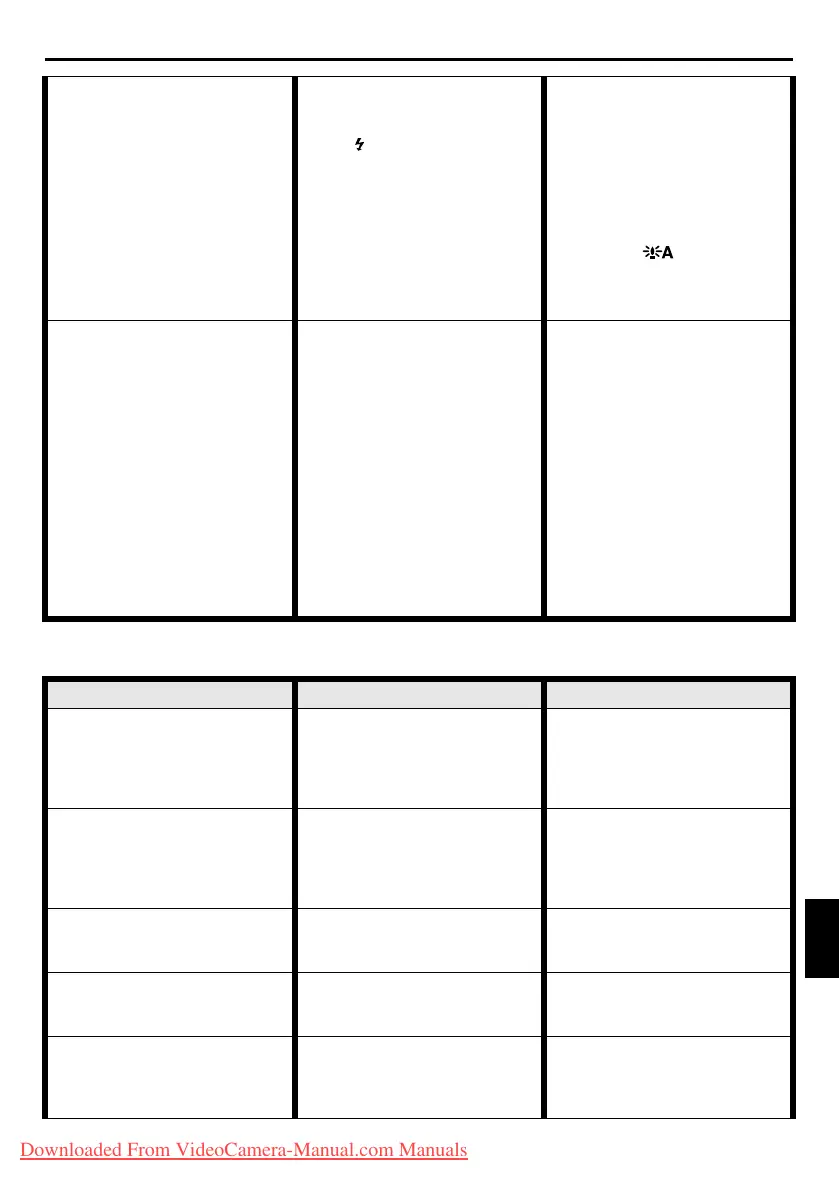
24. Although Snapshot is
attempted, flash does not take
place.
24. • The subject is too bright with
the flash set to “AUTO” or
“AUTO C”.
•If blinks, the flash is being
charged.
•The camcorder is in the
Record mode.
•In CAMERA Menu, “GAIN
UP” is set to “OFF” or “r”
is set to “TWILIGHT”.
24. •Set “B-IN FLASH” to “ON”
in MANUAL Menu.
(墌 pg. 31, 37)
•It can take up to 10 seconds
to charge the flash.
•Set the camcorder in the
Record-Standby mode.
(墌 pg. 42, 43)
•Set “GAIN UP” to
“AUTO ” or “ACG”
(墌 pg. 31, 35) or disengage
the “TWILIGHT” mode.
(墌 pg. 31, 33)
25. Although a Snapshot is taken
with the flash, Red-Eye
Reduction does not take place.
25. • The subject does not look
straight toward the flash.
•The subject does not look at
the first flash, which is an
important part of Red-Eye
Reduction.
•The camcorder is too far
from the subject.
•In MANUAL Menu, “B-IN
FLASH” is not set to
“AUTO C”.
25. •The subject should look
straight toward the flash,
especially the first flash. If
the subject does not see the
first flash, it will be difficult
for Red-Eye Reduction to
take place. (墌 pg. 43)
•The flash is effective for
subjects at a distance of
approx. 0.7 m (2 ft) to 2 m
(6.5 ft) from the camcorder.
(墌 pg. 43)
•Set “B-IN FLASH” to
“AUTO C” to display the
Red-Eye Reduction indicator.
(墌 pg. 31, 37)
SYMPTOM POSSIBLE CAUSES CORRECTIVE ACTION
26. The CHARGE indicator on the
AC Power Adapter/Charger
does not light.
26. • The temperature of the
battery is extremely high/low.
•Charging is difficult in places
subject to extremely high/
low temperatures.
26. •To protect the battery, it is
recommended to charge it in
places with a temperature of
10°C to 35°C (50°F to 95°F).
(墌 pg. 74)
27. “SET DATE/TIME!” appears. 27. • The built-in clock’s
rechargeable lithium battery
is discharged.
•The previously set date/time
is erased.
27. •Connect the camcorder to an
AC outlet using the AC Power
Adapter/Charger for over 24
hours to charge the clock’s
lithium battery. (墌 pg. 14)
28. There is no picture. 28. • The camcorder is not getting
power, or some other
malfunction exists.
28. •Turn the camcorder’s power
off and on again. (墌 pg. 13)
29. Some functions are not
available using the MENU
Wheel.
29. • The Power Switch is set to
“A”.
29. •Set the Power Switch to “M”.
(墌 pg. 13)
30. Files stored in the memory
card cannot be deleted.
30. • Files stored in the memory
card are protected.
30. •Remove protection from the
files stored in the memory
card and delete them.
(墌 pg. 27 –28)
REFERENCES
CONTINUED ON NEXT PAGE
GR-DV4000US.book Page 71 Monday, January 20, 2003 10:54 AM
Downloaded From VideoCamera-Manual.com Manuals


 To Next Page