P
S
V
I
D
E
O
D
U
A
L
D
S
C
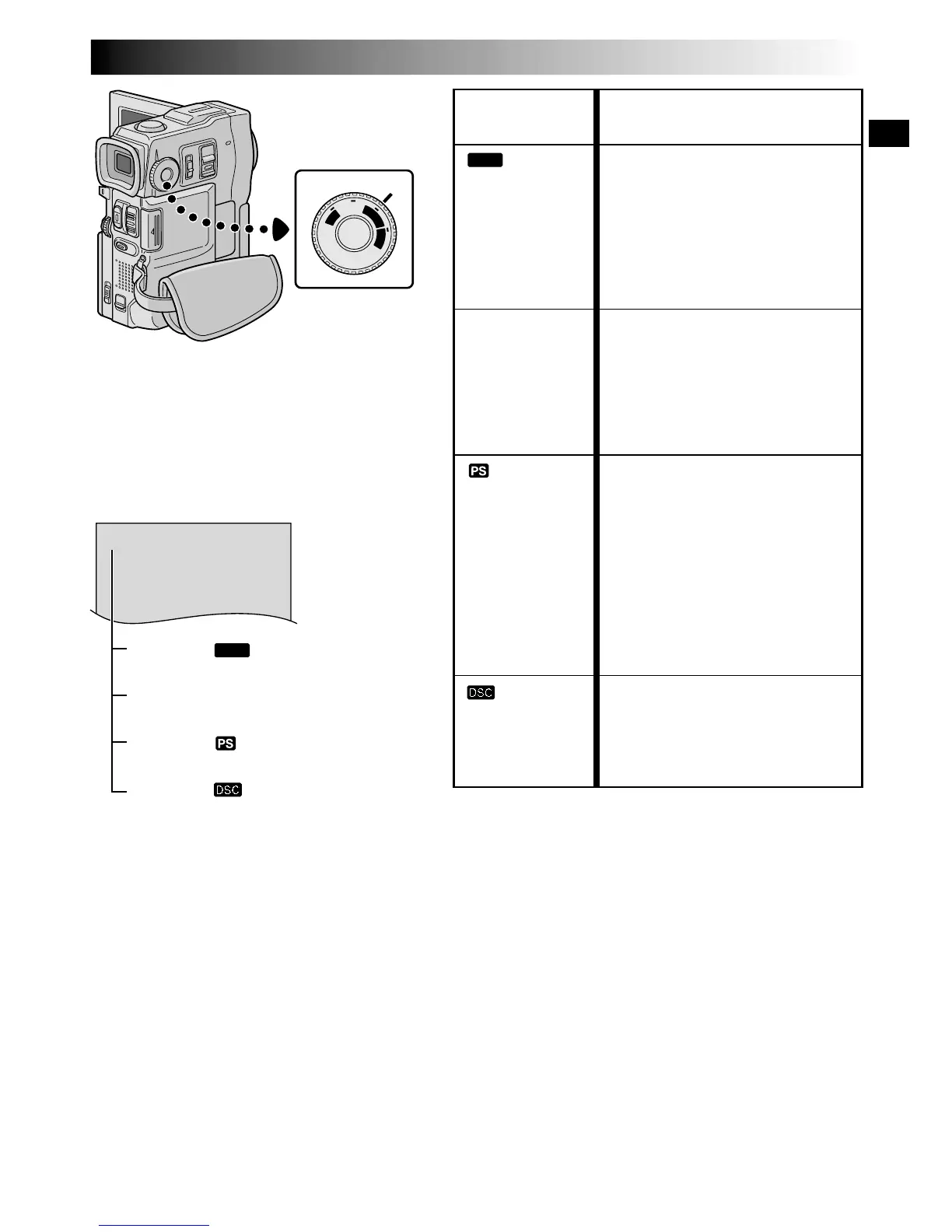
MODE
MODE Dial
Function
•Allows you to record video on
a tape and store still images in a
MultiMediaCard simultaneously
( pg. 26).
•File size of still images: 640 x
480 pixels
•Video quality is the same as in
the VIDEO mode.
•Allows you to record video and
still images on a tape. Approx.
6 seconds of a still image is
inserted between video
recordings ( pg. 20).
•Zoom magnification over 10X is
available ( pg. 22, 29).
•Allows you to record moving
images (successive jitter-free
still images) with superior
quality on a tape ( pg. 24).
The still images can also be
processed on a PC or printed
out.
•Zoom magnification over 10X is
available ( pg. 22, 29).
•Playback of images recorded in
this mode is not smooth.
•Allows you to record still
images in a MultiMediaCard
( pg. 15, 21).
•File size: 1024 x 768 pixels
(XGA), 640 x 480 pixels (VGA)
MODE Dial
Position
DUAL
VIDEO
(Progressive
mode)
The following indications appear in the upper
left corner, depending on the MODE Dial
position.
DUAL :
When set to “
DUAL
”
No display :
When set to “VIDEO”
PS :
When set to “
”
XGA or VGA :
When set to “
”



 To Next Page