36 EN
1/50
1/100
1/250
1/50
1/100
1/250
4
P
1
2
.
S
S
V
S
S
S
A
L
L
I
O
H
H
H
E
O
O
D
F
U
U
U
/
W
W
E
F
T
T
T
E
O
T
T
T
F
E
E
E
F
1
2
E
R
R
R
E
C
C
H
T
O
RECORDING
Advanced Features For Video And D.S.C. (cont.)
Programme AE With Special Effects
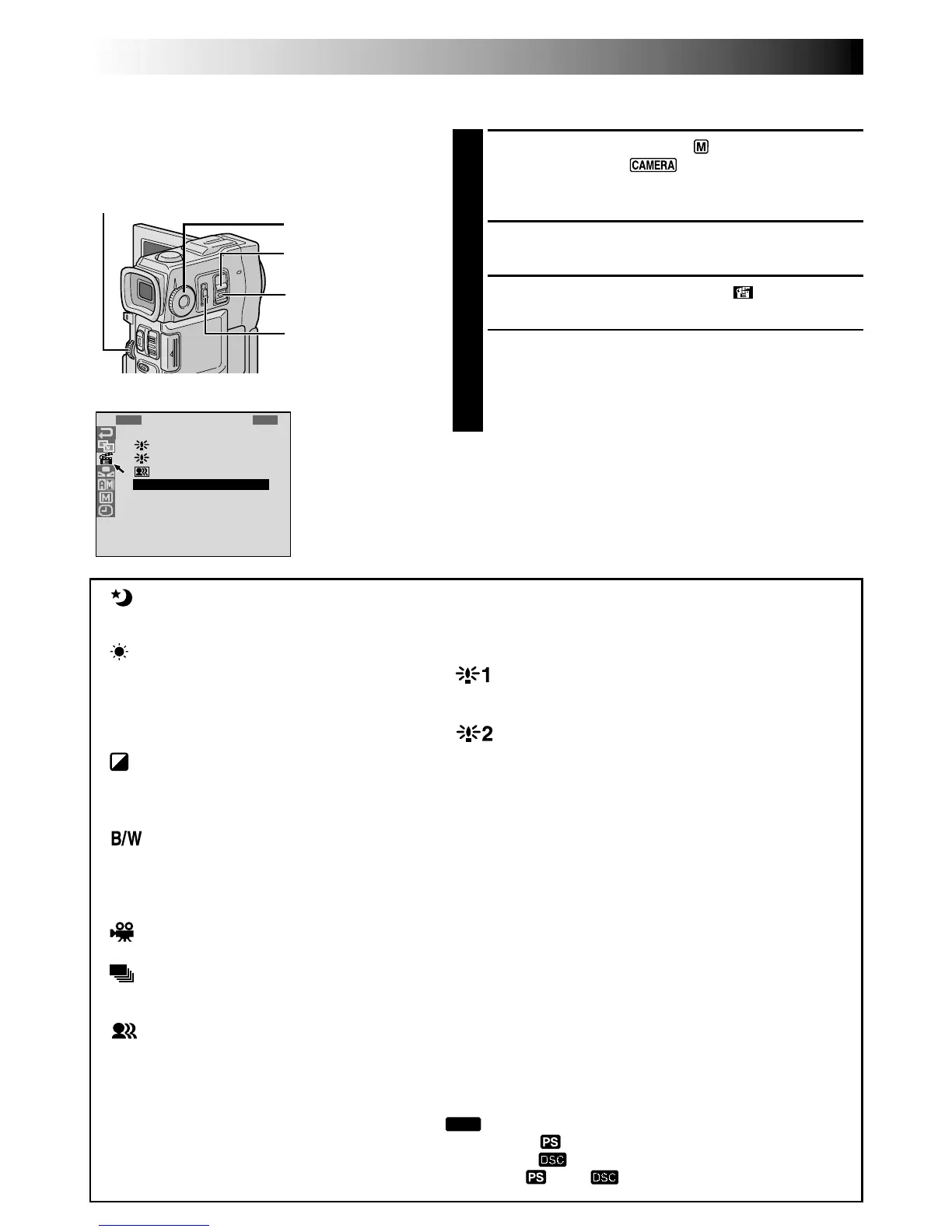
1
Set the Operation Switch to “ ”, then set the
POWER Switch to “ ” while pressing down the
Lock Button located on the switch. Pull out the
viewfinder fully or open the LCD monitor fully.
2
Press the MENU wheel. The Menu Screen appears.
3
Rotate the MENU wheel to select “ ”, then press it.
4
Rotate the MENU wheel to select the desired mode,
then press it. Selection is complete.
•The P.AE/EFFECT Menu disappears and the selected
mode is activated. The selected mode indicator
appears.
To Deactivate The Selected Mode . . .
.... select “OFF” in step 4.
NOTE:
Programme AE with special effects can be changed during
recording or during Record-Standby.
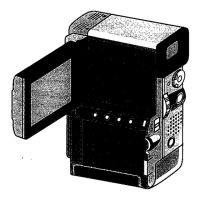
MENU Wheel
POWER Switch
TWILIGHT
Makes evening scenes look more natural.
White Balance (墌 pg. 39) is initially set to
, but can be changed to your desired
setting. When Twilight is chosen, the
camcorder automatically adjusts the focus
from approx. 10 m to infinity. From less than
10 m, adjust the focus manually. The flash
does not fire in this mode.
SEPIA*1
Recorded scenes have a brownish tint like
old photos. Combine this with the Cinema
mode for a classic look.
MONOTONE*1
Like classic black and white films, your
footage is shot in B/W. Used together with
the Cinema mode, it enhances the “classic
film” effect.
CLASSIC FILM*2
Gives recorded scenes a strobe effect.
STROBE*2
Your recording looks like a series of
consecutive snapshots.
VIDEO ECHO*3
Adds a “ghost” to the subject, giving your
recording a “fantasy” feeling. Zoom
magnification of over 10X is not available.
SLOW (Slow Shutter)*4
Lights dark subjects or areas even brighter than they
would be under good natural lighting. Use “SLOW”
only in dark areas.
SLOW 1
Slow Shutter raises light sensitivity to allow shooting in
dark environments.
SLOW 2
Slow Shutter raises light sensitivity further to allow
shooting in even darker environments.
NOTES:
●
When using “SLOW”, the image takes on a strobe-like
effect.
●
If the manual focus indicator blinks when “SLOW” is
used, adjust focus manually and use a tripod.
SHUTTER (Variable Shutter Speed)
1/50 – The shutter speed is fixed at 1/50th of a second.
Black bands that usually appear when shooting a TV
screen become narrower.
1/100 – The shutter speed is fixed at 1/100th of a
second. The flickering that occurs when shooting under
a fluorescent light or mercury-vapour lamp is reduced.
1/250 – This setting allows fast-moving images to be
captured one frame at a time, for vivid, stable slow-
motion playback. The faster the shutter speed, the
darker the picture becomes. Use the shutter function
under good lighting conditions.
IMPORTANT:
Some modes of Programme AE with special
effects cannot be used with certain Fade/Wipe
Effects (
墌
pg. 35). If an unusable mode is
selected, its indicator blinks or goes out.
MODE Dial
Display
Menu Screen
*
1
Not available when the MODE Dial is set to “
DUAL
”.
*
2
Available only when the MODE Dial is set to “VIDEO” or “ ”.
*
3
Available only when the MODE Dial is set to “VIDEO” or “ ” (VGA STD/VGA FINE only).
*
4
Available only when the MODE Dial is set to “VIDEO”, “ ” or “ ”.
Lock Button
Operation Switch



 To Next Page