EN61
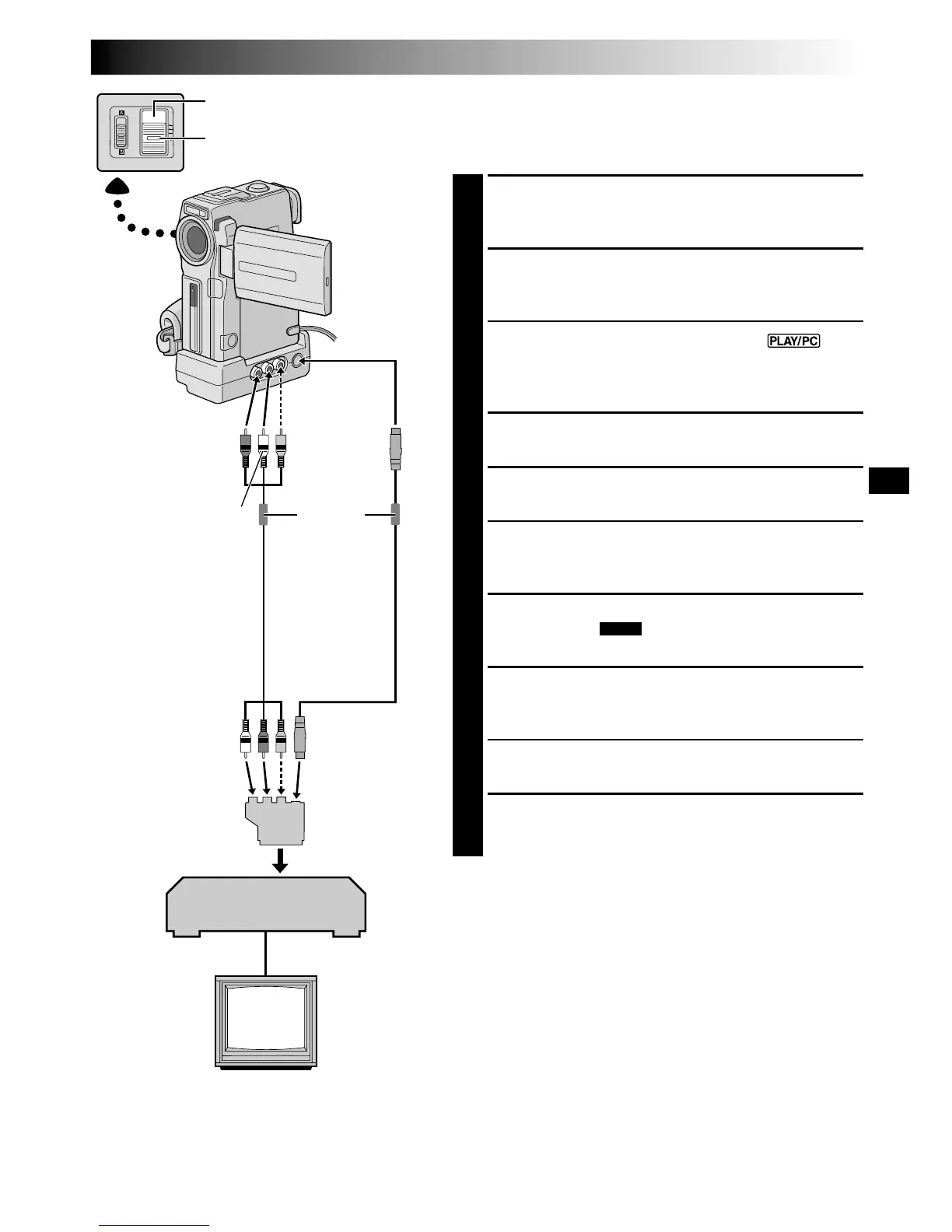
VCR
TV
* Connect when an S-Video cable is not used.
POWER Switch
To S
S-Video
cable
(optional)
Red to
AUDIO R
Yellow to
VIDEO*
White to
AUDIO L
Audio/Video cable
[RCA plug to RCA
plug] (optional)
Lock Button
Core filter
Dubbing From A VCR
[To use this camcorder as a recorder: Only
for GR-DVX10 owners]
1
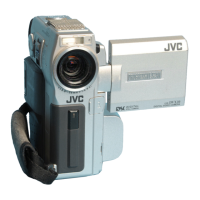
Make sure all units are turned off, then connect the
camcorder and the VCR as shown in the illustration.
Also refer to pg. 56 and 57.
2
Set “SOUND MODE” to “12 BIT” or “16 BIT” and
“REC MODE” to “SP” or “LP” in the Menu Screen
depending on your preference (墌 pg. 11, 26, 27).
3
Set the camcorder’s POWER Switch to “ ”
while pressing down the Lock Button located on the
switch. Turn on the VCR’s power and insert the
appropriate cassettes in the camcorder and the VCR.
4
Set “AV/S-VIDEO” to “IN” in the Menu Screen to
engage the analogue input mode (墌 pg. 41).
5
Press START/STOP on the camcorder to engage the
Record-Pause mode. “AV. IN” appears on the screen.
6
Engage the VCR’s Play mode, then engage the Still
Playback mode when you have found a spot just
before the edit-in point.
7
Press START/STOP on the camcorder to engage the
Record mode. “
AV. IN
” appears on the screen.
Engage the VCR’s Play mode.
8
To stop dubbing, press START/STOP on the
camcorder so that “AV. IN” reappears, then engage
the VCR’s Stop mode.
9
Repeat steps 6 through 8 for additional editing.
10
Set “AV/S-VIDEO” back to “OUT” in the Menu
Screen to disengage the analogue input mode
(墌 pg. 41).
NOTES:
●
When connecting the cables, make sure to connect the
ends with a core filter to the camcorder. The core filter
reduces interference.
●
To use an output cable adapter (commercially avail-
able), refer to its instructions.
●
It is recommended to use the AC Power Adapter/
Charger as the power supply instead of the battery pack
(
墌
pg. 7).
●
Analogue signals can be converted to digital signals with
this procedure.
●
It is also possible to dub from another camcorder.
Cable Adapter
(not provided)
If your VCR has a
SCART connector,
use a commercially
available output
cable adapter.
To Audio, Video*
and S-Video
connectors


 To Next Page