EasyManua.ls Logo

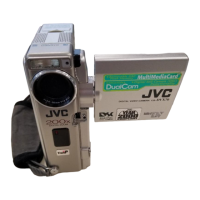
JVC GR-DVX707 - User Manual

JVC GR-DVX707
104 pages
Print Icon
To Next Page IconTo Next Page
Loading...
LYT0957-001A
Master Page: Cover1
GR-DVX707EG_00-Cover.fm Page 2
EN
DIGITAL VIDEO CAMERA
GR-DVX707
GR-DVX507
GR-DVX407
GR-DVX400
ENGLISH
Automatic Demonstration 8
GETTING STARTED
9
VIDEO RECORDING &
PLAYBACK
18
DIGITAL STILL CAMERA
(D.S.C.) RECORDING &
PLAYBACK
26
ADVANCED FEATURES
37
REFERENCES
80
TERMS
102
Please visit our Homepage on the World Wide
Web and answer our Consumer Survey (in
English only):
For Accessories:
http://www.jvc-victor.co.jp/english/index-e.html
http://www.jvc-victor.co.jp/english/accessory
INSTRUCTIONS
The D.S.C. (Digital Still Camera) features are available on
GR-DVX707 and GR-DVX507.
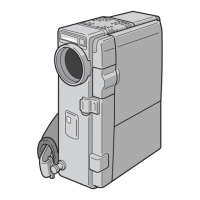
The camcorder
illustrations appearing in
this instruction manual are
of the GR-DVX707.
GR-DVX707EG_00-Cover.fm Page 2 Thursday, January 31, 2002 1:02 PM

Table of Contents

Questions and Answers

  • J
    James GomezAug 19, 2025
    Why is my JVC GR-DVX707 Camcorder not turning on?
    • T
      terridanielAug 19, 2025
      Your JVC Camcorder might not be turning on due to several reasons: the AC adapter may not be securely connected, so ensure it is properly connected; the battery might be dead, in which case you should replace it with a fully charged one; or the LCD monitor might not be fully open or the viewfinder not pulled out during recording, so make sure the LCD monitor is fully opened or the viewfinder is pulled out.
  • J
    Jill StoneAug 21, 2025
    Why isn't the charge indicator lighting up on my JVC GR-DVX707?
    • J
      Jennifer VelasquezAug 21, 2025
      If the CHARGE indicator on your JVC camcorder does not light, it may be because the temperature of the battery is extremely high or low. To protect the battery, it is recommended to charge it in places with a temperature of 10°C to 35°C.
  • P
    patrick75Aug 25, 2025
    What to do if my JVC GR-DVX707 Camcorder is not recording?
    • M
      mary28Aug 25, 2025
      If your JVC Camcorder is not recording, check the following: the Power Switch may be set to “P” or “OFF”, so set it to “A” or “M”; the tape’s erase protection tab may be set to “SAVE”, so set it to “REC”; the VIDEO/MEMORY Switch may be set to “MEMORY”, so set it to “VIDEO”; “TAPE END” may appear, so replace with a new cassette; or the cassette holder cover may be open, so close the cassette holder cover.
  • L
    lynchryanAug 26, 2025
    How to fix memory card playback on JVC GR-DVX707 Camcorder?
    • R
      roberttaylorAug 26, 2025
      If a memory card cannot be played back on your JVC Camcorder, it might be because the Power Switch is set to “A” or “M”, so set the Power Switch to “P”. Alternatively, the VIDEO/MEMORY Switch may be set to “VIDEO”, so set the VIDEO/MEMORY Switch to “MEMORY”.
  • K
    Kelly JohnsonAug 28, 2025
    Why does my JVC GR-DVX707 play tape but show no picture?
    • M
      Mr. Lawrence PattersonAug 28, 2025
      If the tape is moving but there is no picture on your JVC Camcorder, ensure that your TV is set to the correct mode or channel for video playback. Also, check if the cassette holder cover is open and close it.
  • R
    rrollinsAug 30, 2025
    How to set auto focus on JVC Camcorder?
    • J
      Jack CookAug 30, 2025
      If the focus on your JVC Camcorder does not adjust automatically, it may be because the focus is set to Manual mode, so set it to Auto mode. Also, if the recording was done in a dark place, or the contrast was low, clean the lens and check the focus again.
  • B
    Brenda CalhounSep 1, 2025
    What to do if the cassette won't load in my JVC GR-DVX707 Camcorder?
    • K
      Kaylee HesterSep 1, 2025
      If the cassette will not load properly in your JVC Camcorder, ensure it is in the right position. Also, the battery’s charge may be low, so install a fully charged battery.
  • C
    Candice PetersonSep 3, 2025
    Why won't the memory card load in my JVC GR-DVX707 Camcorder?
    • J
      jacobpattersonSep 3, 2025
      If the memory card will not load properly in your JVC Camcorder, make sure that the memory card is in the right position.
  • T
    Timothy AlvarezSep 5, 2025
    How to brighten snapshots on JVC Camcorder?
    • R
      Robin AndersonSep 5, 2025
      If the image taken using Snapshot on your JVC Camcorder is too dark, and the shooting was performed under backlit conditions, press BACKLIGHT.
  • A
    Alexandria MorenoSep 7, 2025
    How to display date and time on JVC GR-DVX707 Camcorder recordings?
    • B
      blake81Sep 8, 2025
      If the date/time does not appear during recording on your JVC Camcorder, it may be because “DATE/TIME” is set to “OFF”. Set “DATE/TIME” to “ON”.

Summary

GETTING STARTED

Power Supply and Charging

Details on using AC adapter and battery packs for camcorder power, including charging procedures.

Operation Modes

Setting the camcorder's power switch for different operation modes like recording or playback.

Cassette Handling

Step-by-step guide for loading and unloading video cassettes.

Memory Card Handling

Instructions for loading and unloading memory cards for digital still camera features.

VIDEO RECORDING & PLAYBACK

Basic Video Recording

Steps to start and stop video recording, including tape remaining time indicators.

Video Playback Controls

How to play back video, pause, search, and play frame by frame.

TV and VCR Connections

Connecting the camcorder to a TV or VCR for playback using various cables.

DIGITAL STILL CAMERA (D.S.C.) RECORDING & PLAYBACK

DSC Snapshot Mode

How to take still photos using the camcorder's digital still camera mode.

Image Playback Options

Viewing stored still images, including normal, auto, and index playback.

ADVANCED FEATURES

Menu System Navigation

How to navigate and change camcorder settings using the on-screen menu system.

PC Connection

Transferring still images to a PC using USB or DV cable connections.

REFERENCES

Troubleshooting Guide

Guide to diagnosing and solving common problems with the camcorder's power and video functions.

Cautions and Safety

Important safety precautions for batteries, cassettes, memory cards, and handling the unit.

Video Recording Indications

Explanation of indicators displayed on the LCD monitor/viewfinder during video recording.

DSC Recording Indications

Explanation of indicators displayed on the LCD monitor/viewfinder during DSC recording.

Playback Indications

Explanation of indicators displayed on the LCD monitor/viewfinder during video and DSC playback.

Warning Indications and Error Codes

Information on error messages and warning indications, and their corrective actions.

JVC GR-DVX707 Specifications

General IconGeneral
Image StabilizerElectronic
Microphone Operation ModeStereo
ViewfinderColor
Still Image FormatJPEG
Recording MediaMini DV
Image SensorCCD
Optical Sensor Size1/4 inch
Focus AdjustmentAutomatic, manual
Shooting ModesAuto, Manual
White BalanceAuto, Manual, Presets
White Balance PresetsIndoor, Outdoor
Special EffectsSepia, Black & White, Art
Connector TypeHeadphones, microphone, S-Video output, composite video/audio output
Included AccessoriesAC Adapter, A/V Cable
Video Recording FormatMini DV
InterfaceIEEE 1394

Related product manuals