EN 71
Master Page: Right
GR-DVX707EG_37-79.fm Page 71
1 Load the provided memory card. (墌 pg. 17)
Then, perform step 1 and 2 on page 70.
2 Press the MENU Wheel in. The Menu Screen
appears.
3 Rotate the MENU Wheel to select “s SYSTEM”,
and press it. The SYSTEM Menu appears.
4 Rotate the MENU Wheel to select “SOUND IN”,
and press it. The Sub Menu appears.
5 Rotate the MENU
Wheel to select
“D.SOUND”, and
press it.
6 Rotate the MENU
Wheel to select
“BRETURN”, and
press it twice. The
Menu Screen closes and the sound effect
indication appears.
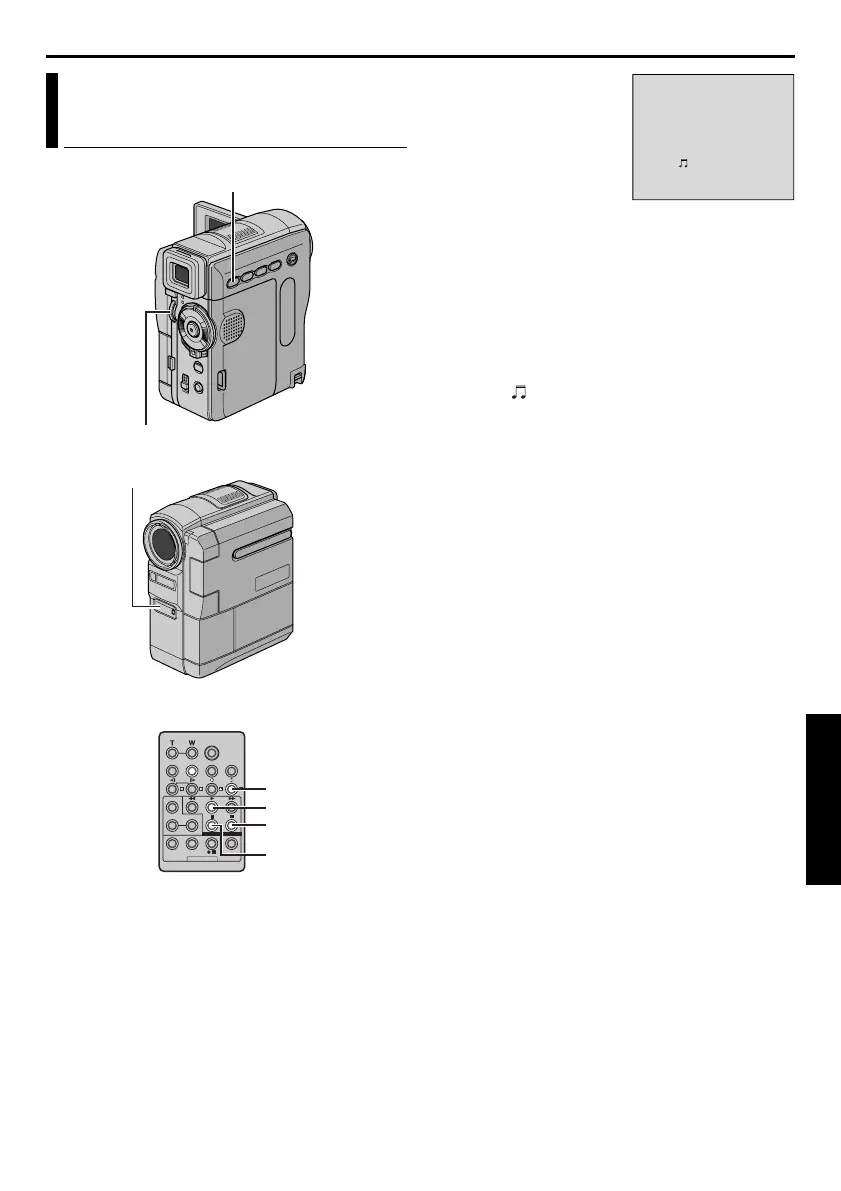
7 Press INDEX to access the sound effects Index
Screen.
8 Rotate the MENU Wheel to select the desired
sound effect and press it.
9 Press PLAY (U) to begin Audio Dubbing. The
selected sound effect is dubbed onto the tape.
● The “ ” moves while it is being dubbed.
● To stop dubbing the sound effect midway, press
D.SOUND.
10 Press STOP (8) to end Audio Dubbing.
NOTES:
● After dubbing, set “SOUND IN” back to “MIC”.
● The dubbed sound effect is recorded on
SOUND 2. (墌 pg. 51)
● If you press PAUSE (9) to pause dubbing in step 9
the selected sound effect indication remains
displayed. To resume dubbing, press PLAY (U).
Audio Dubbing Using Digital
Sound Effects (GR-DVX707 only)
PAUSE
PLAY
A.DUB
STOP
Remote sensor
D.SOUND Button
MENU Wheel
APPLAUSE
D.SOUND
9
D
GR-DVX707EG_37-79.fm Page 71 Thursday, January 31, 2002 12:19 PM


 To Next Page