10 EN
PLAYBACK (cont.)
Playback
Features
Take advantage of special functions possible with the recorder’s
controls or the remote control.
NOTE:
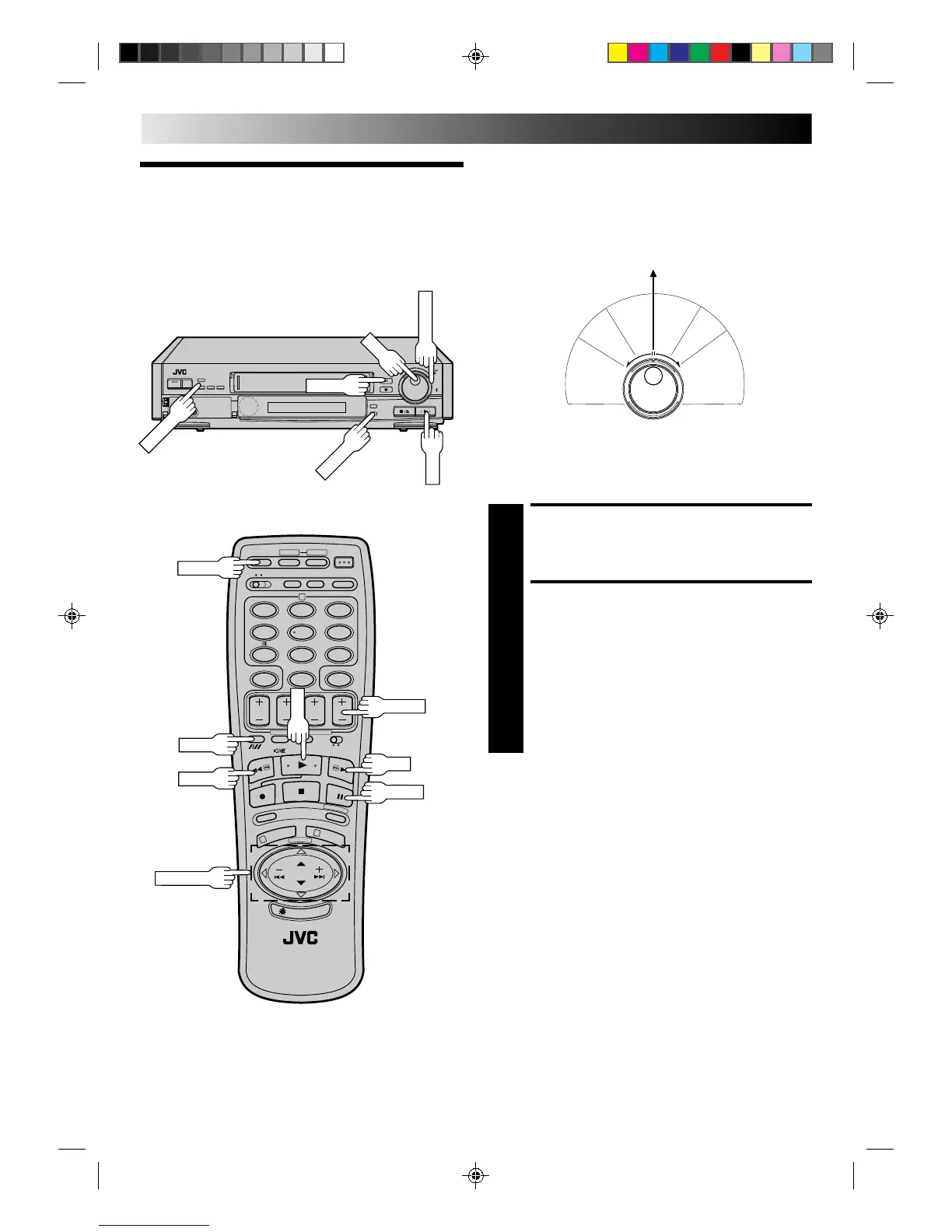
Refer to the SHUTTLE ring illustration below as you read the
following procedures.
Still Picture/Frame-By-Frame
Playback
PAUSE DURING PLAYBACK
1
Press PAUSE. If there is vertical jitter, use the TV PROG.
buttons to correct the picture.
ACTIVATE FRAME-BY-FRAME
PLAYBACK
2
Turn the JOG dial to the right for forward frame-by-
frame playback, or to the left for reverse frame-by-frame
playback.
OR
Press PAUSE.
OR
Press PUSH JOG or .
To resume normal playback, press PLAY.
R
e
v
e
r
s
e
R
e
v
e
r
s
e
R
e
v
e
r
s
e
S
l
o
w
P
l
a
y
F
o
r
w
a
r
d
s
e
a
r
c
h
p
l
a
y
s
l
o
w
m
o
t
i
o
n
s
e
a
r
c
h
Still
0
0
0
0
0
0
0
0
0
0
0
0
0
0
0
0
0
0
0
0
0
0
0
0
0
0
0
0
0
0
0
0
0
0
0
0
0
0
0
0
0
0
%
%
12
45
3
6
8
0
7
9
1
3
2
+
–
0
0
0
0
0
0
0
0
0
0
0
0
0
0
0
0
0
0
0
0
0
0
0
0
0
0
0
0
0
0
0
0
0
0
0
0
0
0
0
0
0
0
PUSH JOG



 To Next Page