R
Robert RitterSep 12, 2025
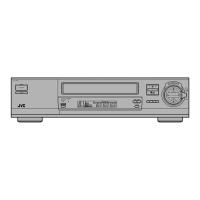
What to do if direct access song search (BLANK SEARCH) does not work on my JVC HR-J73MS VCR?
- CCaitlin WestSep 12, 2025
If direct access song search (BLANK SEARCH) does not work properly on your JVC VCR, try Index search.


 To Next PageTo Next Page
What to do if direct access song search (BLANK SEARCH) does not work on my JVC HR-J73MS VCR?
If direct access song search (BLANK SEARCH) does not work properly on your JVC VCR, try Index search.
Why is index search not working correctly on my JVC VCR?
If Index Search does not function properly on your JVC VCR, it may be because adjacent index codes are too close to each other. Erase some index codes and mark new ones if necessary, with sufficient distance between any two index codes.
Safety warnings regarding voltage and exposure to rain/moisture.
Details on karaoke features like control center and remote operation.
Ability to enjoy programs from different countries and tuner functions.
Notes on SECAM signals, monochrome playback, and copyright.
Advice on avoiding heat, cold, humidity, dust, vibrations, and magnetic fields.
Handling moisture condensation and head cleaning advice.
Detailed description and numbering of front panel controls and indicators.
Explanation of indicators shown on the display panel.
Identification and function of rear panel connections and controls.
Overview of the wireless remote control buttons and their functions.
Steps for connecting the VCR between the antenna and the TV.
Steps for connecting the VCR to a TV with AV terminals.
How to set the system switch for different countries.
How to set the TV's channel to match the VCR for RF connection.
How to enable or disable on-screen indicators and select language.
Procedure for setting the built-in clock for timer recording accuracy.
How to perform an auto channel search and store TV stations.
How to delete and fine-tune stored TV channels.
Instructions for inserting, ejecting, and notes on video cassette safety tabs.
How to enable and use the B.E.S.T. system during recording.
Recommendations for using the B.E.S.T. system during playback.
How to play, stop, rewind, and fast-forward tapes.
Using search, still playback, frame advance, and slow motion.
How to manually adjust the tracking for unstable pictures.
Function to improve image contrast, especially for wide-screen TVs.
Using counter memory and index search for tape navigation.
How to choose between Hi-Fi stereo and normal audio tracks.
Steps for loading a cassette and starting a recording.
How to set a recording to shut off automatically after a duration.
How to select a different channel to view while recording.
How to use the counter to track recording or playback time.
Table showing cassette types and their recording/playback times.
Step-by-step guide to setting up timer recordings for specific channels and times.
How to program recordings for recurring TV series.
How to view, modify, or cancel programmed timer recordings.
Automatic switching between recording speeds to fit programs on tape.
Instructions for connecting the VCR audio to an amplifier for Hi-Fi sound.
How to connect and set up the microphone for wired or wireless use.
Guide to inserting batteries into the microphone.
Connecting the FM feeder cable for wireless microphone operation.
Steps to re-adjust frequency to resolve interference issues.
How to connect the microphone as a wired unit.
Steps for playing a karaoke tape and starting to sing.
How to raise or lower the musical key to match your voice.
How to adjust volume and add echo effect to your voice.
How to search for blank portions between songs for quick access.
How to record your voice along with karaoke music.
Steps for dubbing tapes between two recorders.
Steps for transferring video from a camcorder to the VCR.
How to set the colour system for recording and playback.
Information on the multi-system tuner's reception capabilities.
Details on playing back PAL, MESECAM, and NTSC tapes.
Information on editing between different recorded tape formats.
Solutions for problems related to power and tape movement.
Solutions for issues preventing recording or editing.
Solutions for issues with picture and sound during playback.
Solutions for issues like sound noise, remote control, and index search.
Detailed specifications for power, dimensions, video, audio, and accessories.
 General