Page 15 March 26, 2002 11:33 am
— 15 —
Editing
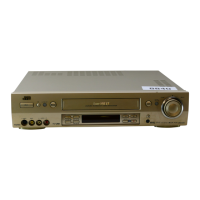
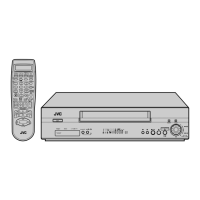
You can use your VCR as the playback or recording VCR. You can
use a camcorder as the playback VCR and your VCR as the
recording VCR. Refer also to the other components’ instruction
manuals for connection and its operations.
A
Make connections
Example 1: When another VCR is VHS VCR
● If another VCR is monaural, connect this VCR’s AUDIO L IN (or
OUT) connector to the audio output (or input) connector on
another VCR.
Example 2: When another VCR is S-VHS VCR and equipped with
S-VIDEO input connector.
B
Load cassettes
Insert the playback cassette into the playback VCR and the
cassette to be recorded on into the recording VCR.
C
Select input mode on recording VCR
Select the correct external input on the recording VCR.
On this VCR (when using this VCR as the recording VCR);
Select “F-1” — when connecting the other VCR to the audio/video
input connectors on the front panel.
Press
AUX
or
CH+/–
on the Remote. You can select the input
mode also by pressing
PAUSE[CH]
, and then
FF(CH+)
or
REW(CH–)
on the VCR. See step
2
22
2
in “Basic Recording”
(
墌
pg. 9).
D
Select edit mode
Set the edit mode to “ON” for the VCRs if such a mode is
equipped.
● On this VCR, set “PICTURE CONTROL” to “EDIT” (
墌
pg. 12).
E
Start playback
Press PLAY (4) on the playback VCR.
F
Start recording
Press REC (
7
) on the recording VCR.
To audio/video input
This VCR
Another VCR
To AUDIO/VIDEO IN
To AUDIO/VIDEO OUT
To audio/video output
When using this VCR
as the recording VCR,
connect this VCR’s
AUDIO/VIDEO IN
connectors to the
audio/video output
connectors on another
VCR.
When using this VCR
as the playback VCR,
connect this VCR’s
AUDIO/VIDEO OUT
connectors to the
audio/video input
connectors on another
VCR.
To S-video input
This VCR (for playback)
Another VCR (for recording)
S-video cable
(not supplied)
To AUDIO OUT
To S-VIDEO OUT
Audio cable
(not supplied)
To audio/video input
Various connection for editing tapes
The following three methods can be used for editing tapes.
● VHS to S-VHS editing (VIDEO-VIDEO connection):
Although the picture quality is inherently limited by the original
VHS quality, the edited tape has better picture quality than
those made by VHS-to-VHS editing.
● S-VHS to VHS editing (VIDEO-VIDEO connection):
Since the original source is recorded in S-VHS mode, the edited
tape has better picture quality than those made by VHS-to-VHS
editing.
● S-VHS to S-VHS (S-VIDEO connection):
Original picture quality of S-VHS made can be duplicated with
minimal picture degradation. This is the best editing method
you can use on S-VHS VCRs.
+5-80(1IP3DJH7XHVGD\0DUFK$0



 To Next Page
 Loading...