Masterpage:Right-No-Heading
EN 57
Filename [XVC27U_08DVD.fm]
Page 57 15 January 2004 12:17 pm
Audio Channel Selection
When you play certain karaoke (Video CD/SVCD), you can
enjoy karaoke by selecting the audio channel to play.
● The sound of each audio channel depends on the contents of
the disc.
● During playback
When using the on-screen bar
A
Access the on-screen bar.
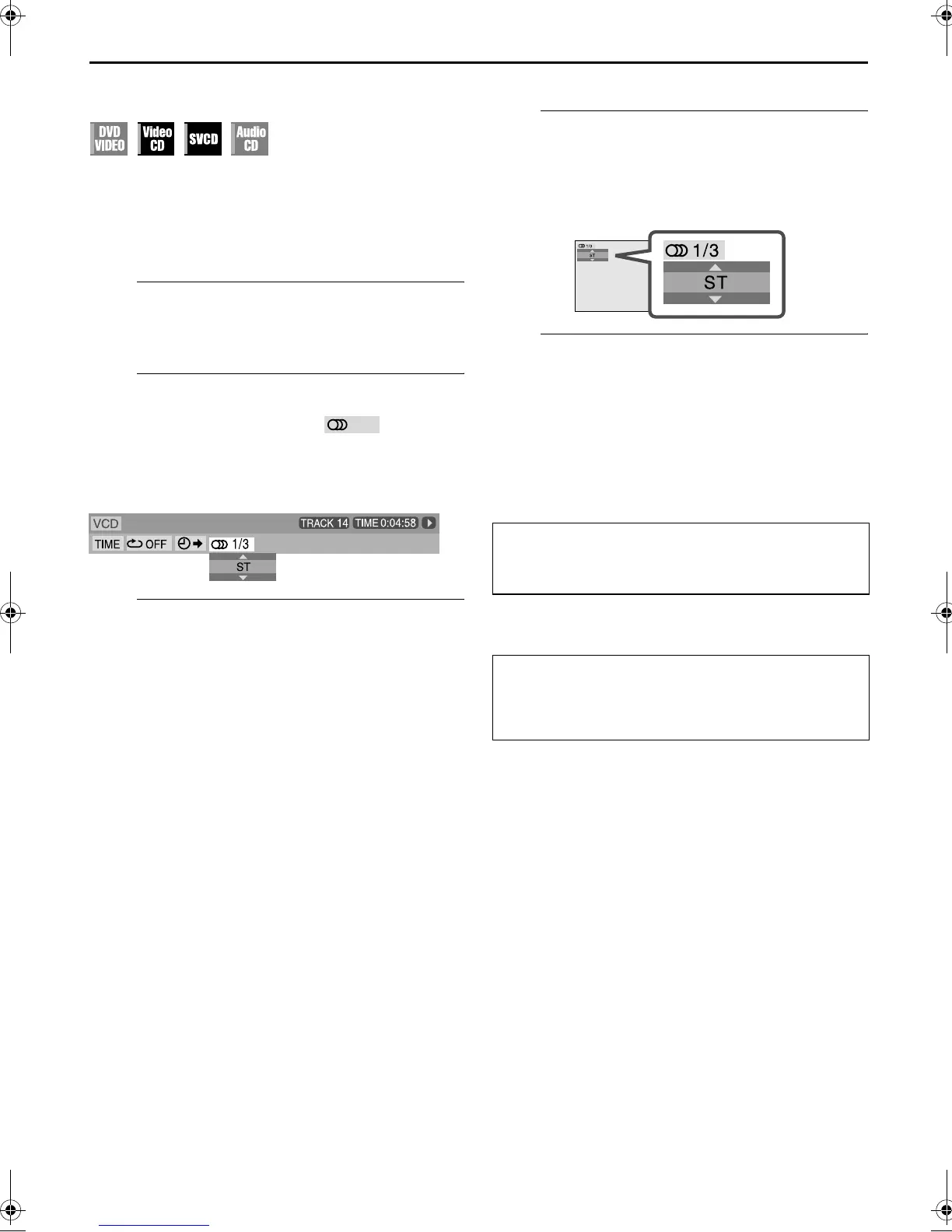
Press ON SCREEN twice. The on-screen bar appears on
the TV screen.
B
Select menu item.
Press we to move the hightlight to , then press
ENTER.
● The following pop-up window appears under the selected
item.
Example: “ST” (stereo) is selected.
C
Select the audio channel.
Press rt repeatedly to select the desired audio channel,
then press ENTER.
● Each time you press the button, the audio channel changes.
To clear the on-screen bar
Press ON SCREEN.
When using the A.MONITOR button:
A
Access the menu.
Press A.MONITOR.
● The following pop-up window appears on the TV screen.
Example: “ST” (stereo) is selected out of 3 audio channels
recorded.
B
Select the audio channel.
Press rt or A.MONITOR repeatedly to select the
desired audio channel.
● Each time you press the button, the audio channel changes.
● The pop-up window disappears if no operation is done for
about 5 seconds.
For Video CD
ST]L]R](Back to the beginning)
For SVCD
ST 1]ST 2]L 1]R 1]L 2]R 2](Back to the beginning)
ST:
To listen to normal stereo playback.
L:
To listen to L (left) audio channel only.
R:
To listen to R (right) audio channel only.
ST 1/ST 2:
To listen to normal stereo playback of ST 1 or
ST 2 channel.
L 1/L 2:
To listen to the L (left) 1 or 2 audio channel.
R 1/R 2:
To listen to the R (right) 1 or 2 audio channel.
XVC27U_08DVD.fm Page 57 Thursday, January 15, 2004 12:18 PM



 To Next Page
 Loading...






