EasyManua.ls Logo

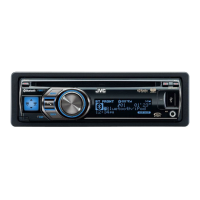
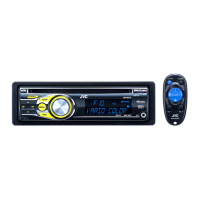
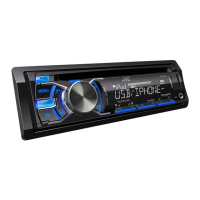
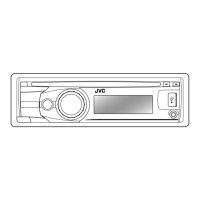
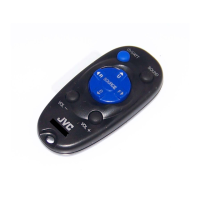
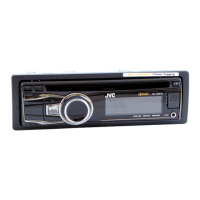
JVC KD-A815 - User Manual

JVC KD-A815
151 pages
Print Icon
To Next Page IconTo Next Page
Loading...
ESPAÑOL
FRANÇAIS
ENGLISH
Instructions CD RECEIVER KD-A815/KD-R810
GET0651-001A
[J]
EN, SP, FR
0110DTSMDTJEIN© 2010 Victor Company of Japan, Limited
For canceling the display demonstration, see page 4. / Para cancelar la demostración en pantalla,
consulte la página 4. / Pour annuler la démonstration des affichages, référez-vous à la page 4.
CD RECEIVER / RECEPTOR CON CD /
RÉCEPTEUR CD
For customer Use:
Enter below the Model
No. and Serial No. which
are located on the top or
bottom of the cabinet.
Retain this information
for future reference.
Model No.
Serial No.
KD-A815/KD-R810
INSTRUCTIONS
MANUAL DE INSTRUCCIONES
MANUEL D’INSTRUCTIONS
For installation and connections, refer to the separate manual.
Para la instalación y las conexiones, refiérase al manual separado.
Pour l’installation et les raccordements, se référer au manuel séparé.
Having TROUBLE with operation?
Please reset your unit
Refer to page of How to reset your unit
Still having trouble??
USA ONLY
Call 1-800-252-5722
http://www.jvc.com
We can help you!
CoverRear_KD-A815[J]1.indd 1CoverRear_KD-A815[J]1.indd 1 12/8/09 11:38:27 AM12/8/09 11:38:27 AM

Table of Contents

Other manuals for JVC KD-A815

Questions and Answers

  • L
    Laura StuartAug 31, 2025
    Why is my JVC Car Receiver displaying “No File”?
    • D
      David JohnsonAug 31, 2025
      If your JVC Car Receiver displays “No File”, check whether the selected folder, the connected USB device, or the iPod/iPhone contains a playable file.
  • M
    Michael HammondAug 25, 2025
    What to do if the JVC KD-A815 Car Receiver does not detect the Bluetooth device?
    • S
      suzanne69Aug 25, 2025
      If your JVC Car Receiver does not detect the Bluetooth device, search from the Bluetooth device again or reset the unit and search from the Bluetooth device again.
  • C
    Caitlin LivingstonAug 25, 2025
    What to do if my JVC KD-A815 Car Receiver displays “Reset 08”?
    • J
      James DorseyAug 26, 2025
      If “Reset 08” appears on the display of your JVC Car Receiver, reconnect this unit and the HD Radio tuner box correctly, then reset the unit.
  • M
    Michelle SmithAug 26, 2025
    Why does my JVC KD-A815 Car Receiver display “Reset 08” when using satellite radio?
    • P
      patrickdaviesAug 26, 2025
      If “Reset 08” appears on the display and the satellite radio does not work at all on your JVC Car Receiver, reconnect this unit and the satellite radio correctly and reset this unit.
  • S
    Steven HowardAug 26, 2025
    Why does my JVC KD-A815 not make pairing with the Bluetooth device?
    • K
      Kenneth KeyAug 26, 2025
      If your JVC Car Receiver does not make pairing with the Bluetooth device, enter the same PIN code for both the unit and target device.
  • J
    Janice GarciaAug 27, 2025
    What to do if my JVC KD-A815 does not work at all?
    • K
      kimberly21Aug 27, 2025
      If your JVC Car Receiver isn't working, reset the unit.
  • S
    sandrajohnsonAug 27, 2025
    Why is my JVC KD-A815 Car Receiver displaying “No Signal”?
    • M
      Michael NicholsAug 27, 2025
      If your JVC Car Receiver displays “No Signal”, move to an area where signals are stronger.
  • F
    floresmelissaAug 27, 2025
    What does “Please Eject” mean on my JVC Car Receiver?
    • R
      roberto49Aug 27, 2025
      If “Please Eject” appears on the display of your JVC Car Receiver, eject the disc or change to another playback source. This sometimes occurs due to overheating.
  • C
    Cole HernandezAug 28, 2025
    How to fix static noise while listening to the radio on JVC KD-A815 Car Receiver?
    • A
      aprilevansAug 28, 2025
      To resolve static noise when listening to the radio on your JVC Car Receiver, connect the antenna firmly.
  • C
    christopherloveAug 28, 2025
    What to do if my JVC Car Receiver displays “Reading” keeps flashing?
    • J
      janice02Aug 28, 2025
      If the display of your JVC Car Receiver shows “Reading” keeps flashing, consider the following: the readout time varies depending on the USB device; avoid using too many hierarchy or folders; turn the power off and then on again; avoid repeatedly pulling out or connecting the USB device while “Reading” is displayed.

JVC KD-A815 Specifications

General IconGeneral
TunerAM/FM
Audio Formats SupportedMP3, WMA
BluetoothNo
USB PortYes
DIN SizeSingle DIN
Channels4
CD PlayerYes
CD-R/RW PlaybackYes
Detachable FaceplateYes
Remote ControlYes
Auxiliary InputYes
Power Output50 Watts x 4
RMS Power Output22 Watts x 4
DisplayLCD
Preamp Outputs3 Preamp Outputs
Equalizer13-band
Peak Power Output50 Watts x 4

Related product manuals