EasyManua.ls Logo

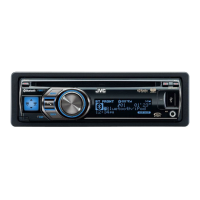
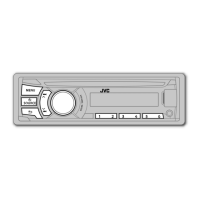
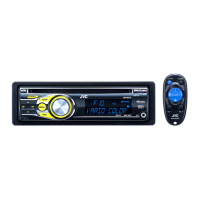
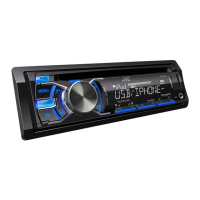
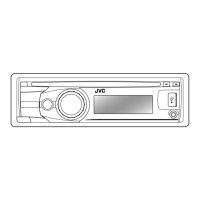
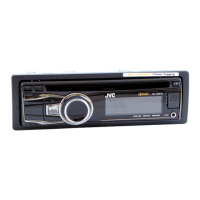
JVC KD-A815 - User Manual

JVC KD-A815
151 pages
Print Icon
To Next Page IconTo Next Page
Loading...
ESPAÑOL
FRANÇAIS
ENGLISH
Instructions CD RECEIVER KD-A815/KD-R810
GET0651-001A
[J]
EN, SP, FR
0110DTSMDTJEIN© 2010 Victor Company of Japan, Limited
For canceling the display demonstration, see page 4. / Para cancelar la demostración en pantalla,
consulte la página 4. / Pour annuler la démonstration des affichages, référez-vous à la page 4.
CD RECEIVER / RECEPTOR CON CD /
RÉCEPTEUR CD
For customer Use:
Enter below the Model
No. and Serial No. which
are located on the top or
bottom of the cabinet.
Retain this information
for future reference.
Model No.
Serial No.
KD-A815/KD-R810
INSTRUCTIONS
MANUAL DE INSTRUCCIONES
MANUEL D’INSTRUCTIONS
For installation and connections, refer to the separate manual.
Para la instalación y las conexiones, refiérase al manual separado.
Pour l’installation et les raccordements, se référer au manuel séparé.
Having TROUBLE with operation?
Please reset your unit
Refer to page of How to reset your unit
Still having trouble??
USA ONLY
Call 1-800-252-5722
http://www.jvc.com
We can help you!
CoverRear_KD-A815[J]1.indd 1CoverRear_KD-A815[J]1.indd 1 12/8/09 11:38:27 AM12/8/09 11:38:27 AM

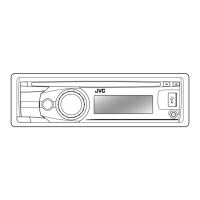
Table of Contents

Other manuals for JVC KD-A815

Questions and Answers

  • N
    Nathan CaseyAug 29, 2025
    Why does my JVC Car Receiver say “No USB”?
    • T
      Thomas ReynoldsAug 29, 2025
      If “No USB” appears on the display of your JVC Car Receiver, and the unit cannot detect the USB device, check whether the connected USB device or the iPod/iPhone is compatible with this unit and ensure the USB device is properly connected.
  • S
    Scott AllenAug 29, 2025
    How to fix JVC KD-A815 Car Receiver when sound quality changes when receiving HD Radio stations?
    • N
      Nicholas FrankAug 29, 2025
      If the sound quality changes when receiving HD Radio stations on your JVC Car Receiver, fix the reception mode either to or .
  • S
    Susan CallahanAug 30, 2025
    Why can't my JVC Car Receiver play CD-R/CD-RW?
    • J
      James GarciaAug 30, 2025
      If your JVC Car Receiver cannot play CD-R/CD-RW or tracks on the CD-R/CD-RW cannot be skipped, insert a finalized CD-R/CD-RW and finalize the CD-R/CD-RW with the component used for recording.
  • D
    david37Aug 30, 2025
    What to do if my JVC KD-A815 Car Receiver displays “Read Failed”?
    • Z
      zachary14Aug 30, 2025
      If your JVC Car Receiver displays “Read Failed”, it means the connected USB device is not working properly. You should connect the USB device again.
  • S
    Stephen ValenzuelaAug 31, 2025
    Why does my JVC KD-A815 Car Receiver display “Connect Error”?
    • T
      Tanner WatsonAug 31, 2025
      If “Connect Error” appears on the display of your JVC Car Receiver, remove the control panel, wipe the connector, and then attach it again.
  • J
    jacqueline21Aug 25, 2025
    How to fix JVC Car Receiver when no sound is heard from the speakers?
    • M
      Marc Underwood MDAug 25, 2025
      If you cannot hear any sound from the speakers of your JVC Car Receiver, try the following: adjust the volume to an optimum level, ensure the unit is not muted or paused, and check the cords and connections.
  • D
    David FlemingSep 1, 2025
    Why does my JVC KD-A815 beep when a folder is selected?
    • J
      Joel MatthewsSep 1, 2025
      The unit beeps when a folder is selected because the selected folder is an empty folder. Select another folder that contains MP3/WMA tracks.
  • D
    Daniel ThompsonSep 1, 2025
    Why does my JVC KD-A815 Car Receiver display “No Antenna”?
    • P
      Pamela JacksonSep 1, 2025
      If “No Antenna” appears on the display of your JVC Car Receiver, connect the antenna firmly.
  • S
    Susan RoblesSep 2, 2025
    Why does my JVC KD-A815 display “Not Support” and track skips?
    • A
      Alejandro CollierSep 2, 2025
      If “Not Support” appears on the display of your JVC Car Receiver and the track skips, skip to the next track encoded in an appropriate format or to the next non-copy-protected WMA track.
  • R
    Robert SmithSep 2, 2025
    Why does my JVC Car Receiver display “Please Eject”?
    • P
      Priscilla WhiteSep 2, 2025
      If “Please Eject” appears on the display of your JVC Car Receiver, insert a disc that contains MP3/WMA tracks.

JVC KD-A815 Specifications

General IconGeneral
TunerAM/FM
Audio Formats SupportedMP3, WMA
BluetoothNo
USB PortYes
DIN SizeSingle DIN
Channels4
CD PlayerYes
CD-R/RW PlaybackYes
Detachable FaceplateYes
Remote ControlYes
Auxiliary InputYes
Power Output50 Watts x 4
RMS Power Output22 Watts x 4
DisplayLCD
Preamp Outputs3 Preamp Outputs
Equalizer13-band
Peak Power Output50 Watts x 4

Related product manuals