EasyManua.ls Logo

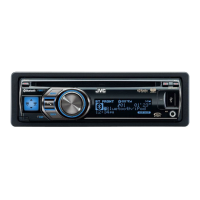
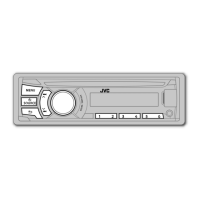
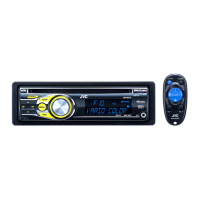
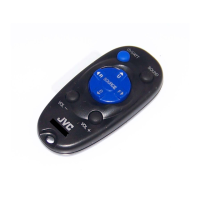
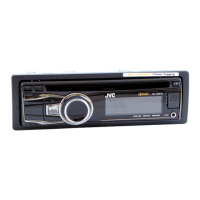
JVC KD-A815 - User Manual

JVC KD-A815
151 pages
Print Icon
To Next Page IconTo Next Page
Loading...
ESPAÑOL
FRANÇAIS
ENGLISH
Instructions CD RECEIVER KD-A815/KD-R810
GET0651-001A
[J]
EN, SP, FR
0110DTSMDTJEIN© 2010 Victor Company of Japan, Limited
For canceling the display demonstration, see page 4. / Para cancelar la demostración en pantalla,
consulte la página 4. / Pour annuler la démonstration des affichages, référez-vous à la page 4.
CD RECEIVER / RECEPTOR CON CD /
RÉCEPTEUR CD
For customer Use:
Enter below the Model
No. and Serial No. which
are located on the top or
bottom of the cabinet.
Retain this information
for future reference.
Model No.
Serial No.
KD-A815/KD-R810
INSTRUCTIONS
MANUAL DE INSTRUCCIONES
MANUEL D’INSTRUCTIONS
For installation and connections, refer to the separate manual.
Para la instalación y las conexiones, refiérase al manual separado.
Pour l’installation et les raccordements, se référer au manuel séparé.
Having TROUBLE with operation?
Please reset your unit
Refer to page of How to reset your unit
Still having trouble??
USA ONLY
Call 1-800-252-5722
http://www.jvc.com
We can help you!
CoverRear_KD-A815[J]1.indd 1CoverRear_KD-A815[J]1.indd 1 12/8/09 11:38:27 AM12/8/09 11:38:27 AM


Table of Contents

Other manuals for JVC KD-A815

Questions and Answers

  • J
    Joseph MoranSep 3, 2025
    How to fix JVC KD-A815 Car Receiver when the sound is interrupted or skipped during playback of a Bluetooth audio player?
    • T
      Tammy FullerSep 3, 2025
      If the sound is interrupted or skipped during playback of a Bluetooth audio player on your JVC Car Receiver, reduce the distance between the unit and the Bluetooth audio player, disconnect the device connected for Bluetooth Phone, turn off then turn on the unit, and connect the player again if the sound is not yet restored.
  • R
    Robert SmithSep 3, 2025
    Why is my JVC KD-A815 displaying “Not Support” and skipping tracks?
    • S
      Steven KelleySep 3, 2025
      If “Not Support” appears and the track skips on your JVC Car Receiver, check whether the track is a playable file format.
  • H
    Hannah ThomasSep 4, 2025
    What to do if my JVC KD-A815 displays nothing on the display?
    • K
      kathleenwatkinsSep 4, 2025
      If nothing appears on the display of your JVC Car Receiver, check the color settings.
  • M
    Melissa WilliamsSep 4, 2025
    Why can't my JVC KD-A815 Car Receiver select “AUX IN”?
    • J
      Joanna HendersonSep 5, 2025
      If “AUX IN” cannot be selected on your JVC Car Receiver, check the = setting.
  • M
    Michelle LoweSep 5, 2025
    How to fix JVC KD-A815 when the iPod does not turn on or does not work?
    • J
      jason31Sep 5, 2025
      If the iPod does not turn on or does not work with your JVC Car Receiver, check the connecting cable and its connection, update the firmware version of the iPod/iPhone, charge the battery of the iPod/iPhone, reset the iPod/iPhone, and check whether setting is appropriate.
  • A
    Allen SuarezSep 5, 2025
    Why can't my JVC KD-A815 Car Receiver select “AM”?
    • M
      Michael WebbSep 6, 2025
      If “AM” cannot be selected on your JVC Car Receiver, check the = setting.
  • D
    Deanna WuSep 6, 2025
    Why does my JVC Car Receiver display “Invalid Channel” while listening to SIRIUS Satellite radio?
    • K
      Kristin KingSep 6, 2025
      If “Invalid Channel” appears on the display for about 5 seconds, then returns to the previous channel or default channel while listening to the SIRIUS Satellite radio on your JVC Car Receiver, the selected channel is not broadcasting. Select another channel or continue listening to the previous channel or default channel.
  • J
    Jason LevySep 6, 2025
    Why does my JVC KD-A815 Car Receiver display “CHANNEL---” or “CH UNAVAIL” while listening to XM Satellite radio?
    • R
      reginaldjohnsonSep 7, 2025
      If “CHANNEL---” or “CH UNAVAIL” appears on the display for about 2 seconds, then returns to the previous channel while listening to the XM Satellite radio on your JVC Car Receiver, the selected channel is no longer available or is unauthorized. Select another channel or continue listening to the previous channel.
  • C
    Cathy LittleSep 7, 2025
    Why is my JVC KD-A815 displaying “Off Air” while listening to XM Satellite radio?
    • B
      Barbara MartinSep 7, 2025
      If “Off Air” appears on the display while listening to the XM Satellite radio on your JVC Car Receiver, the selected channel is not broadcasting at this time. Select another channel or continue listening to the previous channel.

JVC KD-A815 Specifications

General IconGeneral
TunerAM/FM
Audio Formats SupportedMP3, WMA
BluetoothNo
USB PortYes
DIN SizeSingle DIN
Channels4
CD PlayerYes
CD-R/RW PlaybackYes
Detachable FaceplateYes
Remote ControlYes
Auxiliary InputYes
Power Output50 Watts x 4
RMS Power Output22 Watts x 4
DisplayLCD
Preamp Outputs3 Preamp Outputs
Equalizer13-band
Peak Power Output50 Watts x 4

Related product manuals