EasyManua.ls Logo

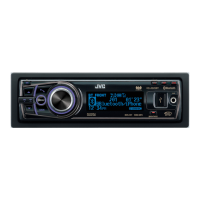
JVC KD-A95BT - User Manual

JVC KD-A95BT
58 pages
Print Icon
To Next Page IconTo Next Page
Loading...
CD RECEIVER / RECEPTOR CON CD / RÉCEPTEUR CD
For canceling the display demonstration, see page 4. /
Para cancelar la demostración en pantalla, consulte la página 4. /
Pour annuler la démonstration des affichages, référez-vous à la page 4.
ENGLISH
ESPAÑOL
FRANÇAIS
INSTRUCTIONS
MANUAL DE INSTRUCCIONES
MANUEL D’INSTRUCTIONS
GET0801Ɩ001A
[J]
KD-A95BT
For installation and connections, refer to the separate manual.
Para la instalación y las conexiones, refiérase al manual separado.
Pour l’installation et les raccordements, se référer au manuel
séparé.
For Customer Use:
Enter below the
Model No. and Serial
No. which are located
on the top or bottom
of the cabinet. Retain
this information for
future reference.
Model No.
Serial No.
KD-A95BTJ_Cover.indd 1 2/15/2012 7:33:12 PM

Other manuals for JVC KD-A95BT

Questions and Answers

  • J
    jose04Sep 23, 2025
    What does “Please Wait” mean on my JVC Car Receiver?
    • G
      gregory65Sep 23, 2025
      If your JVC Car Receiver displays “Please Wait”, it means the unit is preparing to use the Bluetooth function. If the message does not disappear, turn off and turn on the unit, then connect the device again, or reset the unit.
  • R
    Robert HintonSep 3, 2025
    What does “UNSUBSCRIBED CH” mean on my JVC Cd receiver?
    • J
      Johnny BurnsSep 3, 2025
      If “UNSUBSCRIBED CH” appears on the display of your JVC Cd receiver while listening to SIRIUS or XM Satellite Radio, it means SIRIUS or XM Satellite Radio is connected but does not have an active subscription.
  • S
    Samuel FrazierAug 27, 2025
    What to do if “Please Eject” appears on the JVC Cd receiver display?
    • A
      Anne CantuAug 28, 2025
      If your JVC Cd receiver displays “Please Eject”, press the [?] button, then insert the disc correctly.
  • R
    Ryan ThomasSep 16, 2025
    Why does “Reading” keep flashing on the display of my JVC Car Receiver?
    • K
      Kelly JonesSep 16, 2025
      If “Reading” keeps flashing on the display of your JVC Car Receiver, it means a longer readout time is required. Also, avoid using too many hierarchical levels and folders. If the problem persists, reload the disc or reattach the USB device.
  • M
    Monica WhitakerSep 22, 2025
    What does “HW Error” mean on my JVC Car Receiver?
    • W
      williamsjeremySep 22, 2025
      If your JVC Car Receiver displays “HW Error”, reset the unit and try the operation again.
  • S
    Stephen HernandezSep 6, 2025
    Why can't I select “BT-1”/“BT-2” on my JVC Cd receiver?
    • R
      Rebekah GarciaSep 6, 2025
      If “BT-1” or “BT-2” cannot be selected on your JVC Cd receiver, check in the setting.
  • C
    Christine McconnellSep 9, 2025
    Why can't I control the connected Bluetooth audio player on my JVC Cd receiver?
    • C
      Carlos JacksonSep 9, 2025
      If the connected Bluetooth audio player cannot be controlled with your JVC Cd receiver, check whether the connected Bluetooth audio player supports Audio/Video Remote Control Profile (AVRCP). You can also disconnect and connect the Bluetooth player again.
  • L
    Laura NelsonSep 16, 2025
    What does “In Disc” mean on my JVC Car Receiver?
    • P
      paynemicheleSep 16, 2025
      If your JVC Car Receiver displays “In Disc”, make sure nothing is blocking the loading slot.
  • B
    Bruce JacobsAug 26, 2025
    Why is my JVC Car Receiver not pairing?
    • C
      Christina WhiteheadAug 26, 2025
      If you are unable to pair your device with the JVC Car Receiver, make sure you have entered the same PIN code on both the unit and the Bluetooth device. If the problem persists, delete pairing information from both the unit and the Bluetooth device, then try pairing again.
  • N
    Nathan ColonAug 25, 2025
    What to do if my JVC Car Receiver is not detecting any Bluetooth device?
    • H
      Heather MoralesAug 26, 2025
      If your JVC Car Receiver is not detecting any Bluetooth devices, try searching from the Bluetooth device again. If that doesn't work, reset the unit.

Summary

Preparation

Setting the clock

Instructions for setting the unit's clock.

Basic operations

Control panel overview

Describes the layout and functions of the control panel.

Remote controller overview

Describes the layout and functions of the remote controller.

Radio

Searching for a station

Instructions for tuning into FM/AM radio stations.

Storing stations in memory

How to preset radio stations for quick access.

CD;USB

Playing a CD;USB device

How to play music from CDs and USB devices.

iPod;iPhone

Playing an iPod;iPhone

Connects and plays music from iPod/iPhone devices.

Quick Search

Searching for folders, tracks, or contacts

Quickly find items by entering the first character.

Bluetooth connection

Pairing a Bluetooth device

Steps to connect a Bluetooth device to the unit for the first time.

Connecting;Disconnecting a registered device

Manually connect or disconnect paired Bluetooth devices.

Bluetooth mobile phone

Receiving a call

How the unit handles incoming phone calls.

Bluetooth audio player

Playing a Bluetooth audio player

How to stream audio from a Bluetooth device.

Sound adjustments

Selecting the preset sound

Choosing predefined sound modes (EQ settings).

Setting My Sound EQ

Customizing equalizer settings with default or optional music.

Setting the speaker output timing

Adjusting time alignment for optimal sound staging.

Menu operations

Audio and Tuner Settings

Adjusts sound, EQ, subwoofer, and radio tuner functions.

Connectivity Settings

Manages USB, iPod/iPhone, Bluetooth, and source selections.

Troubleshooting

General and Radio Issues

Solutions for basic operation, FM/AM, and Pandora® problems.

Media and Connectivity Issues

Troubleshooting for CD/USB, iPod/iPhone, and Bluetooth devices.

Specifications

JVC KD-A95BT Specifications

General IconGeneral
BrandJVC
ModelKD-A95BT
TypeCar Receiver
BluetoothYes
USB PortYes
AUX InputYes
CD PlaybackYes
Radio TunerAM/FM
Display TypeLCD
Preamp Outputs3 (Front, Rear, Subwoofer)
DIN SizeSingle DIN
Android CompatibilityYes
iPhone CompatibilityYes
Remote ControlYes
Built-in MicrophoneYes
Wireless Audio StreamingYes
Hands-free CallingYes
Power Output50W x 4
RMS Power Output22W x 4
Equalizer13-Band Graphic EQ
Display ColorVariable Color
Audio Playback FormatsMP3, WMA, AAC, WAV

Related product manuals