
 To Next Page

M
Melissa HesterSep 6, 2025
Why is no Bluetooth device detected by my JVC Cd receiver?
- LlewisrobertSep 7, 2025
If no Bluetooth device is detected by your JVC Cd receiver, search from the Bluetooth device again or reset the unit.

Why is no Bluetooth device detected by my JVC Cd receiver?
If no Bluetooth device is detected by your JVC Cd receiver, search from the Bluetooth device again or reset the unit.
Why can't I select “BT-1”/“BT-2” on my JVC Cd receiver?
If “BT-1” or “BT-2” cannot be selected on your JVC Cd receiver, check in the setting.
What does “LOADING” mean on my JVC Cd receiver?
If “LOADING” appears on the display of your JVC Cd receiver while listening to the XM Satellite Radio, the unit is loading the channel information and audio.
What does “OFF AIR” mean on my JVC Cd receiver?
If “OFF AIR” appears on the display of your JVC Cd receiver while listening to the XM Satellite Radio, it means the selected channel is not broadcasting at this time.
Why does a blank display appear on my JVC Cd receiver?
If a blank display appears on your JVC Cd receiver, it means there is no text information for the selected channel.
Why does “INVALID CHANNEL” appear on the display for about 5 seconds on my JVC Cd receiver?
If “INVALID CHANNEL” appears on the display for about 5 seconds, then returns to the previous channel or default channel while listening to the SIRIUS Satellite Radio on your JVC Cd receiver, it means there is no broadcast on the selected channel. You can select another channel or continue listening to the previous channel or default channel.
What to do if “Reset 08” appears on the display of my JVC Cd receiver?
If “RESET 08” appears on the display of your JVC Cd receiver, reconnect this unit and the Satellite Radio correctly and reset this unit.
What to do if “ACQUIRING SIGNAL” or “NO SIGNAL” appears on the display of my JVC Cd receiver?
If “ACQUIRING SIGNAL” or “NO SIGNAL” appears on the display of your JVC Cd receiver, make sure your Satellite Radio antenna is mounted outside the vehicle. Also, move the vehicle to an area with a clear view of the sky.
Why is there no sound on my JVC Cd receiver?
If no sound can be heard on your JVC Cd receiver, the unit is updating the channel information and it takes a few minutes to complete.
What does “UNSUBSCRIBED CH” mean on my JVC Cd receiver?
If “UNSUBSCRIBED CH” appears on the display of your JVC Cd receiver while listening to SIRIUS or XM Satellite Radio, it means SIRIUS or XM Satellite Radio is connected but does not have an active subscription.
Instructions for setting the unit's clock.
Describes the layout and functions of the control panel.
Describes the layout and functions of the remote controller.
Instructions for tuning into FM/AM radio stations.
How to preset radio stations for quick access.
How to play music from CDs and USB devices.
Connects and plays music from iPod/iPhone devices.
Quickly find items by entering the first character.
Steps to connect a Bluetooth device to the unit for the first time.
Manually connect or disconnect paired Bluetooth devices.
How the unit handles incoming phone calls.
How to stream audio from a Bluetooth device.
Choosing predefined sound modes (EQ settings).
Customizing equalizer settings with default or optional music.
Adjusting time alignment for optimal sound staging.
Adjusts sound, EQ, subwoofer, and radio tuner functions.
Manages USB, iPod/iPhone, Bluetooth, and source selections.
Solutions for basic operation, FM/AM, and Pandora® problems.
Troubleshooting for CD/USB, iPod/iPhone, and Bluetooth devices.
 General
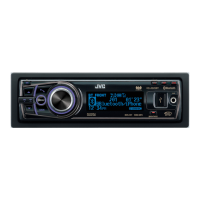
| Brand | JVC |
|---|---|
| Model | KD-A95BT |
| Type | Car Receiver |
| Bluetooth | Yes |
| USB Port | Yes |
| AUX Input | Yes |
| CD Playback | Yes |
| Radio Tuner | AM/FM |
| Display Type | LCD |
| Preamp Outputs | 3 (Front, Rear, Subwoofer) |
| DIN Size | Single DIN |
| Android Compatibility | Yes |
| iPhone Compatibility | Yes |
| Remote Control | Yes |
| Built-in Microphone | Yes |
| Wireless Audio Streaming | Yes |
| Hands-free Calling | Yes |
| Power Output | 50W x 4 |
| RMS Power Output | 22W x 4 |
| Equalizer | 13-Band Graphic EQ |
| Display Color | Variable Color |
| Audio Playback Formats | MP3, WMA, AAC, WAV |