EasyManua.ls Logo

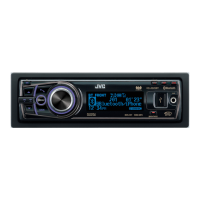
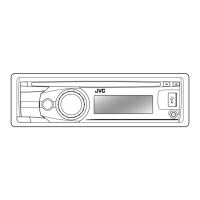
JVC KD-A95BT - User Manual

JVC KD-A95BT
58 pages
Print Icon
To Next Page IconTo Next Page
Loading...
CD RECEIVER / RECEPTOR CON CD / RÉCEPTEUR CD
For canceling the display demonstration, see page 4. /
Para cancelar la demostración en pantalla, consulte la página 4. /
Pour annuler la démonstration des affichages, référez-vous à la page 4.
ENGLISH
ESPAÑOL
FRANÇAIS
INSTRUCTIONS
MANUAL DE INSTRUCCIONES
MANUEL D’INSTRUCTIONS
GET0801Ɩ001A
[J]
KD-A95BT
For installation and connections, refer to the separate manual.
Para la instalación y las conexiones, refiérase al manual separado.
Pour l’installation et les raccordements, se référer au manuel
séparé.
For Customer Use:
Enter below the
Model No. and Serial
No. which are located
on the top or bottom
of the cabinet. Retain
this information for
future reference.
Model No.
Serial No.
KD-A95BTJ_Cover.indd 1 2/15/2012 7:33:12 PM

Other manuals for JVC KD-A95BT

Questions and Answers

  • C
    coleanthonyAug 31, 2025
    Why are tracks/folders not played back in the order I intended on my JVC Cd receiver?
    • S
      Stephanie MoralesAug 31, 2025
      If tracks or folders are not played back in the order you intended on your JVC Cd receiver, note that the playback order is determined by the file name (if using USB) or the order in which files were recorded (if using a disc).
  • P
    Patrick FosterAug 30, 2025
    What to do if the iPod/iPhone does not turn on or does not work with JVC Cd receiver?
    • L
      Lauren EatonAug 30, 2025
      If your iPod/iPhone does not turn on or work with the JVC Cd receiver, check the connection between the unit and your iPod/iPhone. You can also detach and reset the iPod/iPhone using a hard reset. Also, check whether the setting is appropriate.
  • L
    lisataylorAug 30, 2025
    Why can't my JVC Cd receiver detect the connected device?
    • S
      Susan PatelAug 30, 2025
      If your JVC Cd receiver unit cannot detect the connected device, ensure that the device contains files in the supported formats. You can also try reattaching the device.
  • D
    Diane BeckAug 29, 2025
    What to do if “Cannot Play” flashes on the display of my JVC Cd receiver?
    • D
      David NguyenAug 30, 2025
      If your JVC Cd receiver displays “Cannot Play”, check whether the connected device is compatible with this unit.
  • K
    Kristopher MaldonadoAug 29, 2025
    Why does my JVC Cd receiver say “Not Support” and track skips?
    • J
      Jessica MolinaAug 29, 2025
      If your JVC Cd receiver displays “Not Support” and the track skips, check whether the track is a playable file format.
  • C
    ccoxAug 29, 2025
    Why does “Reading” keep flashing on the display of my JVC Cd receiver?
    • I
      Ian NguyenAug 29, 2025
      If your JVC Cd receiver displays “Reading” keeps flashing, it may require a longer readout time. Avoid using too many hierarchical levels and folders. You can also try reloading the disc or reattaching the USB device.
  • S
    samantha45Aug 28, 2025
    What does “In Disc” mean on my JVC Cd receiver?
    • E
      Erika BrownAug 28, 2025
      If your JVC Cd receiver displays “In Disc”, make sure nothing is blocking the loading slot.
  • C
    Cheryl BrockAug 28, 2025
    Why does my JVC Cd receiver say “No File”?
    • R
      Ronald BarberAug 28, 2025
      If your JVC Cd receiver displays “No File”, check whether the selected folder, the connected USB device, or the iPod/iPhone contains a playable file.
  • E
    Emily WileyAug 31, 2025
    What does “CANNOT SKIP” mean on my JVC Cd receiver?
    • T
      Tammy CrawfordAug 31, 2025
      If your JVC Cd receiver displays “CANNOT SKIP”, it means the skip limit has been reached.
  • C
    chelsea49Aug 27, 2025
    Why does my JVC Cd receiver have no sound, interrupted sound, or static noise?
    • C
      Charles WilliamsAug 27, 2025
      If your JVC Cd receiver has no sound, is interrupted, or has static noise, start by checking the cords, antenna, and cable connections. Also, check the condition of the disc, connected device, and recorded tracks. When connecting to an external component, ensure you're using the recommended stereo mini plug.

Summary

Preparation

Setting the clock

Instructions for setting the unit's clock.

Basic operations

Control panel overview

Describes the layout and functions of the control panel.

Remote controller overview

Describes the layout and functions of the remote controller.

Radio

Searching for a station

Instructions for tuning into FM/AM radio stations.

Storing stations in memory

How to preset radio stations for quick access.

CD;USB

Playing a CD;USB device

How to play music from CDs and USB devices.

iPod;iPhone

Playing an iPod;iPhone

Connects and plays music from iPod/iPhone devices.

Quick Search

Searching for folders, tracks, or contacts

Quickly find items by entering the first character.

Bluetooth connection

Pairing a Bluetooth device

Steps to connect a Bluetooth device to the unit for the first time.

Connecting;Disconnecting a registered device

Manually connect or disconnect paired Bluetooth devices.

Bluetooth mobile phone

Receiving a call

How the unit handles incoming phone calls.

Bluetooth audio player

Playing a Bluetooth audio player

How to stream audio from a Bluetooth device.

Sound adjustments

Selecting the preset sound

Choosing predefined sound modes (EQ settings).

Setting My Sound EQ

Customizing equalizer settings with default or optional music.

Setting the speaker output timing

Adjusting time alignment for optimal sound staging.

Menu operations

Audio and Tuner Settings

Adjusts sound, EQ, subwoofer, and radio tuner functions.

Connectivity Settings

Manages USB, iPod/iPhone, Bluetooth, and source selections.

Troubleshooting

General and Radio Issues

Solutions for basic operation, FM/AM, and Pandora® problems.

Media and Connectivity Issues

Troubleshooting for CD/USB, iPod/iPhone, and Bluetooth devices.

Specifications

JVC KD-A95BT Specifications

General IconGeneral
BrandJVC
ModelKD-A95BT
TypeCar Receiver
BluetoothYes
USB PortYes
AUX InputYes
CD PlaybackYes
Radio TunerAM/FM
Display TypeLCD
Preamp Outputs3 (Front, Rear, Subwoofer)
DIN SizeSingle DIN
Android CompatibilityYes
iPhone CompatibilityYes
Remote ControlYes
Built-in MicrophoneYes
Wireless Audio StreamingYes
Hands-free CallingYes
Power Output50W x 4
RMS Power Output22W x 4
Equalizer13-Band Graphic EQ
Display ColorVariable Color
Audio Playback FormatsMP3, WMA, AAC, WAV

Related product manuals