24
ENGLISH
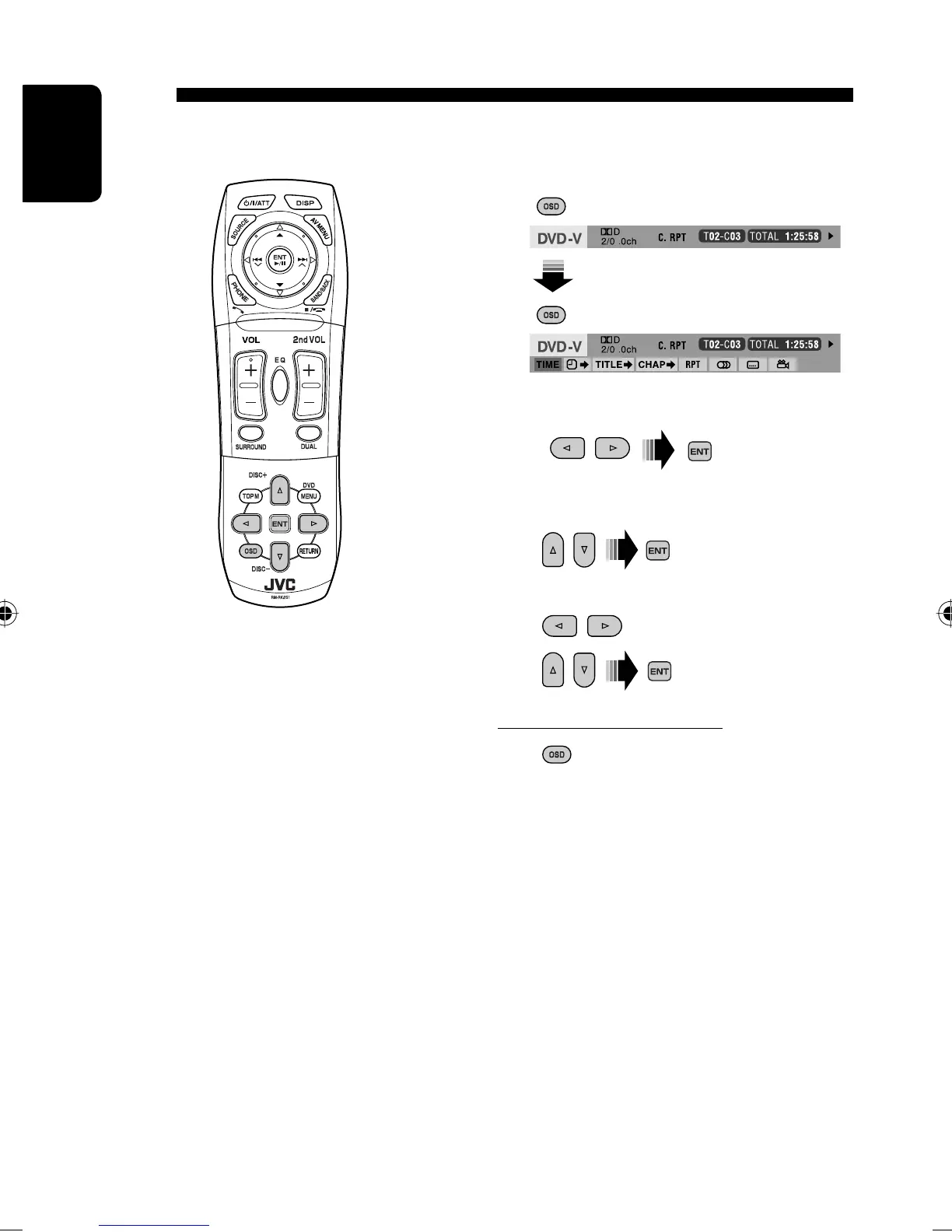
1 Display the on-screen bar. (☞ page 25)
2 Select an item.
3 Make a selection.
If a pop-up menu appears...
• For entering time/numbers...
: Move the entry position
To remove the on-screen bar
Operations using the on-screen bar (DVD/VCD/DivX/MPEG1/MPEG2/
JPEG)
These operations are possible on the monitor using the remote controller.
: Select a number
AVX33_J 24AVX33_J 24 07.2.1 2:48:38 PM07.2.1 2:48:38 PM


 To Next Page