EasyManua.ls Logo

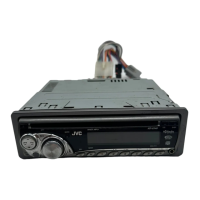
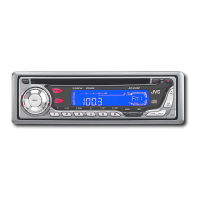
JVC KD-AR3000 - User Manual

JVC KD-AR3000
63 pages
Print Icon
To Next Page IconTo Next Page
Loading...
GET0201-001A
[J]
INSTRUCTIONS
MANUAL DE INSTRUCCIONES
MANUEL D’INSTRUCTIONS
CD RECEIVER KD-AR3000/KD-LH300
ENGLISH
ESPAÑOL
FRANÇAIS
For installation and connections, refer to the separate manual.
Para la instalación y las conexiones, refiérase al manual separado.
Pour l’installation et les raccordements, se référer au manuel séparé.
RECEPTEUR CD KD-AR3000/KD-LH300
RECEPTOR CON CD KD-AR3000/KD-LH300
For customer Use:
Enter below the Model No. and
Serial No. which are located on
the top or bottom of the
cabinet. Retain this information
for future reference.
Model No.
Serial No.
This unit is equipped with the display demonstration. To cancel it, see page 8.
Esta unidad está equipada con demostración en la pantalla. Para cancelarla, consulte la página 8.
Cet appareil est équipé d’une fonction de démonstration des affichages. Pour l’annuler, référez-
vous à la page 8.
SOUND
VOL
VOL
SOURCE
R
F
U
D
ATT
SOUND
VOL
VOL
SOURCE
R
F
U
D
ATT
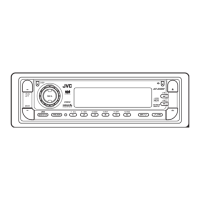
KD-AR3000
KD-AR3000
KD-LH300
KD-LH300


Other manuals for JVC KD-AR3000

Questions and Answers

  • M
    Michelle LeeAug 19, 2025
    Why is there no sound from the speakers on my JVC Car Receiver?
    • C
      Christine BrownAug 19, 2025
      If you cannot hear sound from the speakers, it might be due to the volume level being set too low. Ensure the volume is adjusted to an audible level. Also, check all the cords and connections to make sure they are correctly and firmly in place.
  • L
    llewisAug 21, 2025
    What to check if there is no 5V or 0V at IC621 pin 40 on my JVC KD-AR3000?
    • T
      Thomas JamesAug 21, 2025
      If there is no 5V or 0V at IC621 pin 40, check IC681 on your JVC Car Receiver.
  • E
    Evan WilliamsAug 25, 2025
    What to do if my JVC Car Receiver does not work at all?
    • M
      Mark WilliamsAug 25, 2025
      If your unit isn't working, the built-in microcomputer may have malfunctioned due to electrical noise or other interference. Try pressing the reset button located on the control panel. Keep in mind that this will erase the clock setting and preset stations stored in memory. Also, ensure that the control panel is correctly and firmly attached. Detach it, wipe the connectors, and then reattach it securely.
  • M
    Michael BrownAug 26, 2025
    Why does my JVC Car Receiver interrupt disc sound?
    • L
      Laura JonesAug 26, 2025
      Interrupted disc sound can occur for several reasons: * If you are driving on rough roads, stop playback. * The disc may be scratched, try changing the disc. * Connections might be incorrect, so check the cords and connections. * If there's no disc in the loading slot, insert one. * The disc may be inserted incorrectly, so insert the disc correctly.
  • A
    April WilliamsAug 28, 2025
    Why does my JVC Car Receiver show 'No Disc'?
    • G
      garciavictoriaAug 28, 2025
      If the display shows “No Disc,” it could be due to several reasons: * There is no disc in the magazine, insert discs into the magazine correctly. * This unit and the CD changer are not connected correctly, connect them correctly and press the reset button of the CD changer. * Press the reset button of the CD changer. * Press the reset button on the control panel. Note that the clock setting and preset stations stored in memory will be erased.
  • R
    Rachel AlvaradoAug 29, 2025
    What to do if my JVC Car Receiver displays 'Not Support' and tracks skip?
    • N
      Nicole PhillipsAug 29, 2025
      If “Not Support” appears and tracks skip, it may be because the tracks are not encoded in an appropriate format. Use a disc that contains tracks encoded in a supported format. Also, if you're playing WMA tracks, copy-protected tracks cannot be played back; this is normal.
  • J
    Jacqueline ReyesSep 1, 2025
    How to fix SSM (Strong-station Sequential Memory) automatic preset if it does not work on my JVC Car Receiver?
    • M
      Melissa RussellSep 1, 2025
      If the SSM automatic preset isn't working, it could be due to weak signals. In this case, store stations manually. Another reason could be that the antenna is not connected firmly, so ensure the antenna is securely connected.
  • E
    Elizabeth NguyenSep 3, 2025
    What to do if my JVC Car Receiver cannot play CD-R/CD-RW?
    • L
      Laurie SampsonSep 3, 2025
      If the CD-R/CD-RW cannot be played back, it may not be finalized. Insert a finalized CD-R/CD-RW. You can also finalize the CD-R/CD-RW with the component used for recording.
  • J
    James FrankSep 5, 2025
    What to do if my JVC Car Receiver cannot recognize the disc?
    • D
      Dustin PowellSep 5, 2025
      If the display shows “No Disc,” “Loading Error,” or “Eject Error,” the CD player may be malfunctioning. While pressing (standby/on attenuator), press and hold 0 (eject) for more than 2 seconds to eject the disc.
  • D
    Danielle MezaSep 7, 2025
    Why does my JVC Car Receiver generate noise?
    • J
      Jeffrey CunninghamSep 8, 2025
      If noise is generated, it could be that the track played back is not a true MP3/WMA track, even if it has the or extension. Try skipping to another track or changing the disc. Do not add the extension code or to non-MP3/WMA tracks.

JVC KD-AR3000 Specifications

General IconGeneral
MOS-FET AmplifierYes
Maximum Power Output50W x 4
RMS Power Output22W x 4
CD PlayerYes
MP3/WMA Compatible with ID3/WMA TagYes
Radio Data System (RDS)Yes
Pre-Output Level2.5V
Steering Wheel Remote ReadyYes
Detachable Face PanelYes
Channels4
WMA PlaybackYes
TunerFM/AM
USB PortYes
AUX InputYes

Related product manuals