EasyManua.ls Logo

JVC KD-DB65 - User Manual

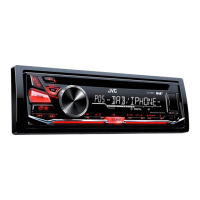
JVC KD-DB65
70 pages
Print Icon
To Next Page IconTo Next Page
Loading...
Data Size: B6L (182 mm x 128 mm)
Book Size: B6L (182 mm x 128 mm)
ENGLISH
DEUTSCH
FRANÇAIS
GET0953-001B [EN]
KD-DB95BT / KD-DB65
CD RECEIVER
INSTRUCTION MANUAL
CD-RECEIVER
BEDIENUNGSANLEITUNG
RÉCEPTEUR CD
MANUEL D’INSTRUCTIONS
Please read all instructions carefully before
operation to obtain the best possible performance
from the unit.
Bitte lesen Sie alle Bedienungsanweisungen
vor dem Betrieb gründlich durch, um die beste
Leistung mit dem Gerät zu erzielen.
Veuillez lires les instructions attentivement avant
d’utiliser l’appareil afin d’obtenir les meilleures
performances possibles de l’appareil.
JS_JVC_KD-DB95BT_E_C001B.indd 1JS_JVC_KD-DB95BT_E_C001B.indd 1 12/19/2013 10:54:45 AM12/19/2013 10:54:45 AM


Questions and Answers

  • K
    kgonzalezSep 23, 2025
    Why does my JVC Car Receiver say 'please wait'?
    • J
      John StephensSep 23, 2025
      If “PLEASE WAIT” appears on your JVC Car Receiver, the unit is preparing to use the Bluetooth function. If the message persists, turn off and turn on the unit, then connect the device again.
  • C
    Cheryl JacksonAug 25, 2025
    How to fix pairing issues on JVC Car Receiver?
    • J
      Jonathan MclaughlinAug 25, 2025
      If pairing cannot be made with your JVC Car Receiver, ensure you have entered the same PIN code on both the unit and the Bluetooth device. If the problem persists, delete the pairing information from both the unit and the Bluetooth device, then perform pairing again.
  • T
    Tiffany MurphyAug 25, 2025
    How to fix 'BT error pls update' on JVC KD-DB65 Car Receiver?
    • F
      foxmichaelAug 25, 2025
      If “BT ERROR PLS UPDATE” appears on your JVC Car Receiver, update the Bluetooth firmware.
  • L
    lisaoconnellAug 26, 2025
    What to do if my JVC KD-DB65 shows miswiring error?
    • J
      Julie WebsterAug 27, 2025
      If your JVC Car Receiver displays “MISWIRING CHK WIRING THEN RESET UNIT” or “WARNING CHK WIRING THEN RESET UNIT” and you can't do anything, check that the terminals of the speaker wires are properly insulated. Then, reset the unit. If that doesn't work, it's recommended to consult your nearest service center.
  • A
    Aaron EdwardsAug 27, 2025
    Why is the radio reception poor on my JVC KD-DB65 Car Receiver?
    • S
      Susan MilesAug 27, 2025
      If you're experiencing poor radio reception or static noise while listening to the radio on your JVC Car Receiver, ensure the antenna is firmly connected and pull the antenna out completely.
  • J
    Jeremy TurnerSep 15, 2025
    What to do if JVC KD-DB65 shows 'DAB ANT ERR'?
    • M
      Michael WilliamsSep 15, 2025
      If “DAB ANT ERR” appears on your JVC Car Receiver, check the DAB antenna. If you are using a passive antenna without a booster, set [DAB ANT PWR] to [OFF].
  • S
    Seth GibsonSep 12, 2025
    What does 'error' mean on JVC KD-DB65?
    • A
      Ashley FernandezSep 12, 2025
      If “ERROR” appears on your JVC Car Receiver, try the operation again. If the error persists, verify that the device supports the function you are attempting to use.
  • C
    Claire AndersonSep 14, 2025
    How to improve DAB reception on JVC Car Receiver?
    • T
      Tiffany ScottSep 14, 2025
      To improve DAB reception on your JVC Car Receiver, make sure [ON] is selected for [DAB ANT PWR].
  • B
    bruce32Sep 5, 2025
    What to do if JVC KD-DB65 says 'BT device not found'?
    • T
      Thomas BrownSep 5, 2025
      If your JVC Car Receiver displays “BT DEVICE NOT FOUND”, it means the unit failed to search for the registered Bluetooth devices during [AUTO CNNCT]. Turn on Bluetooth from your device and connect manually.
  • E
    ebrownSep 2, 2025
    What does 'pairing full' mean on JVC KD-DB65 Car Receiver?
    • C
      Craig MichaelSep 2, 2025
      If your JVC Car Receiver displays “PAIRING FULL”, it means the number of registered devices has reached its limit. Try again after deleting an unnecessary device.

Summary

Instruction Manual Overview

Health and Environmental Precautions

Laser Safety Information

Before Use Guidelines

General Safety Warnings

Crucial safety instructions for operating the unit safely.

Maintenance and Handling

Instructions for cleaning the unit, connectors, and handling discs.

Basics of Operation

Faceplate and Controls Overview

Identification and function of the unit's front panel controls.

Remote Control Functions

Explanation of operations using the optional remote control.

Essential Operations

Step-by-step guides for fundamental tasks like power, volume, and source selection.

Getting Started

Initial Setup Steps

Guide to setting up the unit, including clock and basic preferences.

System Configuration Settings

Details on configuring system settings like beeps, source selection, and firmware updates.

CD, USB, and iPod Playback

Media Playback Controls

How to select tracks, folders, and manage playback modes like repeat and random.

Managing Media Lists and USB Drives

Digital Radio (DAB)

DAB Radio Preparation and Listening

Steps to prepare and start listening to DAB radio broadcasts.

Managing DAB Services

How to store and select available DAB radio services.

Advanced DAB Radio Features

Analog Radio

Station Tuning and Storage

How to find and save your favorite FM and AM radio stations.

Analog Radio Settings and Features

AUX Input

Connecting External Audio Devices

Steps to connect and play audio from portable players or Bluetooth adapters.

Bluetooth Connectivity (KD-DB95 BT)

Microphone and Profile Support

Connecting the microphone and overview of supported Bluetooth profiles.

Pairing and Connecting Bluetooth Devices

Bluetooth Compatibility Check

Bluetooth Mobile Phone Operations

Bluetooth Phonebook and Call History

Accessing call history and managing phone contacts via Bluetooth.

Advanced Bluetooth Settings and Voice Control

Contact Management and Voice Recognition

How to select contacts by name, store numbers, and utilize voice recognition.

Memory Dialing and Contact Deletion

Bluetooth Mode Configuration

Bluetooth Audio Settings

Audio Playback and Control

Playing, pausing, and controlling playback for Bluetooth audio sources.

Equalizer and Sound Adjustments

Customizing sound with EQ presets, bass, treble, and other audio settings.

Display Settings

Color and Illumination Customization

Setting display colors, brightness levels for day/night, and menu illumination.

Display Information Options

Configuring how information is displayed, including scrolling text options.

More Information

Media Compatibility and File Formats

Information on supported disc types, audio file formats, and character limits.

Device and Connectivity Information

Details on USB device compatibility, iPod/iPhone support, and Bluetooth connectivity.

Troubleshooting

Troubleshooting Common Issues

Detailed remedies for various operational symptoms and error messages.

Specifications

Digital and Analog Radio Specifications

Technical data for DAB and Analog radio reception capabilities.

CD Player, USB, and Bluetooth Specifications

Technical data for CD playback, USB interface, and Bluetooth connectivity.

Audio and General Specifications

Technical data for audio output, power, and general unit characteristics.

Installation and Connection

Unit Installation Procedures

Instructions for mounting the unit, including in-dash and sleeve-less methods.

Wiring and Removal Guide

Guidance on proper wiring connections and how to safely remove the unit.

Wiring Diagram and Parts List

Vehicle-Specific Wiring Modifications

Declaration of Conformity

JVC KD-DB65 Specifications

General IconGeneral
BrandJVC
ModelKD-DB65
CategoryCar Receiver
LanguageEnglish

Related product manuals