EasyManua.ls Logo

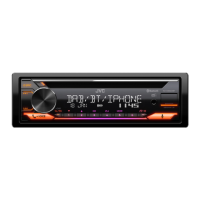
JVC KD-DB65 - User Manual

JVC KD-DB65
70 pages
Print Icon
To Next Page IconTo Next Page
Loading...
Data Size: B6L (182 mm x 128 mm)
Book Size: B6L (182 mm x 128 mm)
ENGLISH
DEUTSCH
FRANÇAIS
GET0953-001B [EN]
KD-DB95BT / KD-DB65
CD RECEIVER
INSTRUCTION MANUAL
CD-RECEIVER
BEDIENUNGSANLEITUNG
RÉCEPTEUR CD
MANUEL D’INSTRUCTIONS
Please read all instructions carefully before
operation to obtain the best possible performance
from the unit.
Bitte lesen Sie alle Bedienungsanweisungen
vor dem Betrieb gründlich durch, um die beste
Leistung mit dem Gerät zu erzielen.
Veuillez lires les instructions attentivement avant
d’utiliser l’appareil afin d’obtenir les meilleures
performances possibles de l’appareil.
JS_JVC_KD-DB95BT_E_C001B.indd 1JS_JVC_KD-DB95BT_E_C001B.indd 1 12/19/2013 10:54:45 AM12/19/2013 10:54:45 AM


Questions and Answers

  • D
    donaldrobertsSep 9, 2025
    Why does my JVC KD-DB65 Car Receiver keep flashing 'reading'?
    • V
      Valerie MooreSep 9, 2025
      If “READING” keeps flashing on your JVC Car Receiver, avoid using too many hierarchical levels and folders. If the issue persists, reload the disc or reattach the USB device.
  • E
    Eugene SandovalSep 7, 2025
    Why does my JVC KD-DB65 Car Receiver say 'cannot play'?
    • K
      Kari CastroSep 7, 2025
      If your JVC Car Receiver displays “CANNOT PLAY” or the connected device cannot be detected, check whether the connected device is compatible with this unit and ensure the files are in supported formats. If compatible, try reattaching the device.
  • M
    Michael MedinaAug 22, 2025
    How to fix sound not working on JVC KD-DB65?
    • K
      Karl FreemanAug 22, 2025
      If no sound is coming from your JVC Car Receiver, first, adjust the volume to the desired level. If the problem persists, check all cords and connections to ensure they are properly connected.
  • B
    bruce32Sep 5, 2025
    What to do if JVC KD-DB65 says 'BT device not found'?
    • T
      Thomas BrownSep 5, 2025
      If your JVC Car Receiver displays “BT DEVICE NOT FOUND”, it means the unit failed to search for the registered Bluetooth devices during [AUTO CNNCT]. Turn on Bluetooth from your device and connect manually.
  • S
    srichmondSep 3, 2025
    Why is my JVC Car Receiver not detecting Bluetooth devices?
    • K
      Kathy ButlerSep 4, 2025
      If your JVC Car Receiver cannot detect any Bluetooth devices, try searching from the Bluetooth device again. If it still fails, reset the unit.
  • E
    ebrownSep 2, 2025
    What does 'pairing full' mean on JVC KD-DB65 Car Receiver?
    • C
      Craig MichaelSep 2, 2025
      If your JVC Car Receiver displays “PAIRING FULL”, it means the number of registered devices has reached its limit. Try again after deleting an unnecessary device.
  • A
    Anthony PopeSep 1, 2025
    Why can't I control my Bluetooth player with JVC KD-DB65?
    • V
      Victoria GonzalezSep 1, 2025
      If the connected Bluetooth audio player cannot be controlled with your JVC Car Receiver, verify that the connected Bluetooth audio player supports Audio/Video Remote Control Profile (AVRCP). If it does, disconnect and reconnect the Bluetooth player again.
  • M
    matthewmcgeeAug 31, 2025
    Why is the phone sound quality poor on my JVC KD-DB65?
    • A
      Amy NealAug 31, 2025
      If you are experiencing poor phone sound quality with your JVC Car Receiver, try reducing the distance between the unit and the Bluetooth device. Also, move the car to a location with better signal reception.
  • T
    Tim RodriguezAug 30, 2025
    What to do if my iPod/iPhone doesn't work with JVC KD-DB65?
    • B
      Brittany ZamoraAug 30, 2025
      If your iPod/iPhone does not turn on or work with the JVC Car Receiver, check the connection between the two devices. If the issue continues, detach and reset the iPod/iPhone using a hard reset.
  • I
    iallenAug 28, 2025
    Why does my JVC Car Receiver skip during Bluetooth playback?
    • P
      Pam GrayAug 28, 2025
      If the sound is being interrupted or skipped during playback from a Bluetooth audio player on your JVC Car Receiver: 1. Reduce the distance between the unit and the Bluetooth audio player. 2. Turn off, then turn on the unit and try to connect again. 3. Consider that other Bluetooth devices might be trying to connect to the unit.

Summary

Instruction Manual Overview

Health and Environmental Precautions

Laser Safety Information

Before Use Guidelines

General Safety Warnings

Crucial safety instructions for operating the unit safely.

Maintenance and Handling

Instructions for cleaning the unit, connectors, and handling discs.

Basics of Operation

Faceplate and Controls Overview

Identification and function of the unit's front panel controls.

Remote Control Functions

Explanation of operations using the optional remote control.

Essential Operations

Step-by-step guides for fundamental tasks like power, volume, and source selection.

Getting Started

Initial Setup Steps

Guide to setting up the unit, including clock and basic preferences.

System Configuration Settings

Details on configuring system settings like beeps, source selection, and firmware updates.

CD, USB, and iPod Playback

Media Playback Controls

How to select tracks, folders, and manage playback modes like repeat and random.

Managing Media Lists and USB Drives

Digital Radio (DAB)

DAB Radio Preparation and Listening

Steps to prepare and start listening to DAB radio broadcasts.

Managing DAB Services

How to store and select available DAB radio services.

Advanced DAB Radio Features

Analog Radio

Station Tuning and Storage

How to find and save your favorite FM and AM radio stations.

Analog Radio Settings and Features

AUX Input

Connecting External Audio Devices

Steps to connect and play audio from portable players or Bluetooth adapters.

Bluetooth Connectivity (KD-DB95 BT)

Microphone and Profile Support

Connecting the microphone and overview of supported Bluetooth profiles.

Pairing and Connecting Bluetooth Devices

Bluetooth Compatibility Check

Bluetooth Mobile Phone Operations

Bluetooth Phonebook and Call History

Accessing call history and managing phone contacts via Bluetooth.

Advanced Bluetooth Settings and Voice Control

Contact Management and Voice Recognition

How to select contacts by name, store numbers, and utilize voice recognition.

Memory Dialing and Contact Deletion

Bluetooth Mode Configuration

Bluetooth Audio Settings

Audio Playback and Control

Playing, pausing, and controlling playback for Bluetooth audio sources.

Equalizer and Sound Adjustments

Customizing sound with EQ presets, bass, treble, and other audio settings.

Display Settings

Color and Illumination Customization

Setting display colors, brightness levels for day/night, and menu illumination.

Display Information Options

Configuring how information is displayed, including scrolling text options.

More Information

Media Compatibility and File Formats

Information on supported disc types, audio file formats, and character limits.

Device and Connectivity Information

Details on USB device compatibility, iPod/iPhone support, and Bluetooth connectivity.

Troubleshooting

Troubleshooting Common Issues

Detailed remedies for various operational symptoms and error messages.

Specifications

Digital and Analog Radio Specifications

Technical data for DAB and Analog radio reception capabilities.

CD Player, USB, and Bluetooth Specifications

Technical data for CD playback, USB interface, and Bluetooth connectivity.

Audio and General Specifications

Technical data for audio output, power, and general unit characteristics.

Installation and Connection

Unit Installation Procedures

Instructions for mounting the unit, including in-dash and sleeve-less methods.

Wiring and Removal Guide

Guidance on proper wiring connections and how to safely remove the unit.

Wiring Diagram and Parts List

Vehicle-Specific Wiring Modifications

Declaration of Conformity

JVC KD-DB65 Specifications

General IconGeneral
BrandJVC
ModelKD-DB65
CategoryCar Receiver
LanguageEnglish

Related product manuals