EasyManua.ls Logo

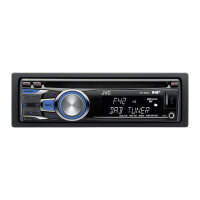
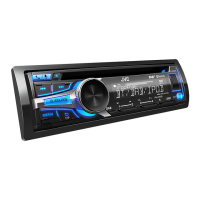
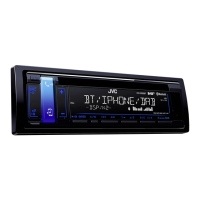
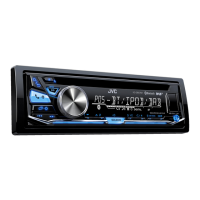
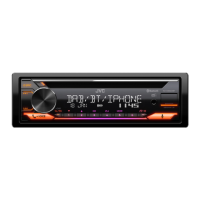
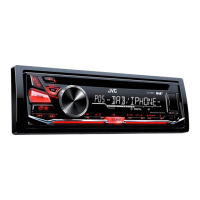
JVC KD-DB67 - User Manual

JVC KD-DB67
64 pages
Print Icon
To Next Page IconTo Next Page
Loading...
Data Size: B6L (182 mm x 128 mm)
Book Size: B6L (182 mm x 128 mm)
ENGLISH
FRANÇAIS
DEUTSCH
B5A-0812-00 [E]
KD-DB67
CD RECEIVER
INSTRUCTION MANUAL
RÉCEPTEUR CD
MANUEL D’INSTRUCTIONS
CD-RECEIVER
BEDIENUNGSANLEITUNG
JS_JVC_KD_DB67_E_C_00.indd 1JS_JVC_KD_DB67_E_C_00.indd 1 13/11/2015 3:50:32 PM13/11/2015 3:50:32 PM

Questions and Answers

  • B
    brian18Sep 23, 2025
    Why are correct characters not displayed on my JVC KD-DB67 Car Receiver?
    • M
      Ms. Janet RobertsSep 23, 2025
      Your JVC Car Receiver can only display uppercase letters, numbers, and a limited number of symbols. Depending on the selected display language, some characters may not be displayed correctly.
  • M
    Marissa LaraAug 23, 2025
    Why can't I hear sound during playback on my JVC Car Receiver?
    • J
      Jerry DurhamAug 23, 2025
      If you cannot hear sound during playback on your JVC Car Receiver, try the following: 1. Reconnect the Android device. 2. If in [AUDIO MODE], launch any media player application on the Android device and start playback. 3. If in [AUDIO MODE], relaunch the current media player application or use another media player application. 4. Restart the Android device. If the problem persists, the connected Android device may be unable to route the audio signal to the unit.
  • T
    Tonya DavisAug 25, 2025
    How to eject a disc from my JVC KD-DB67 Car Receiver?
    • J
      Jessica DavilaAug 25, 2025
      To eject a disc from your JVC Car Receiver, press and hold to forcibly eject the disc. Be careful not to drop the disc when it is ejected.
  • W
    Wayne KellyAug 26, 2025
    What to do if my JVC Car Receiver says 'MISWIRING CHECK Turn the power off, then check to be sure the WIRING THEN PWR ON'?
    • T
      Thomas AlexanderAug 27, 2025
      If your JVC Car Receiver displays the message “MISWIRING CHECK Turn the power off, then check to be sure the WIRING THEN PWR ON”, ensure the terminals of the speaker wires are properly insulated. Then, turn the power on again.
  • I
    ipattersonAug 27, 2025
    What does 'PROTECTING SEND SERVICE' mean on my JVC KD-DB67 and what should I do?
    • P
      Paige ThompsonAug 27, 2025
      If your JVC Car Receiver displays “PROTECTING SEND SERVICE”, you will need to send the unit to the nearest service center.
  • T
    Troy WeberSep 18, 2025
    Why is my iPod/iPhone not turning on or not working with my JVC KD-DB67 Car Receiver?
    • J
      Javier RileySep 18, 2025
      If your iPod/iPhone does not turn on or work with your JVC Car Receiver, check the connection between the unit and the iPod/iPhone. You can also detach and reset the iPod/iPhone using a hard reset.
  • J
    Jasmine DavisSep 15, 2025
    What does 'READING' flashing mean on my JVC Car Receiver?
    • N
      Nicole HensonSep 15, 2025
      If your JVC Car Receiver displays “READING” keeps flashing, avoid using too many hierarchical levels and folders. Alternatively, reload the disc or reattach the USB device.
  • A
    Amy PayneSep 16, 2025
    What does 'CANNOT PLAY' flashing mean on my JVC KD-DB67?
    • S
      Sydney AndersonSep 16, 2025
      If your JVC Car Receiver displays “CANNOT PLAY” flashing, check whether the connected device is compatible with the unit and ensure the files are in supported formats. You can also try reattaching the device.
  • H
    Haley EllisSep 6, 2025
    What does 'NO DEVICE' or 'READING' flashing mean on my JVC Car Receiver?
    • C
      Cory DavisSep 6, 2025
      If your JVC Car Receiver displays “NO DEVICE” or “READING” keeps flashing, switch off the developer options on the Android device and reconnect the Android device. If this does not solve the problem, the connected Android device may not support [AUTO MODE].
  • G
    ghollowaySep 3, 2025
    What does 'RELATED SRV FOUND' mean on my JVC KD-DB67?
    • A
      Andrea GarciaSep 4, 2025
      If your JVC Car Receiver displays “RELATED SRV FOUND”, press the volume knob to activate Soft-Link, or press to cancel.

Summary

CD; USB; iPod; ANDROID

DIGITAL RADIO

Tuning and Service Selection

Covers searching, selecting, storing, and updating DAB radio stations and ensembles.

ANALOG RADIO

Station Tuning

How to search for FM/AM radio stations automatically or manually and store presets.

AUDIO SETTINGS

Equalizer and Sound Presets

Covers selecting preset EQs, storing custom sound settings, and basic audio adjustments.

Advanced Audio Adjustments

Detailed settings for subwoofer, EQ levels (bass, middle, treble), fader, balance, and sound enhancement.

Speaker Output and Muting

Configures speaker connections via lineout or speaker leads and cellular phone muting.

TROUBLESHOOTING

General and Radio Reception Issues

Common issues and solutions for general operation, DAB, and FM/AM reception problems.

Media Playback Troubleshooting

Solutions for problems with CDs, USB drives, iPod/iPhone, and Android devices.

INSTALLATION; CONNECTION

Safety and Installation Precautions

Warnings, cautions, and essential safety steps before wiring and mounting the unit.

Basic Installation Procedure

Step-by-step guide for disconnecting the battery, connecting wires, and installing the unit.

JVC KD-DB67 Specifications

General IconGeneral
TypeDigital Media Receiver
DIN Size1 DIN
TunerFM/AM
DAB+Yes
Display TypeLCD
Display ColorWhite
BluetoothYes
USBYes
AUXYes
CD PlayerYes
Maximum Power Output50W x 4
RMS Power Output22W x 4
Pre-out Voltage2.5V
Button IlluminationVariable Color
Remote ControlYes
Android Music PlaybackYes
iPod/iPhone Music PlaybackYes
MP3 PlaybackYes
WMA PlaybackYes
Detachable FaceplateYes
Channels4
Preamp Outputs3 (Front, Rear, Sub)
Equalizer13-Band Graphic EQ
FLAC PlaybackYes
Audio Formats SupportedMP3, WMA, FLAC

Related product manuals