EasyManua.ls Logo

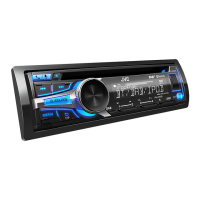
JVC KD-DB922BT - User Manual

JVC KD-DB922BT
50 pages
Print Icon
To Next Page IconTo Next Page
Loading...
Data Size: B6L (182 mm x 128 mm)
Book Size: B6L (182 mm x 128 mm)
ENGLISH
ESPAÑOL
NEDERLANDS
PORTUGUÊS
B5A-3885-00 [E]
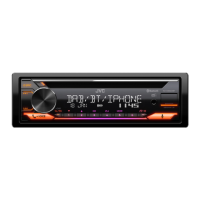
KD-DB922BT
CD RECEIVER
INSTRUCTION MANUAL
RECEPTOR CON CD
MANUAL DE INSTRUCCIONES
CD-RECEIVER
GEBRUIKSAANWIJZING
RECEPTOR CD
MANUAL DE INSTRUÇÕES
KD_DB922BT_E_B5A-3885-00_Cover_1st Draft.indd 1KD_DB922BT_E_B5A-3885-00_Cover_1st Draft.indd 1 11/8/2021 3:05:12 PM11/8/2021 3:05:12 PM

Other manuals for JVC KD-DB922BT

Questions and Answers

  • R
    Roger MeyerAug 31, 2025
    What does “MISWIRING CHECK WIRING THEN PWR ON” mean on JVC Car Receiver?
    • K
      Karen PerezAug 31, 2025
      If “MISWIRING CHECK WIRING THEN PWR ON” appears on your JVC Car Receiver, turn the power off, then check to be sure the terminals of the speaker wires are insulated properly. Turn the power on again.
  • J
    John GambleSep 9, 2025
    Why is DAB reception poor on my JVC Car Receiver?
    • J
      Jamie BennettSep 9, 2025
      If DAB reception is poor on your JVC Car Receiver, make sure [ON] is selected for [DAB ANT POWER].
  • N
    Nancy WongAug 29, 2025
    What does “UNSUPPORTED DEVICE” mean on my JVC Car Receiver?
    • H
      Holly LarsonAug 29, 2025
      If “UNSUPPORTED DEVICE” appears on your JVC Car Receiver, check whether the connected USB device is compatible with this unit and ensure the file systems are in supported formats. Reattach the USB device.
  • S
    stewartericSep 23, 2025
    How to exit “TALKING” screen on JVC Car Receiver?
    • J
      Jeffrey LewisSep 23, 2025
      If you are not able to exit from the “TALKING” screen after ending the call on your JVC Car Receiver, press the indicated button to return to the previous source control screen.
  • D
    davidnashSep 12, 2025
    What does “RELATED SERV FOUND” mean on JVC Car Receiver?
    • R
      rhonda25Sep 12, 2025
      If “RELATED SERV FOUND” appears on your JVC Car Receiver: * Press the volume knob to activate Soft-Link. * Press the button to cancel.
  • S
    shawnhoustonSep 14, 2025
    What does “NO ENTRY” mean on my JVC Car Receiver?
    • G
      gregorygarciaSep 14, 2025
      If “NO ENTRY” appears on your JVC Car Receiver, there is no registered device connected/found via Bluetooth.
  • C
    Christopher NelsonSep 23, 2025
    What does “DISCONNECTED” mean on my JVC Car Receiver?
    • R
      Ronald SmithSep 23, 2025
      If “DISCONNECTED” appears on your JVC Car Receiver, be sure to connect your smartphone to the unit via Bluetooth.
  • J
    Joe ChapmanAug 27, 2025
    How to eject a disc from JVC Car Receiver?
    • M
      Mary MuellerAug 27, 2025
      To eject a disc from your JVC Car Receiver, press and hold the eject button to forcibly eject the disc. Be careful not to drop the disc when it is ejected. If this does not solve the problem, reset the unit.
  • B
    Brenda ThompsonAug 26, 2025
    How to fix Bluetooth pairing on JVC Car Receiver?
    • M
      Miss Lauren DavisAug 26, 2025
      If you are unable to pair your device with the JVC Car Receiver via Bluetooth, make sure you have entered the same PIN code on both the unit and the Bluetooth device. If pairing still fails, delete the pairing information from both the unit and the Bluetooth device, and then attempt the pairing process again.
  • J
    jeffrey29Aug 25, 2025
    Why is Bluetooth audio skipping on my JVC Car Receiver?
    • M
      Melissa SawyerAug 26, 2025
      If the sound is being interrupted or skipped during playback of a Bluetooth audio player on your JVC Car Receiver, try these steps: * Reduce the distance between the unit and the Bluetooth audio player. * Turn off, then turn on the unit and try to connect again. * Ensure that other Bluetooth devices are not trying to connect to the unit.

JVC KD-DB922BT Specifications

General IconGeneral
BrandJVC
ModelKD-DB922BT
CategoryCar Receiver
LanguageEnglish

Related product manuals