EasyManua.ls Logo

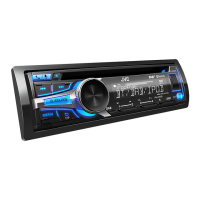
JVC KD-DB922BT - User Manual

JVC KD-DB922BT
50 pages
Print Icon
To Next Page IconTo Next Page
Loading...
Data Size: B6L (182 mm x 128 mm)
Book Size: B6L (182 mm x 128 mm)
ENGLISH
ESPAÑOL
NEDERLANDS
PORTUGUÊS
B5A-3885-00 [E]
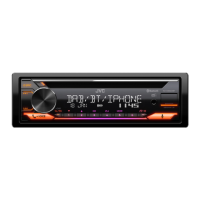
KD-DB922BT
CD RECEIVER
INSTRUCTION MANUAL
RECEPTOR CON CD
MANUAL DE INSTRUCCIONES
CD-RECEIVER
GEBRUIKSAANWIJZING
RECEPTOR CD
MANUAL DE INSTRUÇÕES
KD_DB922BT_E_B5A-3885-00_Cover_1st Draft.indd 1KD_DB922BT_E_B5A-3885-00_Cover_1st Draft.indd 1 11/8/2021 3:05:12 PM11/8/2021 3:05:12 PM

Other manuals for JVC KD-DB922BT

Questions and Answers

  • J
    Juan ValdezAug 28, 2025
    Why is the phone sound quality poor on my JVC Car Receiver?
    • D
      Dr. Danielle PollardAug 28, 2025
      If the phone sound quality is poor on your JVC Car Receiver, try to reduce the distance between the unit and the Bluetooth device. Also, move the car to a place where you can get a better signal reception.
  • I
    iwallAug 29, 2025
    Why can't I control Bluetooth player from my JVC Car Receiver?
    • J
      Jimmy MooreAug 29, 2025
      If you cannot control the connected Bluetooth audio player from your JVC Car Receiver, verify that the connected Bluetooth audio player supports Audio/Video Remote Control Profile (AVRCP). Disconnect and connect the Bluetooth player again.
  • N
    Nancy WongAug 29, 2025
    What does “UNSUPPORTED DEVICE” mean on my JVC Car Receiver?
    • H
      Holly LarsonAug 29, 2025
      If “UNSUPPORTED DEVICE” appears on your JVC Car Receiver, check whether the connected USB device is compatible with this unit and ensure the file systems are in supported formats. Reattach the USB device.
  • D
    David RobinsonAug 30, 2025
    Why does “READING” keep flashing on my JVC Car Receiver?
    • S
      Shannon SmithAug 30, 2025
      If “READING” keeps flashing on your JVC Car Receiver, avoid using too many hierarchical levels and folders. Also, try reloading the disc or reattaching the device (USB/iPod/iPhone).
  • R
    Roger MeyerAug 31, 2025
    What does “MISWIRING CHECK WIRING THEN PWR ON” mean on JVC Car Receiver?
    • K
      Karen PerezAug 31, 2025
      If “MISWIRING CHECK WIRING THEN PWR ON” appears on your JVC Car Receiver, turn the power off, then check to be sure the terminals of the speaker wires are insulated properly. Turn the power on again.
  • K
    Kelly CharlesAug 25, 2025
    How to fix JVC Car Receiver when sound cannot be heard?
    • P
      Patrick HarrisAug 25, 2025
      If you cannot hear any sound from your JVC Car Receiver, try these steps: First, adjust the volume to make sure it is at an audible level. Second, check all cords and connections to ensure they are properly connected.
  • D
    Daisy MckinneySep 1, 2025
    What does “NO DEVICE” mean on my JVC Car Receiver?
    • B
      Bradley ChoiSep 1, 2025
      If “NO DEVICE” appears on your JVC Car Receiver, connect a device (USB/iPod/iPhone), and change the source to USB/iPod USB again.
  • S
    Sheila GibsonSep 2, 2025
    Why is the playback order wrong on my JVC Car Receiver?
    • M
      Michael JuarezSep 2, 2025
      If the playback order on your JVC Car Receiver is not as intended: For an optical disc, the files are played in the order in which they were recorded. For a USB device, the folders are played in the order of creation (date and time). The files within each folder are played in the order of the file name (alphabet).
  • S
    Sharon SmithSep 2, 2025
    Why is elapsed playing time incorrect on my JVC Car Receiver?
    • W
      wesleymillerSep 2, 2025
      The accuracy of the elapsed playing time display on your JVC Car Receiver depends on the recording process used earlier for the disc or USB.
  • R
    Robert CooperSep 3, 2025
    Why is voice calling not working on JVC Car Receiver?
    • H
      Howard LambertSep 3, 2025
      If voice calling is not successful with your JVC Car Receiver: * Use voice calling method in a quieter environment. * Reduce the distance from the microphone when you speak the name. * Make sure the same voice as the registered voice tag is used.

JVC KD-DB922BT Specifications

General IconGeneral
BrandJVC
ModelKD-DB922BT
CategoryCar Receiver
LanguageEnglish

Related product manuals