EasyManua.ls Logo

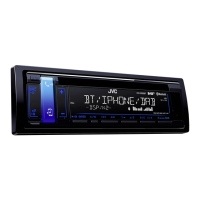
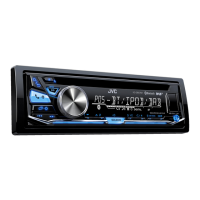
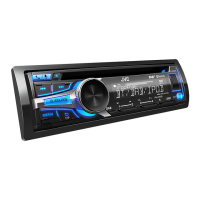
JVC KD-DB95BT - User Manual

JVC KD-DB95BT
70 pages
Print Icon
To Next Page IconTo Next Page
Loading...
Data Size: B6L (182 mm x 128 mm)
Book Size: B6L (182 mm x 128 mm)
ENGLISH
DEUTSCH
FRANÇAIS
GET0953-001B [EN]
KD-DB95BT / KD-DB65
CD RECEIVER
INSTRUCTION MANUAL
CD-RECEIVER
BEDIENUNGSANLEITUNG
RÉCEPTEUR CD
MANUEL D’INSTRUCTIONS
Please read all instructions carefully before
operation to obtain the best possible performance
from the unit.
Bitte lesen Sie alle Bedienungsanweisungen
vor dem Betrieb gründlich durch, um die beste
Leistung mit dem Gerät zu erzielen.
Veuillez lires les instructions attentivement avant
d’utiliser l’appareil afin d’obtenir les meilleures
performances possibles de l’appareil.
JS_JVC_KD-DB95BT_E_C001B.indd 1JS_JVC_KD-DB95BT_E_C001B.indd 1 12/19/2013 10:54:45 AM12/19/2013 10:54:45 AM

Questions and Answers

  • M
    Michelle LamSep 9, 2025
    Why does my JVC KD-DB95BT keep flashing 'reading'?
    • B
      Bryan RodgersSep 9, 2025
      If “READING” keeps flashing on your JVC Car Receiver, avoid using too many hierarchical levels and folders. If the issue persists, reload the disc or reattach the USB device.
  • M
    Mary MartinezSep 7, 2025
    Why does my JVC KD-DB95BT Car Receiver say 'cannot play'?
    • P
      Patricia HorneSep 7, 2025
      If your JVC Car Receiver displays “CANNOT PLAY” or the connected device cannot be detected, check whether the connected device is compatible with this unit and ensure the files are in supported formats. If compatible, try reattaching the device.
  • D
    David WilliamsAug 22, 2025
    How to fix sound not working on JVC KD-DB95BT Car Receiver?
    • C
      Christopher HamptonAug 22, 2025
      If no sound is coming from your JVC Car Receiver, first, adjust the volume to the desired level. If the problem persists, check all cords and connections to ensure they are properly connected.
  • B
    Brandon Charles PhDSep 5, 2025
    What to do if JVC KD-DB95BT says 'BT device not found'?
    • A
      Aaron GriffinSep 5, 2025
      If your JVC Car Receiver displays “BT DEVICE NOT FOUND”, it means the unit failed to search for the registered Bluetooth devices during [AUTO CNNCT]. Turn on Bluetooth from your device and connect manually.
  • K
    Kevin HarrisSep 4, 2025
    Why is my JVC Car Receiver not detecting Bluetooth devices?
    • C
      Cassidy CookSep 4, 2025
      If your JVC Car Receiver cannot detect any Bluetooth devices, try searching from the Bluetooth device again. If it still fails, reset the unit.
  • D
    Dakota DoyleSep 2, 2025
    What does 'pairing full' mean on JVC Car Receiver?
    • W
      Whitney HolmesSep 3, 2025
      If your JVC Car Receiver displays “PAIRING FULL”, it means the number of registered devices has reached its limit. Try again after deleting an unnecessary device.
  • R
    Robert CarterSep 1, 2025
    Why can't I control my Bluetooth player with JVC KD-DB95BT Car Receiver?
    • J
      Jessica ClaytonSep 1, 2025
      If the connected Bluetooth audio player cannot be controlled with your JVC Car Receiver, verify that the connected Bluetooth audio player supports Audio/Video Remote Control Profile (AVRCP). If it does, disconnect and reconnect the Bluetooth player again.
  • R
    Rachel SmithAug 31, 2025
    Why is the phone sound quality poor on my JVC KD-DB95BT?
    • S
      steinlarryAug 31, 2025
      If you are experiencing poor phone sound quality with your JVC Car Receiver, try reducing the distance between the unit and the Bluetooth device. Also, move the car to a location with better signal reception.
  • T
    Tara SkinnerAug 30, 2025
    What to do if my iPod/iPhone doesn't work with JVC Car Receiver?
    • C
      Chelsea MahoneyAug 30, 2025
      If your iPod/iPhone does not turn on or work with the JVC Car Receiver, check the connection between the two devices. If the issue continues, detach and reset the iPod/iPhone using a hard reset.
  • J
    julia53Aug 28, 2025
    Why does my JVC Car Receiver skip during Bluetooth playback?
    • M
      Michael BakerAug 28, 2025
      If the sound is being interrupted or skipped during playback from a Bluetooth audio player on your JVC Car Receiver: 1. Reduce the distance between the unit and the Bluetooth audio player. 2. Turn off, then turn on the unit and try to connect again. 3. Consider that other Bluetooth devices might be trying to connect to the unit.

Summary

BEFORE USE

BASICS

Unit Overview and Controls

Details faceplate layout, controls, display, and remote functions for basic unit interaction.

GETTING STARTED

Initial Configuration Steps

Instructions for disabling demo mode, setting clock, and configuring basic system preferences.

RADIO RECEPTION

Digital Radio (DAB) Usage

Covers antenna connection, DAB selection, and service list updates for digital radio.

BLUETOOTH CONNECTIVITY

Pairing Bluetooth Devices

Step-by-step guide for pairing mobile phones and audio devices with the unit via Bluetooth.

Bluetooth Compatibility and Phone Features

Covers compatibility, call management, phonebook, and improving call sound quality.

BLUETOOTH AUDIO SETTINGS

TROUBLESHOOTING

Common Problems and Solutions

Provides remedies for frequent operational issues with the unit's features and functions.

SPECIFICATIONS

INSTALLATION AND CONNECTION

Safety and Wiring Procedures

Outlines safety warnings and basic steps for wiring the unit into a vehicle's power system.

JVC KD-DB95BT Specifications

General IconGeneral
TypeCar Receiver
BrandJVC
ModelKD-DB95BT
DIN Size1 DIN
Detachable Face PlateYes
BluetoothYes
USB PortYes
USB InputYes
AUX InputYes
Radio TunerYes
Digital Media PlaybackYes
Preamp Voltage2.5V
Subwoofer OutputYes
EqualizerYes
Pandora ControlYes
Spotify ControlYes
iHeartRadio ControlYes
Android Music PlaybackYes
iPhone/iPod Music PlaybackYes
Display TypeLCD
Remote ControlYes
Built-in MicrophoneYes
Compatible FormatsMP3, WMA, AAC, WAV
Preamp Outputs3
Display ColorVariable
Steering Wheel ControlYes
Max Power Output50 Watts x 4 Channels
RMS Power Output22 Watts x 4 Channels
Peak Power Output50W x 4
EQ Settings13-band

Related product manuals