ENGLISH
7
Data Size: B6L (182 mm x 128 mm)
Book Size: B6L (182 mm x 128 mm)
PTY-STBY
The unit automatically switch from any source to Digital
Radio ensembles broadcasting the selected type of
program.
Program Type:
NEWS
,
AFFAIRS
,
INFO
,
SPORT
,
EDUCATE
,
DRAMA
,
CULTURE
,
SCIENCE
,
VARIED
,
POP
M
(music),
ROCK
M
(music),
EASY
M
(music),
LIGHT
M
(music),
CLASSICS
,
OTHER
M
(music),
WEATHER
,
FINANCE
,
CHILDREN
,
SOCIAL
,
RELIGION
,
PHONE IN
,
TRAVEL
,
LEISURE
,
JAZZ
,
COUNTRY
,
NATION
M
(music),
OLDIES
,
FOLK
M
(music),
DOCUMENT
OFF
:Cancels.
DAB L-BAND ON
:
Receives L-BAND ensemble during digital audio
reception.
;
OFF
:
Cancels.
DAB ANT PWR ON
:
Supplies power to the DAB antenna.
;
OFF
:
Does not
supply power. Selects when using passive antenna without
booster.
RELATED SRV ON
:Enable Soft-Link function to switch to an alternative
service which is different audio program from the current
audio program.;
OFF
:Disable.
ANALOG RADIO
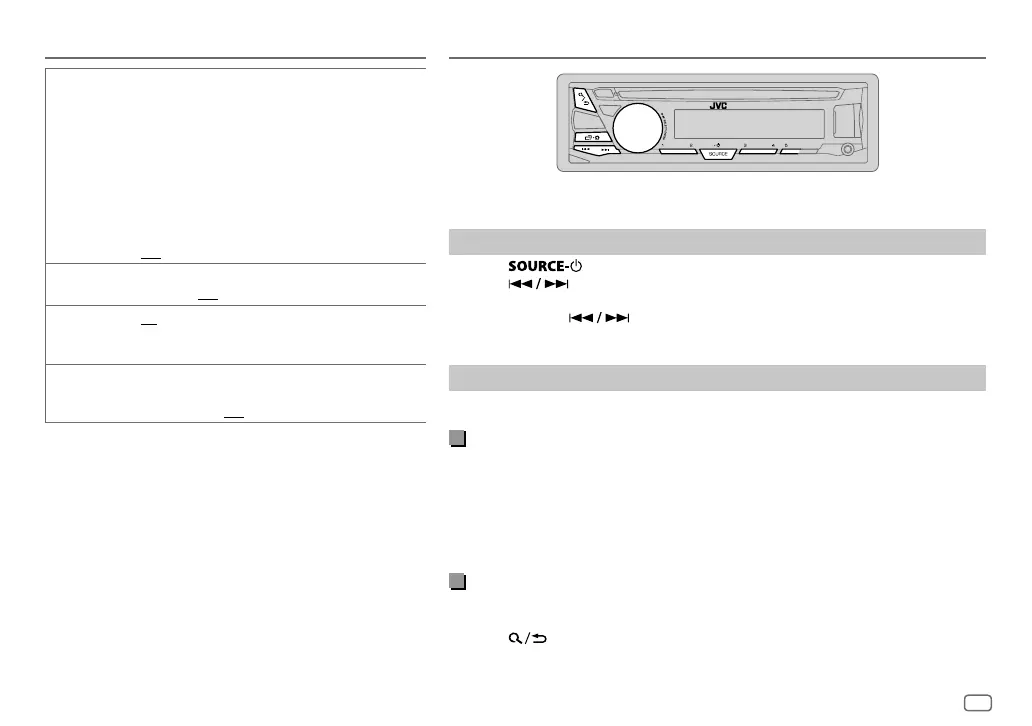
“ST” lights up when receiving an FM stereo broadcast with sufficient signal strength.
Search for a station
1
Press repeatedly to select FM or AM.
2 Press to search for a station automatically.
(or)
Press and hold until “M” flashes, then press repeatedly to search for a
station manually.
Settings in memory
You can store up to 18 stations for FM and 6 stations for AM.
Store a station
While listening to a station....
Press and hold one of the number buttons (1 to 5).
(or)
1 Press and hold the volume knob until “PRESETMODE” flashes.
2 Turn the volume knob to select a preset number, then press the knob.
The preset number flashes and “MEMORY” appears.
Select a stored station
Press one of the number buttons (1to5).
(or)
1 Press .
2 Turn the volume knob to select a preset number, then press the knob to
confirm.
DIGITAL RADIO
JS_JVC_KD_DB97BT_E_EN_2.indd 7JS_JVC_KD_DB97BT_E_EN_2.indd 7 19/11/2015 11:10:35 AM19/11/2015 11:10:35 AM


 To Next Page