10
ENGLISH
Preparation
Canceling the display demonstration and setting the clock
• See also page 39.
1
Turn on the power.
2
Cancel the display demonstrations
Select <DEMO>, then <DEMO OFF>.
Set the clock
• Select <CLOCK> = <CLOCK SET>.
Adjust the hour, then press control dial once to proceed to
adjust the minute.
• Select <24H/12H> (hour) = then <24 HOUR> or
<12 HOUR>.
• To return to the previous menu, press BACK.
y *
DVD MENU button
• DVD-Video: Shows the disc menu.
• DVD-VR: Shows the Playlist screen.
• VCD: Resumes PBC playback.
•
USB (iPod)
: Enters the search mode menu.
u * % / fi buttons
• DVD-Video: Makes selection/settings.
•
CD-CH
: Changes discs in the magazine.
@ / # buttons
• DVD-Video: Makes selection/settings.
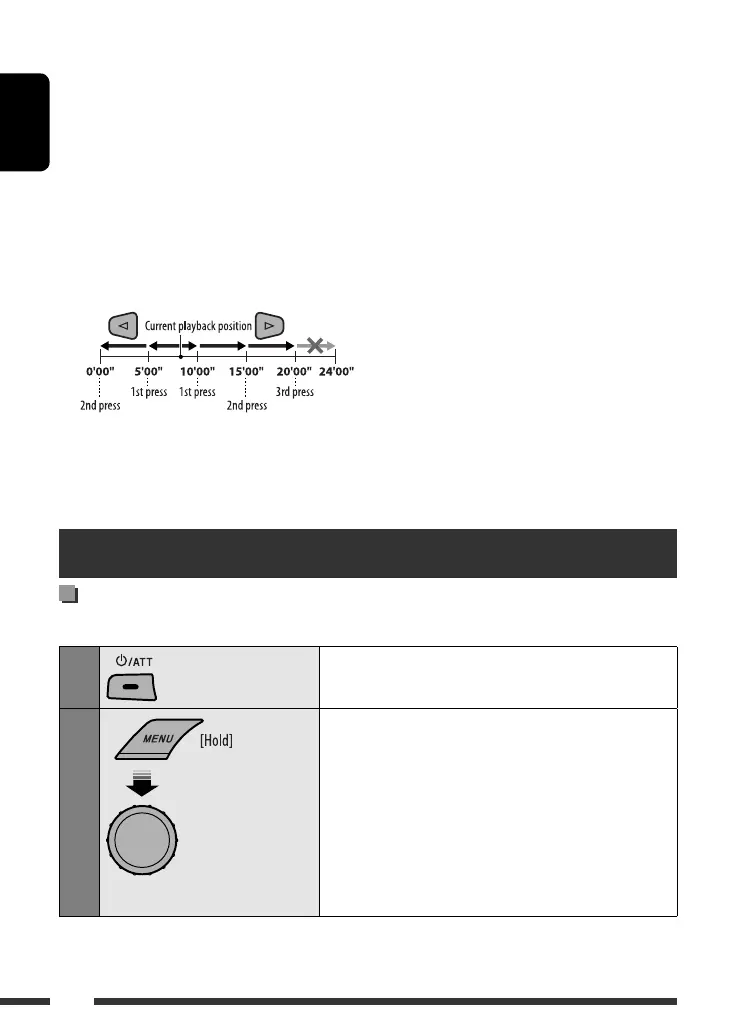
• DivX/MPEG Video: Skips back or forward by
about five minutes.
ENT (enter) button
• Confirms selection.
Press and hold until the
main menu is called up.
• Repeat this procedure.
i
* DUAL button
• Not applicable for this unit.
o DIRECT button
•
DISC/USB
: Enters direct search mode for
chapter/title/program/playlist/folder/track
when pressed with SHIFT button (see page 19 for
details).
CLR (clear) button
•
DISC/USB
: Erases the misentry when pressed
with SHIFT button.
* Functions as number buttons/
*
(asterisk)/# (hatch)
when pressed with SHIFT button.
–
DISC/USB
: Enters chapter/title/program/playlist/
folder/track number after entering search mode by
pressing SHIFT and DIRECT (see page 19 for details).
[Turn] = [Press]
EN10-19_KD-DV5507[EE]1.indd 10EN10-19_KD-DV5507[EE]1.indd 10 2/6/09 11:19:43 AM2/6/09 11:19:43 AM



 To Next Page