43SETTINGS
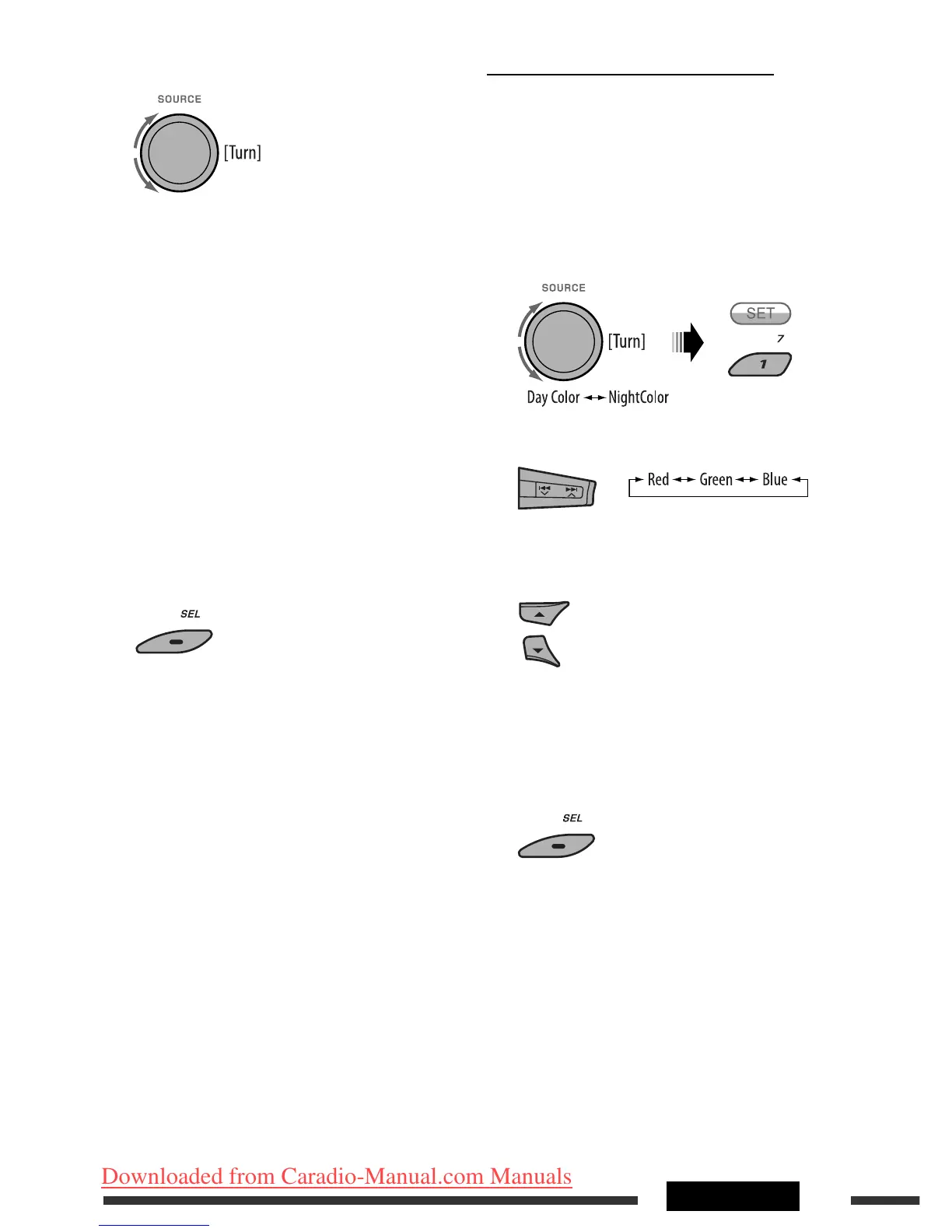
4 Select a color.
Pale
Ô Aqua Ô Sky Ô Sea Ô Leaves
Ô Grass Ô Apple Ô Rose Ô Amber Ô
Honey Ô Violet Ô Grape Ô Every *
4
Ô
User *
5
Ô (back to the beginning)
*
4
The color changes every 2 seconds.
*
5
The user-edited colors—“Day Color” and
“NightColor” will be applied (see the right
column for details).
5 Repeat steps 3 and 4 to select the color for
each source (except when selecting “All
Source” in step 3).
6 Exit from the setting.
Creating your own color—User Color
You can create your own colors—“Day Color” or
“NightColor.”
1 Follow steps 1 to 3 on page 39.
• In step 2, select “COLOR.”
• In step 3, select “Color Set.”
2 Select “Day Color” or “NightColor.”
3 Select a primary color.
4 Adjust the level (00 to 11) of the selected
primary color.
5 Repeat steps 3 and 4 to adjust other primary
colors.
6 Exit from the setting.
EN40-45_KD-DV9406_005A_1.indd 43EN40-45_KD-DV9406_005A_1.indd 43 22/4/08 4:11:09 PM22/4/08 4:11:09 PM
Downloaded from Caradio-Manual.com Manuals


 To Next Page