ENGLISH
7
3
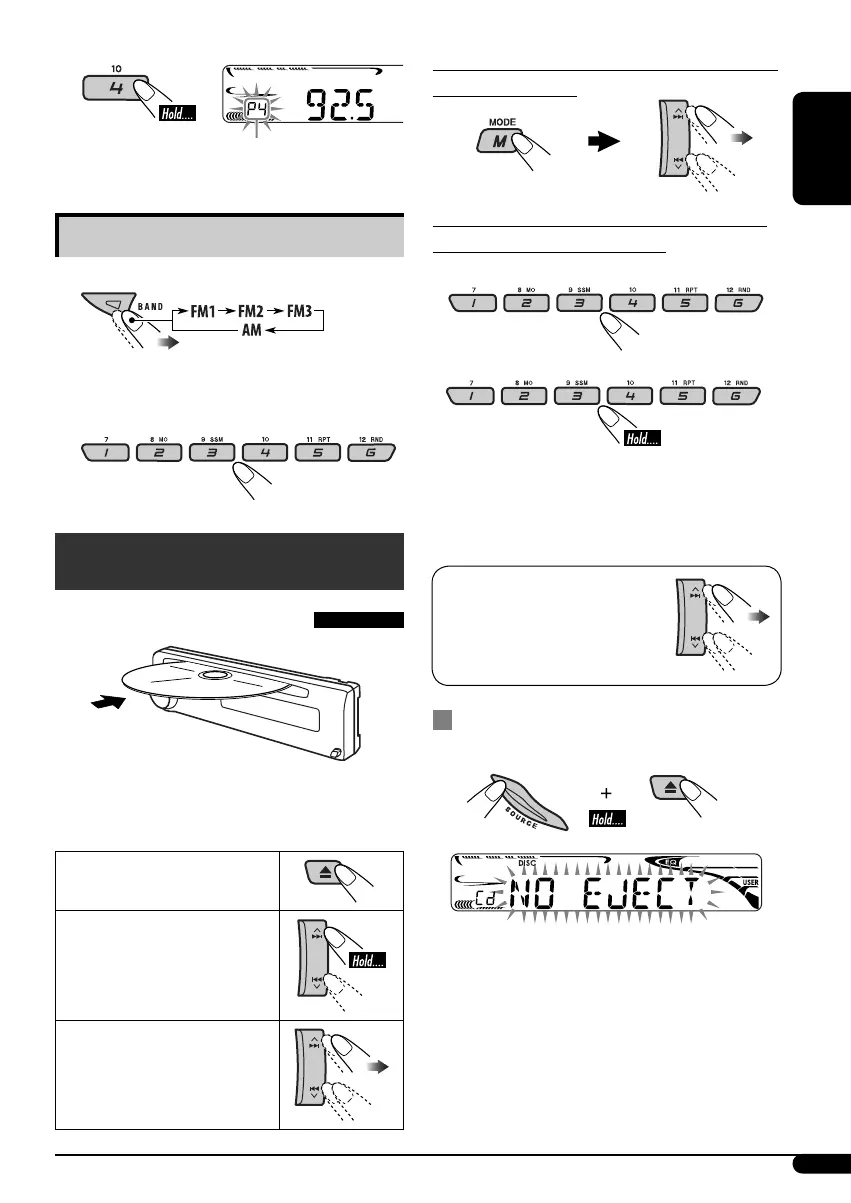
Listening to a preset station
1
2 Select the preset station (1 – 6) you
want.
Disc operations
Playing a disc in the unit
All tracks will be played repeatedly until you
change the source or eject the disc.
To stop play and eject the
disc
To fast-forward or reverse
the track
To go to the next or
previous tracks
To go to the next or previous folders (only for
MP3 or WMA discs)
To locate a particular track (for CD) or folder
(for MP3 or WMA discs) directly
To select a number from 01 – 06:
To select a number from 07 – 12:
• To use direct folder access on MP3/WMA
discs, it is required that folders are assigned
with 2-digit numbers at the beginning of their
folder names—01, 02, 03, and so on.
To select a particular track in
a folder (for MP3 or WMA
disc):
Prohibiting disc ejection
You can lock a disc in the loading slot.
To cancel the prohibition, repeat the same
procedure.
Preset number flashes for a while.
EN06-11_KD-AR270_G220[J]f.indd 7EN06-11_KD-AR270_G220[J]f.indd 7 10/18/05 4:18:21 PM10/18/05 4:18:21 PM


 To Next Page