ENGLISH
5
h Sound mode (iEQ: intelligent equalizer)
indicators—CLASSIC, HIP HOP, JAZZ, ROCK, POPS,
USER
j EQ (equalizer) indicator
k Bluetooth indicator
l Disc information indicators—
TAG (Tag information),
(folder), (track/file)
/ Playback source indicators—
DISC: Lights up for the built-in CD player.
CH: Lights up only when CD-CH is selected as the
playback source.
z RDS indicators—AF, REG, TP, PTY
x Main display
c Playback mode / item indicators—RND (random),
(disc), (folder), RPT (repeat)
v Tuner reception indicators—ST (stereo),
MO (monaural)
Getting started
Basic operations
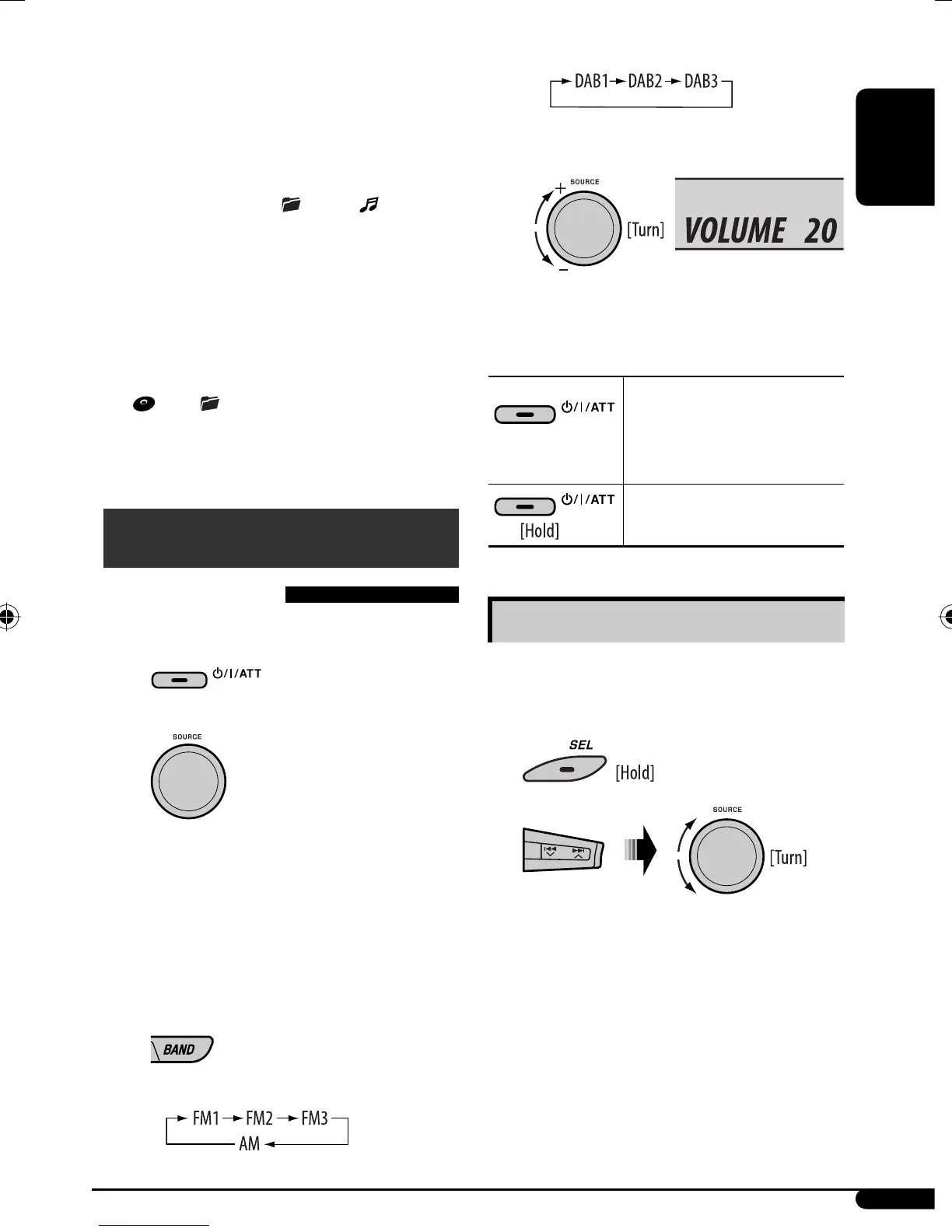
~ Turn on the power.
Ÿ
FM1/FM2/FM3/AM = DAB1/DAB2/DAB3 *
= CD * = CD-CH */IPOD * (or EXT IN) =
BT-PHONE * (Bluetooth Phone) = BT-AUDIO *
(Bluetooth Audio) = AUX IN = (back to the
beginning)
* You cannot select these sources if they are not
ready or not connected.
!
• For FM/AM tuner
• For DAB tuner
⁄ Adjust the volume.
@ Adjust the sound as you want. (See
pages 12 and 13.)
To drop the volume in a
moment (ATT)
To restore the sound, press the
button again.
To turn off the power
Basic settings
• See also “General settings — PSM” on
pages 13 – 15.
1
2
1 Canceling the display demonstrations
Select “DEMO,” then “DEMO OFF.”
2 Setting the clock
Select “CLOCK HOUR”, then adjust the hour.
Select “CLOCK MIN” (minute), then adjust the
minute.
Select “24H/12H,” then “24 HOUR” or
“12 HOUR.”
Volume level appears.
Continued on the next page
EN02-07_KD-G541_003A_f.indd 5EN02-07_KD-G541_003A_f.indd 5 11/13/07 2:31:35 PM11/13/07 2:31:35 PM


 To Next Page