What kind of disc should I use for my JVC Car Stereo System?
- TTracy ChristianSep 22, 2025
Use a disc with MP3/WMA tracks recorded in the format compliant with ISO 9660 Level 1, Level 2, Romeo, or Joliet. Add the extension code or to the file names.

What kind of disc should I use for my JVC Car Stereo System?
Use a disc with MP3/WMA tracks recorded in the format compliant with ISO 9660 Level 1, Level 2, Romeo, or Joliet. Add the extension code or to the file names.
Why does my JVC Car Stereo System display "NO IPOD" or "NO DP"?
If "NO IPOD" or "NO DP" appears on the display, check the connecting cable and its connection and make sure the battery is charged.
Why is there no sound when connecting an iPod nano to my JVC Car Stereo System?
If there is no sound when connecting an iPod nano, disconnect the headphones from the iPod nano and update the firmware version of the iPod nano.
Why does my JVC Car Stereo System display "NO FILES" or "NO TRACK"?
If "NO FILES" or "NO TRACK" appears on the display, import tracks to the iPod or D. player.
Why don't the iPod’s or D. player’s controls work after disconnecting from my JVC Car Stereo System?
If the iPod’s or D. player’s controls do not work after disconnecting from this unit, reset the iPod or D. player.
Why can't tracks on the CD-R/CD-RW be skipped on my JVC Car Stereo System?
If tracks on the CD-R/CD-RW cannot be skipped, finalize the CD-R/CD-RW with the component which you used for recording.
How to stop noise from JVC KD-G632?
If noise is generated by your JVC Car Receiver, skip to another track or change the disc. Do not add the extension code or to non-MP3 or WMA tracks.
What does 'RESET 1' - 'RESET 7' mean on JVC KD-G632 Car Receiver?
If “RESET 1” – “RESET 7” appears on the display of your JVC Car Receiver, press the reset button of the CD changer.
Why is there no sound coming from my JVC Car Stereo System speakers?
If you can't hear any sound from the speakers, first, adjust the volume to the appropriate level. If that doesn't work, check all the cords and connections to make sure they are properly connected.
Why does my JVC Car Stereo System have static noise while listening to the radio?
If you are experiencing static noise, make sure the aerial is firmly connected.
| Tuner | AM/FM |
|---|---|
| CD Playback | Yes |
| MP3 Playback | Yes |
| WMA Playback | Yes |
| Aux Input | Yes |
| Bluetooth | No |
| Display Type | LCD |
| Detachable Face | Yes |
| Remote Control | Yes |
| Channels | 4 |
| Power Output | 50 Watts x 4 |
| USB Input | Yes |
| RMS Power | 22 Watts x 4 |
Covers Class 1 laser product, cautions for opening unit, and invisible laser radiation.
Details the placement and content of the external caution label.
Information on environmentally friendly disposal of the product as per EU guidelines.
Warns about low noise from discs and recommends lowering volume to prevent speaker damage.
Explains how to reset the unit, noting that preset adjustments will be erased.
Instructions on how to forcibly eject a disc if it does not eject normally.
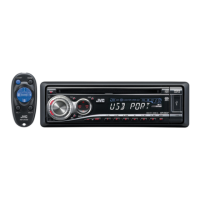
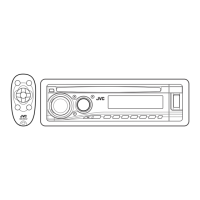
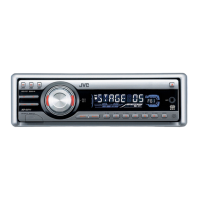
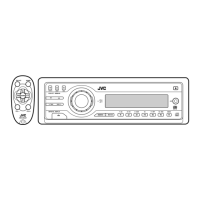
Detailed identification and explanation of all buttons, indicators, and display elements on the control panel.
Guide for installing the CR2025 lithium coin battery into the remote controller.
Overview of the remote controller's buttons and their primary functions.
Step-by-step instructions for initial unit setup, including power on, source selection, and volume adjustment.
Procedure to disable the unit's automatic display demonstration mode.
Instructions for setting the current time, including 12/24 hour format.
Automatically searches for and stores the strongest local FM stations into presets.
Allows manual storage of specific radio frequencies into preset memory slots.
Explains how Radio Data System (RDS) enhances FM listening with text and program information.
Guides users on finding programs based on Programme Type (PTY) codes.
Allows temporary switching to Traffic Announcements (TA) from other sources.
Instructions for playing audio CDs or MP3/WMA discs in the unit's built-in player.
Guide for selecting and playing discs from an external JVC CD changer.
Details on connecting and playing MP3/WMA files from a USB memory device.
Method for fast-forwarding, reversing, or skipping multiple tracks during playback.
How to cycle through display information like disc title and track title for audio CDs.
How to view album names, artists, and track titles for MP3/WMA files.
Explains Digital Audio Broadcasting (DAB) technology and its benefits.
Steps required before connecting and operating an iPod or JVC D. player.
Options for repeating single tracks (ONE RPT) or all tracks (ALL RPT).
Options for shuffling albums (ALBM RND) or songs (SONG RND).
Instructions for periodic cleaning of connectors to ensure reliable connections.
Guidance on handling moisture condensation on the unit's lens.
Tips on cleaning discs properly to ensure optimal playback.
Advice on preparing new discs by removing rough edges.
Guidelines for safely removing, holding, and storing discs.
Overview of basic unit functions, power, tuner operations, and RDS.
Details on FM RDS features and general disc playback compatibility.
Procedure for switching between different audio input sources.
Instructions on safely ejecting discs and detaching USB memory.
Configuration options for the DAB tuner, including service presetting.
Settings and operational notes for connected iPod and JVC D. players.
Common problems related to unit operation, SSM preset, and radio noise.
Solutions for no sound, static noise, and station presets not working.
Troubleshooting steps for discs not playing, skipping, or being unplayable/ejectable.
Solutions for MP3/WMA discs with no file recognition, noise, or incorrect playback order.
Resolving issues like 'CHECK' flashing, incorrect track order, or no files found on USB.
Troubleshooting steps for 'NO DISC', 'NO MAG', or 'RESET' errors with the CD changer.
Solutions for DAB tuner errors like 'noSIGNAL', 'RESET', or 'ANTENANG'.
Resolving problems such as iPod/D. player not turning on, distorted sound, or playback errors.
Technical details on power output, impedance, and tone control ranges.
Specifications for CD and USB playback, including formats and bit rates.
Technical details for FM, AM, and LW tuner sensitivity, selectivity, and frequency response.
Information on power requirements, operating voltage, temperature, and physical dimensions.