
 To Next Page

S
smithchristopherSep 12, 2025
Why isn't my JVC Car Receiver CD changer working?
- KKaren BoyleSep 12, 2025
If the CD changer does not work at all, reset the unit.

Why isn't my JVC Car Receiver CD changer working?
If the CD changer does not work at all, reset the unit.
What to do if my JVC KD-G635 Car Receiver is not working at all?
If the unit does not work at all, reset the unit.
How to fix JVC KD-G635 Car Receiver when sound cannot be heard from speakers?
If you can't hear any sound from the speakers of your JVC Car Receiver, first, make sure the volume is set to an audible level. Then, verify that all cords and connections are properly and securely in place.
How to fix JVC KD-G635 Car Receiver when SSM automatic presetting does not work?
If SSM automatic presetting does not work on your JVC Car Receiver, store stations manually.
Why isn't my iPod or D. player turning on or working with my JVC Car Receiver?
Check the connecting cable and its connection, update the firmware version, and charge the battery.
Why is there static noise while listening to the radio on my JVC Car Receiver?
If you are experiencing static noise while listening to the radio on your JVC Car Receiver, ensure the antenna is firmly connected.
What does “NO FILE” mean on my JVC KD-G635?
If “NO FILE” flashes on the display, attach a USB memory that contains tracks encoded in an appropriate format.
What does “NO USB” mean on my JVC KD-G635 Car Receiver?
If “NO USB” appears on the display, attach a USB memory that contains tracks encoded in an appropriate format.
What to do if “NO DISC” appears on the display of my JVC KD-G635 Car Receiver?
If your JVC Car Receiver displays “NO DISC”, insert a playable disc into the loading slot.
Why is the sound from my JVC KD-G635 disc sometimes interrupted?
If the disc sound is sometimes interrupted, stop playback while driving on rough roads, change the disc, and check the cords and connections.
Details precautions for Class 1 Laser Products to prevent injury.
Warns about driving safety and advises on volume setting for speaker protection.
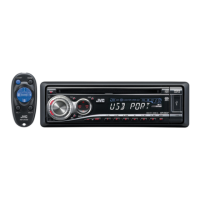
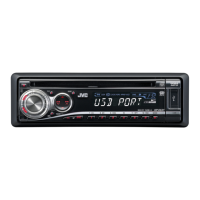
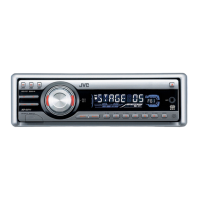
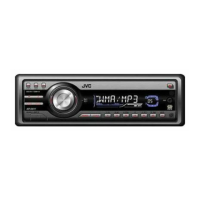
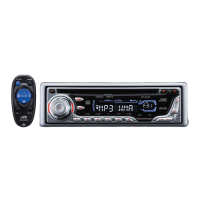
Details the display window and various indicators on the control panel.
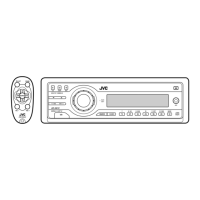
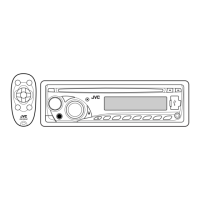
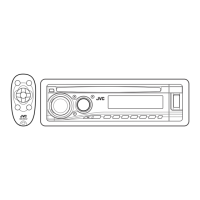
Identifies and describes the function of each button on the control panel.
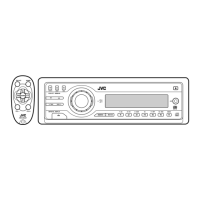
Guides battery installation for the remote and outlines critical safety warnings.
Describes the main elements and functions of the remote controller buttons.
Explains how to tune to stations manually and store them using SSM and manual methods.
Details the intelligent equalizer (iEQ) preset sound modes for different music genres.
Guides on adjusting bass, mid-range, treble, loudness, and balance.
Lists common general, radio, and disc playback problems and their solutions.
Resolves issues related to MP3/WMA discs and USB memory playback.
Addresses problems with CD changers and iPod/D. player connectivity and operation.
Details specifications for the audio amplifier, tuner sections, and general unit dimensions.
Critical warnings and precautions for safe power and speaker connections.
Illustrates the standard wiring procedure for power, antenna, and speakers.
 General
| Category | Car Receiver |
|---|---|
| Brand | JVC |
| Model | KD-G635 |
| Type | CD Receiver |
| CD Player | Yes |
| MP3 Playback | Yes |
| WMA Playback | Yes |
| Tuner | AM/FM |
| Subwoofer Output | Yes |
| Aux Input | Yes |
| Detachable Face | Yes |
| Display | LCD |
| Remote Control | Yes |
| Bluetooth | No |
| USB Port | No |
| Equalizer | 3-Band |
| Max Power Output | 50 Watts x 4 |
| RMS Power | 22 Watts x 4 |
| Preamp Outputs | 2-channel |