ENGLISH
15
iPod / D. player operations
This unit is ready for operating an Apple iPod or a JVC
D. player from the control panel.
Before operating your iPod or D. player:
Connect either one of the following (separately
purchased) to the CD changer jack on the rear of this
unit.
• Interface adapter for iPod—KS-PD100 for
controlling an iPod.
• D. player interface adapter—KS-PD500 for
controlling a D. player.
• For connection, see Installation/Connection Manual
(separate volume).
• For details, refer also to the manual supplied with the
interface adapter.
Preparations:
Make sure “CHANGER” is selected for the external input
setting, see page 13.
~
Ÿ
Playback starts automatically from where it has
been paused*
1
or stopped*
2
previously.
! Adjust the volume.
⁄ Adjust the sound as you want. (See
pages 11 and 12.)
• Make sure the equalizer on the iPod or
D. player is deactivated.
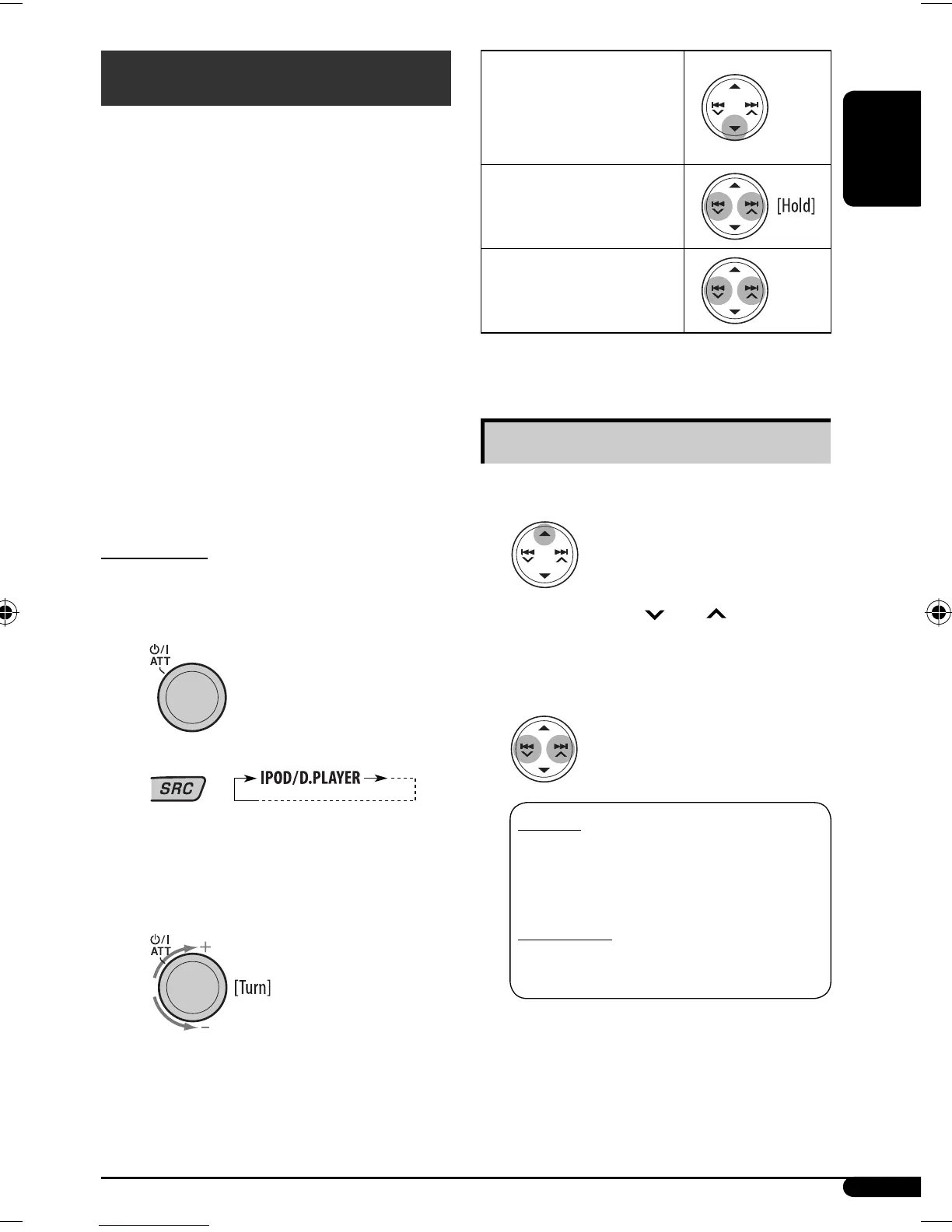
To pause*
1
or stop*
2
playback
To resume playback, press the
button again.
To fast-forward or
reverse the track
To go to the next or
previous tracks
*
1
For iPod
*
2
For D. player
Selecting a track from the menu
1 Enter the main menu.
Now the 5/∞/4 /¢ buttons work as
the menu selecting buttons*.
2 Select the desired menu.
For iPod:
PLAYLIST
Ô ARTISTS Ô ALBUMS Ô
SONGS Ô GENRES Ô COMPOSER Ô
(back to the beginning)
For D. player:
PLAYLIST
Ô ARTIST Ô ALBUM Ô GENRE
Ô TRACK Ô (back to the beginning)
Continued on the next page
EN14-19KD-G635[U]_f.indd 15EN14-19KD-G635[U]_f.indd 15 10/31/06 9:41:54 AM10/31/06 9:41:54 AM


 To Next Page
 Loading...