EasyManua.ls Logo

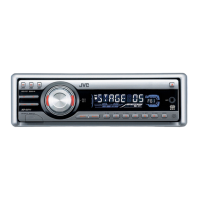
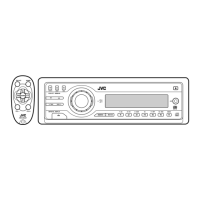
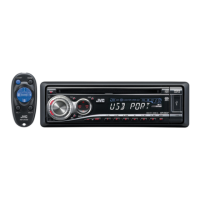
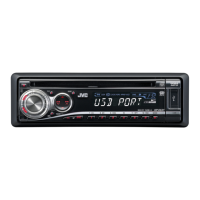
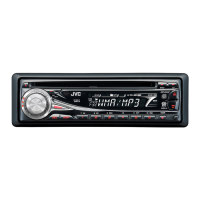
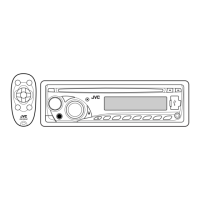
JVC KD-G646 - User Manual

JVC KD-G646
26 pages
Print Icon
To Next Page IconTo Next Page
Loading...
ENGLISH
For canceling the display demonstration, see page 6.
For installation and connections, refer to the separate manual.
INSTRUCTIONS
GET0502-005A
[UT]
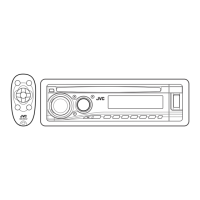
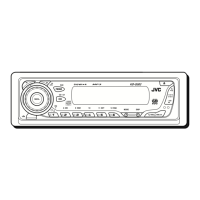
CD RECEIVER KD-G646/KD-G645
KD-G646/KD-G645
Cover_KD-G646_005A_f.indd 1Cover_KD-G646_005A_f.indd 1 10/22/07 11:32:21 AM10/22/07 11:32:21 AM

Other manuals for JVC KD-G646

Questions and Answers

  • M
    Mr. Miguel ThompsonAug 20, 2025
    How to fix JVC Car Receiver when sound cannot be heard?
    • J
      John RussellAug 20, 2025
      If sound cannot be heard from the speakers of your JVC Car Receiver, first adjust the volume to the optimum level. If that doesn't work, check the cords and connections to ensure they are properly connected.
  • R
    Ryan HortonAug 22, 2025
    What does “PLEASE EJECT” mean on my JVC Car Receiver display?
    • B
      Brian DoyleAug 22, 2025
      If your JVC Car Receiver displays “PLEASE” and ”EJECT” alternately, this indicates that the disc cannot be played back.
  • C
    Carol Hines DDSAug 25, 2025
    What to do if “READING” keeps flashing on JVC Car Receiver display?
    • J
      James EsparzaAug 25, 2025
      If you see “READING” keeps flashing on the display of your JVC Car Receiver, turn off the power and then on again. If the problem persists, reattach the USB device.
  • L
    Leslie HoodAug 26, 2025
    What does “NO DISC” mean on my JVC Car Receiver?
    • K
      Kiara FlynnAug 27, 2025
      If your JVC Car Receiver displays “NO DISC”, insert a playable disc into the loading slot.
  • J
    Jay OdonnellAug 28, 2025
    What to do if my JVC Car Receiver says “NO USB”?
    • J
      Judy DavisAug 28, 2025
      If your JVC Car Receiver is showing “NO USB” on the display, reattach the USB device.
  • B
    bradleymillerAug 29, 2025
    How to fix JVC Car Receiver when disc cannot be played?
    • R
      Reginald ColemanAug 30, 2025
      If your JVC Car Receiver cannot play back a disc, make sure to insert the disc correctly.
  • A
    Alyssa BrightSep 1, 2025
    How to reduce static noise on JVC Car Receiver radio?
    • S
      Sara HallSep 1, 2025
      If you are experiencing static noise while listening to the radio on your JVC Car Receiver, connect the antenna firmly.
  • C
    Cody WuSep 3, 2025
    Why are album names not displayed correctly on my JVC Car Receiver?
    • H
      Heather SanchezSep 3, 2025
      If your JVC Car Receiver displays incorrect characters (e.g. album name), note that this unit can only display alphabets (upper case), numbers, and a limited number of symbols.
  • K
    Kimberly ColeSep 5, 2025
    Why won't my JVC Car Receiver play CD-R/CD-RW?
    • C
      Carlos WestSep 5, 2025
      If your JVC Car Receiver cannot play back a CD-R/CD-RW, ensure that you insert a finalized CD-R/CD-RW.
  • D
    Daniel GarciaSep 7, 2025
    Why are tracks not playing in order on my JVC Car Receiver?
    • M
      Meredith MeltonSep 7, 2025
      If tracks/folders are not played back in the order you intended on your JVC Car Receiver, the playback order is determined by the write-in time stamp.

Summary

Laser Product Safety and Warnings

Class 1 Laser Product Safety Precautions

Precautions for Class 1 laser products, including not opening the unit and avoiding direct optical viewing.

Control Panel and Remote Operation

Getting Started and Basic Operations

Powering On;Off and Volume Adjustment

Steps for turning the unit on/off and adjusting the audio volume level.

Radio Operations

Tuning and Receiving Radio Stations

Procedures for selecting bands, searching for stations, and handling stereo/mono reception.

Media Playback (CD & USB)

Playing MP3;WMA from USB Devices

Connecting and playing MP3/WMA files from USB storage, including file format requirements.

Troubleshooting Common Issues

Troubleshooting Unit and Radio Problems

Resolving common issues like no sound, unit malfunction, radio static, and preset errors.

Troubleshooting Disc Playback Errors

Solutions for disc errors, unplayable CDs/CD-RWs, ejection problems, and playback interruptions.

USB Device Playback Troubleshooting

Technical Specifications

JVC KD-G646 Specifications

General IconGeneral
TypeCD Receiver
Max Power Output50W x 4
RMS Power22W x 4
TunerAM/FM
Preamp Outputs2-Channel
BluetoothNo
USB PortNo
Aux InputYes
Aux Input LocationFront
DisplayYes
Display TypeLCD
CD PlayerYes
MP3 PlaybackYes
WMA PlaybackYes
CD PlaybackYes
Radio TunerYes
Detachable FaceplateYes
Remote ControlNo
Equalizer3-band

Related product manuals