EasyManua.ls Logo

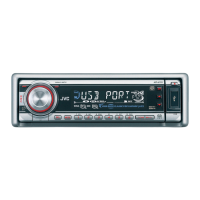
JVC KD-G644 - User Manual

JVC KD-G644
22 pages
Print Icon
To Next Page IconTo Next Page
Loading...
For canceling the display demonstration, see page 6.
For installation and connections, refer to the separate manual.
INSTRUCTIONS
GET0503-001A
[UI]
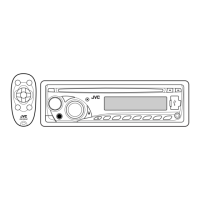
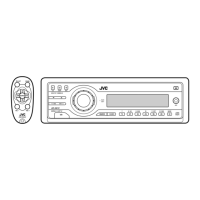
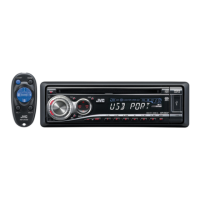
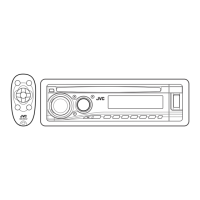
CD RECEIVER KD-G644
Cover_KD-G644[UI]f.indd 1Cover_KD-G644[UI]f.indd 1 10/29/07 4:35:44 PM10/29/07 4:35:44 PM

Questions and Answers

  • L
    Lisa MatthewsAug 14, 2025
    Why does my JVC KD-G644 Car Receiver sometimes interrupt sound while playing a track?
    • P
      Pamela MorganAug 14, 2025
      Sound interruption while playing a track on your JVC Car Receiver can occur if the MP3/WMA tracks have not been properly copied to the USB device. To fix this, copy the MP3/WMA tracks again to the USB device and try again.
  • L
    lauren23Aug 18, 2025
    Why is noise generated by JVC KD-G644?
    • P
      petersonanthonyAug 18, 2025
      Noise from your JVC Car Receiver may be generated if the track played back is not an MP3/WMA track. Skip to another file. Do not add the extension code or to non-MP3 or WMA tracks.
  • J
    Jason MooreAug 21, 2025
    What to do if 'READING' keeps flashing on JVC Car Receiver display?
    • S
      Stephanie WilsonAug 21, 2025
      If “READING” keeps flashing on the display of your JVC Car Receiver, it could be due to the readout time varying depending on the USB device. To resolve this, avoid using too many hierarchies, folders, and empty folders. Alternatively, try turning the power off and then on again, or reattaching the USB device.
  • D
    dfitzgeraldAug 25, 2025
    What to do if 'NO FILE' flashes on JVC KD-G644 Car Receiver display?
    • C
      claytoncindyAug 25, 2025
      If “NO FILE” flashes on the display of your JVC Car Receiver, make sure you attach a USB device that contains tracks encoded in an appropriate format. If the issue persists, try reattaching the USB device.
  • T
    Tina FlynnAug 27, 2025
    Why JVC Car Receiver disc cannot be played back?
    • V
      Valerie BennettAug 27, 2025
      If your JVC Car Receiver isn't playing a disc, ensure that the disc has MP3/WMA tracks recorded in a format compliant with ISO 9660 Level 1, Level 2, Romeo, or Joliet. Also, verify that the file names include the extension code or .
  • A
    ashley28Aug 31, 2025
    Why does JVC KD-G644 Car Receiver require a longer readout time?
    • M
      millercharlesAug 31, 2025
      A longer readout time on your JVC Car Receiver can occur if there are too many hierarchical levels and folders. Avoid using excessive levels and folders to speed up readout time.
  • M
    Mary LambSep 4, 2025
    Why tracks are not played back in the order I intended on JVC KD-G644?
    • W
      wreynoldsSep 4, 2025
      The playback order on your JVC Car Receiver is determined when the files are recorded.
  • A
    Alexandra GonzalezSep 6, 2025
    Why the elapsed playing time is not correct on JVC Car Receiver?
    • C
      Christopher TerrySep 6, 2025
      The incorrect elapsed playing time sometimes occurs during playback on JVC Car Receiver because of how the tracks are recorded on the disc.
  • J
    Joanna YoungSep 10, 2025
    Why correct characters are not displayed on JVC Car Receiver?
    • K
      Keith HenrySep 10, 2025
      The JVC Car Receiver can only display alphabets (upper case), numbers, and a limited number of symbols.

JVC KD-G644 Specifications

General IconGeneral
TunerAM/FM
CD PlaybackYes
MP3 PlaybackYes
WMA PlaybackYes
BluetoothNo
DisplayLCD
Auxiliary InputYes
Detachable FaceYes
Channels4
Max Power Output50W x 4
RMS Power22W x 4
USB PortYes
EQ Settings3-band

Related product manuals