EasyManua.ls Logo

JVC KD-G645 - User Manual

JVC KD-G645
26 pages
Print Icon
To Next Page IconTo Next Page
Loading...
ENGLISH
For canceling the display demonstration, see page 6.
For installation and connections, refer to the separate manual.
INSTRUCTIONS
GET0502-005A
[UT]
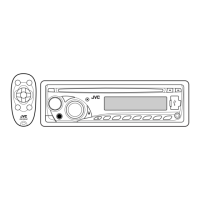
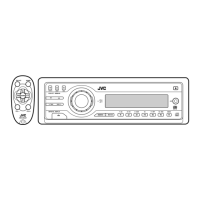
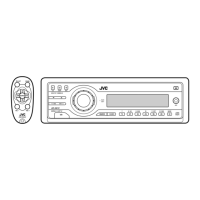
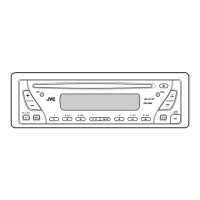
CD RECEIVER KD-G646/KD-G645
KD-G646/KD-G645
Cover_KD-G646_005A_f.indd 1Cover_KD-G646_005A_f.indd 1 10/22/07 11:32:21 AM10/22/07 11:32:21 AM

Other manuals for JVC KD-G645

Questions and Answers

  • B
    Brandy NelsonAug 20, 2025
    How to fix JVC Car Receiver when sound cannot be heard?
    • R
      Robert BrennanAug 20, 2025
      If sound cannot be heard from the speakers of your JVC Car Receiver, first adjust the volume to the optimum level. If that doesn't work, check the cords and connections to ensure they are properly connected.
  • O
    ortizandreaAug 22, 2025
    What does “PLEASE EJECT” mean on my JVC Car Receiver display?
    • L
      lperezAug 22, 2025
      If your JVC Car Receiver displays “PLEASE” and ”EJECT” alternately, this indicates that the disc cannot be played back.
  • A
    Anita HoAug 25, 2025
    What to do if “READING” keeps flashing on JVC Car Receiver display?
    • M
      Mrs. Carolyn YoungAug 25, 2025
      If you see “READING” keeps flashing on the display of your JVC Car Receiver, turn off the power and then on again. If the problem persists, reattach the USB device.
  • K
    Kevin MyersAug 26, 2025
    What does “NO DISC” mean on my JVC Car Receiver?
    • S
      Sue HopkinsAug 26, 2025
      If your JVC Car Receiver displays “NO DISC”, insert a playable disc into the loading slot.
  • L
    Lori ProctorAug 28, 2025
    What to do if my JVC Car Receiver says “NO USB”?
    • B
      Brian LeeAug 28, 2025
      If your JVC Car Receiver is showing “NO USB” on the display, reattach the USB device.
  • A
    asimonAug 30, 2025
    How to fix JVC Car Receiver when disc cannot be played?
    • L
      Laura LynchAug 30, 2025
      If your JVC Car Receiver cannot play back a disc, make sure to insert the disc correctly.
  • S
    Shane HornSep 1, 2025
    How to reduce static noise on JVC Car Receiver radio?
    • J
      Jason WheelerSep 1, 2025
      If you are experiencing static noise while listening to the radio on your JVC Car Receiver, connect the antenna firmly.
  • C
    cherylwiseSep 3, 2025
    Why are album names not displayed correctly on my JVC Car Receiver?
    • V
      Vanessa FranklinSep 3, 2025
      If your JVC Car Receiver displays incorrect characters (e.g. album name), note that this unit can only display alphabets (upper case), numbers, and a limited number of symbols.
  • C
    Calvin BellSep 5, 2025
    Why won't my JVC Car Receiver play CD-R/CD-RW?
    • W
      wcarterSep 5, 2025
      If your JVC Car Receiver cannot play back a CD-R/CD-RW, ensure that you insert a finalized CD-R/CD-RW.
  • J
    Justin CoxSep 7, 2025
    Why are tracks not playing in order on my JVC Car Receiver?
    • A
      April AllenSep 7, 2025
      If tracks/folders are not played back in the order you intended on your JVC Car Receiver, the playback order is determined by the write-in time stamp.

Summary

Important Safety Information

Laser Safety Precautions

Critical safety precautions regarding Class 1M laser radiation and unit handling.

Unit Reset and Disc Ejection

Step-by-step instructions for resetting the unit and forcibly ejecting a disc.

Control Panel Handling

Detaching and Attaching the Control Panel

Guide for removing and reinstalling the detachable control panel.

General Operational Precautions

Control Panel Overview

Parts Identification

Detailed labeling and identification of all buttons and display elements on the control panel.

Remote Controller Operation

Battery Installation and Features

Instructions for installing the battery and overview of remote control functions.

Getting Started

Basic Operations and Settings

Steps for powering on, adjusting volume/sound, and setting the clock.

Radio Operations

Tuning and Station Storage

Methods for tuning radio stations, including automatic and manual presetting.

Disc and USB Device Operations

Playing Audio Discs and USB Files

Instructions for playing audio discs and MP3/WMA files from USB storage.

USB Device Handling

USB Connection and Cautions

Guidance on connecting/detaching USB devices and important usage warnings.

Advanced Functions

Track Skipping and Display Control

Methods for quickly skipping tracks and changing display information.

Disc Ejection Lock Feature

Instructions on how to prohibit or cancel disc ejection.

Playback Modes and Sound Adjustments

Selecting Playback Modes and Adjusting Sound

Options for repeat, random play, and customizing audio settings like EQ and loudness.

Sound Adjustment Details

Detailed Sound Settings and PSM

Explanation of bass, treble, fader, balance, and PSM (Preferred Setting Mode) adjustments.

General Settings Customization

Configurable Settings Overview

Details on demo, clock, dimmer, scroll, L/O mode, and tag display settings.

External Component and Title Assignment

Connecting External Sources and Assigning Titles

How to connect external audio devices and assign custom titles to radio stations.

Maintenance and Disc Care

Cleaning and Handling Discs;Connectors

Procedures for cleaning unit connectors and maintaining disc quality.

Disc Handling Precautions

Guidelines for storing discs and identifying discs to avoid.

Unit Features and Considerations

MP3;WMA and Disc Playback Information

Details on MP3/WMA file structure, CD compatibility, and DualDisc playback warnings.

MP3;WMA File Specifications

MP3;WMA File Requirements and USB Playback

Technical specifications for MP3/WMA files and how they play from USB devices.

USB Device Specifications and Management

USB File Limits and Source Switching

Information on USB file/folder limits, source changes, and device ejection.

Troubleshooting Guide

General, Radio, and Disc Playback Issues

Troubleshooting steps for general, radio, and disc playback problems.

Troubleshooting MP3;WMA and USB

MP3;WMA and USB Playback Errors

Solutions for problems related to MP3/WMA playback and USB device recognition.

Technical Specifications

Audio, CD, USB, and Tuner Specifications

Detailed technical data for the unit's various sections.

General and Physical Specifications

Overall unit dimensions, power requirements, and operating conditions.

Installation and Connection Manual

Electrical Connections Guide

Diagrams and instructions for connecting the unit's power, speakers, and antenna.

Parts List for Installation

Inventory of included parts required for installing the car audio unit.

Installation Procedures

In-Dash Mounting and Removal

Step-by-step guide for mounting the unit in the dashboard and removing it.

Optional Installation Methods

Alternative installation techniques using optional stays or without the sleeve.

Detailed Electrical Connections

Wiring Diagrams and Power Connections

Comprehensive diagrams illustrating all possible electrical wiring configurations.

External System Integration

Connecting Amplifiers and Subwoofers

Instructions for connecting external amplifiers and subwoofers to enhance audio output.

Troubleshooting Common Issues

JVC KD-G645 Specifications

General IconGeneral
BrandJVC
ModelKD-G645
CategoryCar Receiver
LanguageEnglish

Related product manuals