EasyManua.ls Logo

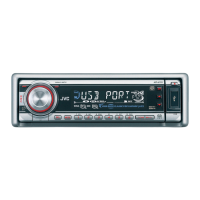
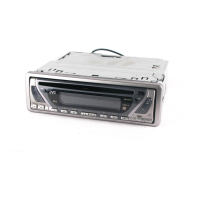
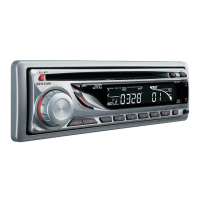
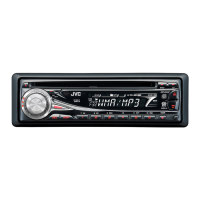
JVC KD-G805 - User Manual

JVC KD-G805
179 pages
Print Icon
To Next Page IconTo Next Page
Loading...
ENGLISH
‰∑¬
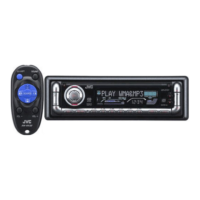
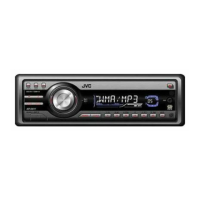
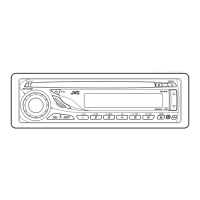
CD RECEIVER KD-G805
INSTRUCTIONS
= !"
§”·π–π”
GET0198-001A
[U]
For installation and connections, refer to the separate manual.
 !"#$%&'()*+,-./0
°√ÿ≥“¥Ÿ§ŸË¡◊Õ∑’Ë·¬°µË“ßÀ“° „π°“√µ‘¥µ—Èß·≈–°“√‡™◊ËÕ¡µËÕ
CD  !" KD-G805
‡§√◊ËÕ߇≈Ëπ CD KD-G805
This unit is equipped with the display demonstration. To cancel it, see page 8.
 !"#$%&'()*+,&'-./01=8 
‡§√◊ËÕßπ’ȉ¥È√—∫°“√µ‘¥µ—Èß°“√“∏‘µ¿“æª√–°Õ∫ À“°µÈÕß°“√¬°‡≈‘° ‚ª√¥¥Ÿ ÀπÈ“ 8
KD-G805
SOUND
VOL
VOL
SOURCE
R
F
U
D
ATT
Cover-KD-G805[U]1 21/11/03, 7:56 PM1

Table of Contents

Other manuals for JVC KD-G805

Questions and Answers

  • M
    Ms. Anne GambleAug 18, 2025
    Why is there no sound from my JVC Car Stereo System speakers?
    • N
      norman51Aug 18, 2025
      If you cannot hear any sound from the speakers, it might be due to the volume level being set too low. Try adjusting the volume to a higher, more audible level. Also, verify that all the cords and connections are correctly and securely connected.
  • D
    David MccoyAug 20, 2025
    What to do if my JVC Car Stereo System says 'NO DISC'?
    • V
      vhaynesAug 20, 2025
      If the display shows “NO DISC”, first ensure that a disc is actually inserted into the loading slot. If a disc is inserted, make sure it is inserted correctly. If the issue persists, while pressing CD/CD-CH, press and hold SEL (select) for more than 2 seconds to eject the disc.
  • K
    Katherine MillerAug 23, 2025
    What to do if my JVC Car Stereo System does not work?
    • S
      Steven WatsonAug 23, 2025
      If the unit isn't working, the built-in microcomputer may have malfunctioned. Try pressing the reset button on the control panel. Note that this will erase the clock setting and preset stations stored in memory.
  • D
    Donna BoltonAug 26, 2025
    What does 'PUSH RESET' mean on my JVC Car Stereo System?
    • M
      Marcus HoweAug 26, 2025
      If “PUSH RESET” appears on the display, something may be blocking the control movement. Press the reset button on the control panel.
  • C
    Christina JohnsonAug 28, 2025
    How to fix static noise on JVC Car Stereo System radio?
    • I
      Isaac SmithAug 28, 2025
      If you are experiencing static noise while listening to the radio, make sure the antenna is firmly connected. If you are listening to a disc, ensure it is inserted correctly.
  • B
    brandonandersonAug 31, 2025
    Why is the disc sound interrupted on my JVC Car Stereo System?
    • R
      Robert GallowayAug 31, 2025
      If the disc sound is being interrupted, it could be due to driving on rough roads; try stopping playback while driving on such roads. Alternatively, the disc may be scratched, in which case you should try changing the disc. Also, check the cords and connections to make sure they are correct.
  • J
    Joe GarciaSep 2, 2025
    What to do if my JVC Car Stereo System won't play CD-R/CD-RW?
    • M
      Michelle SchultzSep 2, 2025
      If your JVC Car Stereo System won't play a CD-R/CD-RW, ensure that the CD-R/CD-RW is finalized. If it is not, insert a finalized CD-R/CD-RW or finalize the CD-R/CD-RW with the component you used for recording.
  • H
    hryanSep 4, 2025
    What to do if my JVC Car Stereo System disc cannot be ejected?
    • L
      lawsonmelissaSep 4, 2025
      If the disc cannot be ejected, the disc may be locked. Unlock the disc.
  • M
    Melissa KnightSep 7, 2025
    Why doesn't SSM automatic preset work on my JVC Car Stereo System?
    • R
      robertcarsonSep 7, 2025
      If the SSM automatic preset is not working, the signals may be too weak. Try storing stations manually.
  • B
    Bryan MontesSep 9, 2025
    What to do if there is no 5V at IC681 pin 6 on my JVC KD-G805 Car Receiver?
    • R
      Robert GillSep 9, 2025
      If there is no 5V present at IC681 pin 6, you should check IC681.

JVC KD-G805 Specifications

General IconGeneral
Power Output50 W x 4
CD PlaybackYes
MP3 PlaybackYes
WMA PlaybackYes
BluetoothNo
Aux InputYes
EqualizerYes
AM Preset Station Qty6
Bass BoostYes
Remote ControlYes
Detachable FaceplateYes
Built-in DisplayYes
ConnectionsRCA pre-out
Media TypeCD

Related product manuals