EasyManua.ls Logo

JVC KD-G801 - User Manual

JVC KD-G801
57 pages
Print Icon
To Next Page IconTo Next Page
Loading...
GET0199-001A
[E/EX]
KD-G801/KD-G701
CD RECEIVER
CD-RECEIVER
RECEPTEUR CD
CD-RECEIVER
ENGLISH
DEUTSCH
NEDERLANDS
FRANÇAIS
For installation and connections, refer to the separate manual.
Für den Einbau und die Anschlüsse siehe das eigenständige Handbuch.
Pour l’installation et les raccordements, se référer au manuel séparé.
Bijzonderheden over de installatie en aansluiting van het apparaat vindt u in de
desbetreffende handleiding.
INSTRUCTIONS
BEDIENUNGSANLEITUNG
MANUEL DINSTRUCTIONS
GEBRUIKSAANWIJZING
This unit is equipped with the display demonstration. To cancel it, see page 8.
Dieses Gerät ist mit einer Demonstrationsfunktion für das Display ausgestattet. Auf
Seite 8 wird beschrieben, wie Sie diese Demonstrationsfunktion deaktivieren können.
Cet appareil est équipé d’une fonction de démonstration des affichages. Pour l’annuler,
référez-vous à la page 8.
Dit toestel heeft een display-demonstratiefunctie. Zie bladzijde 8 voor het annuleren van
deze functie.
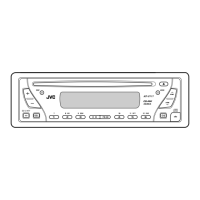
KD-G801
SOUND
VOL
VOL
SOURCE
R
F
U
D
ATT
KD-G701
KD-G801
KD-G701
SOUND
VOL
VOL
SOURCE
R
F
U
D
ATT
Cover001A__G801_G701[E_EX]f.p65 1/6/04, 12:05 PM3

Table of Contents

Other manuals for JVC KD-G801

Questions and Answers

  • K
    Kenneth WrightJul 29, 2025
    Why is there no sound coming from my JVC KD-G801 Car Receiver speakers?
    • J
      Jamie LozanoJul 29, 2025
      If you can't hear any sound from your JVC Car Receiver speakers, here are a few things to check: First, make sure the volume isn't set too low; adjust it to a suitable level. Second, verify that all connections are correct. Finally, noise may have caused the microcomputer to function incorrectly; in this case, press the reset button on the control panel. Note that this will erase your preset adjustments.
  • K
    Kent JohnsonAug 12, 2025
    What to do if SSM automatic preset does not work on JVC KD-G801 Car Receiver?
    • K
      Kimberly HillAug 12, 2025
      If the SSM automatic preset isn't working on your JVC Car Receiver, it could be due to weak signals. Try storing stations manually. Also, ensure the aerial is firmly connected.

Summary

Important Laser Product Information

Unit Reset Procedure

Resetting the Units Microcomputer

Procedure to reset the unit's internal microcomputer.

Remote Controller Operation

Remote Controller Preparation

Basic Operations

Powering Unit On;Off and Source Selection

Steps to turn the unit on/off and choose audio sources.

Volume and Sound Adjustment

How to control volume and make basic sound adjustments.

Radio Operations

Listening to FM;AM Radio

Instructions for tuning into and listening to radio broadcasts.

RDS Operations

CD Operations

Playing a Standard Audio CD

Steps for inserting and playing a standard audio CD.

Navigating Tracks on a CD

How to fast-forward, reverse, skip, or jump to specific tracks.

MP3;WMA File Introduction

Understanding MP3 and WMA Formats

Explains what MP3 and WMA audio file formats are.

MP3;WMA Operations

Playing MP3;WMA Discs

Steps for inserting and playing discs with MP3 or WMA files.

Navigating Files on an MP3;WMA Disc

How to fast-forward, reverse, or skip to the next/previous files.

Sound Adjustments

Adjusting Basic Sound Parameters

How to adjust Fader, Balance, Loudness, and Volume.

Selecting Preset Equalizer (iEQ) Modes

How to choose pre-defined sound modes like POP, ROCK, JAZZ.

Customizing and Storing Sound Settings

How to create and save custom sound profiles (User 1, 2, 3).

Assigning Names to CDs

Control Panel Detachment and Attachment

Detaching the Control Panel

Steps to safely remove the control panel from the unit.

Attaching the Control Panel

Steps to reattach the control panel to the main unit.

CD Changer Operations (KD-G801)

Playing Discs in the CD Changer

How to play audio CDs and MP3 discs using the changer.

Navigating Discs and Tracks in Changer

How to select discs, fast-forward/reverse tracks, and skip tracks.

External Component Operations (KD-G801)

Playing External Components

How to connect and play audio from external devices via Line In.

DAB Tuner Operations (KD-G801)

Understanding the DAB System

Explanation of DAB digital radio broadcasting technology.

Advanced DAB Functions

Troubleshooting

General Unit and Disc Playback Issues

Solutions for common problems like no sound, unit failure, or disc recognition errors.

MP3;WMA Playback Issues

Solutions for problems with MP3/WMA files, noise, or incorrect display.

CD Changer Specific Issues

Solutions for problems related to the CD changer operation.

Maintenance

Disc Handling, Care, and Cautions

Instructions on handling, cleaning, and precautions for discs and CD-RWs.

Specifications

JVC KD-G801 Specifications

KD-G801

Audio Amplifier Section IconAudio Amplifier Section
maximum power output (front)50 W per channel
maximum power output (rear)50 W per channel
continuous power output (RMS, front)19 W per channel into 4 Ω
continuous power output (RMS, rear)19 W per channel into 4 Ω
load impedance4 Ω (4 Ω to 8 Ω allowance)
equalizer control range (low)±12 dB (60 Hz, 80 Hz, 100 Hz, 120 Hz)
equalizer control range (mid)±12 dB
equalizer control range (high)±12 dB (8 kHz, 10 kHz, 12 kHz, 15 kHz)
frequency response40 Hz to 20 000 Hz
signal-to-noise ratio70 dB
line-out level/impedance5.0 V/20 kΩ load (full scale)
subwoofer-out level/impedance2.0 V/20 kΩ load (full scale)
output impedance1 kΩ
CD Player Section IconCD Player Section
operating voltageDC 14.4 V (11 V to 16 V allowance)
allowable operating temperature0°C to +40°C
dimensions (installation size)182 mm × 52 mm × 159 mm
dimensions (panel size)188 mm × 58 mm × 12 mm
mass1.5 kg
frequency response5 Hz to 20 000 Hz
dynamic range96 dB
signal-to-noise ratio98 dB
Tuner Section IconTuner Section
frequency range (FM)87.5 MHz to 108.0 MHz
frequency range (AM MW)522 kHz to 1 620 kHz
frequency range (AM LW)144 kHz to 279 kHz
usable sensitivity (FM)11.3 dBf (1.0 µV/75 Ω)
50 dB quieting sensitivity (FM)16.3 dBf (1.8 µV/75 Ω)
alternate channel selectivity (FM, 400 kHz)65 dB
frequency response (FM)40 Hz to 15 000 Hz
stereo separation (FM)30 dB
capture ratio (FM)1.5 dB
sensitivity (MW)20 µV
selectivity (MW)35 dB
sensitivity (LW)50 µV

KD-G701

Audio Amplifier Section IconAudio Amplifier Section
maximum power output (front)50 W per channel
maximum power output (rear)50 W per channel
continuous power output (RMS, front)19 W per channel into 4 Ω
continuous power output (RMS, rear)19 W per channel into 4 Ω
load impedance4 Ω (4 Ω to 8 Ω allowance)
equalizer control range (low)±12 dB (60 Hz, 80 Hz, 100 Hz, 120 Hz)
equalizer control range (mid)±12 dB
equalizer control range (high)±12 dB (8 kHz, 10 kHz, 12 kHz, 15 kHz)
frequency response40 Hz to 20 000 Hz
signal-to-noise ratio70 dB
line-out level/impedance2.0 V/20 kΩ load (full scale)
output impedance1 kΩ
CD Player Section IconCD Player Section
operating voltageDC 14.4 V (11 V to 16 V allowance)
allowable operating temperature0°C to +40°C
dimensions (installation size)182 mm × 52 mm × 159 mm
dimensions (panel size)188 mm × 58 mm × 12 mm
mass1.5 kg
frequency response5 Hz to 20 000 Hz
dynamic range96 dB
signal-to-noise ratio98 dB
Tuner Section IconTuner Section
frequency range (FM)87.5 MHz to 108.0 MHz
frequency range (AM MW)522 kHz to 1 620 kHz
frequency range (AM LW)144 kHz to 279 kHz
usable sensitivity (FM)11.3 dBf (1.0 µV/75 Ω)
50 dB quieting sensitivity (FM)16.3 dBf (1.8 µV/75 Ω)
alternate channel selectivity (FM, 400 kHz)65 dB
frequency response (FM)40 Hz to 15 000 Hz
stereo separation (FM)30 dB
capture ratio (FM)1.5 dB
sensitivity (MW)20 µV
selectivity (MW)35 dB
sensitivity (LW)50 µV

Related product manuals