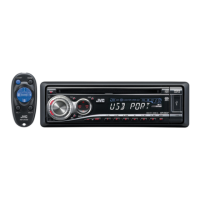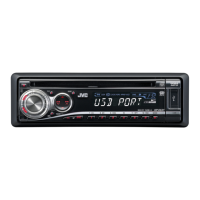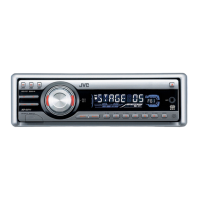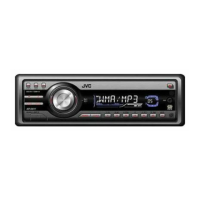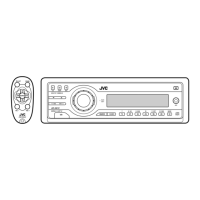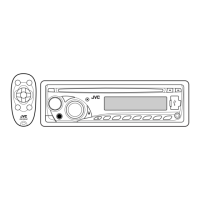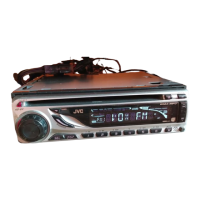
Why is the sound from my JVC KD-G635 disc sometimes interrupted?
- SseanwestAug 30, 2025
If the disc sound is sometimes interrupted, stop playback while driving on rough roads, change the disc, and check the cords and connections.

Why is the sound from my JVC KD-G635 disc sometimes interrupted?
If the disc sound is sometimes interrupted, stop playback while driving on rough roads, change the disc, and check the cords and connections.
What to do if my JVC KD-G635 displays “NO IPOD” or “NO DP”?
If “NO IPOD” or “NO DP” appears on the display, check the connecting cable and its connection. Also, ensure the battery is charged.
Why is there no sound from my JVC KD-G635 Car Receiver speakers?
If you cannot hear sound from the speakers, try adjusting the volume to an audible level. Also, check the cords and connections to ensure they are properly connected.
How to fix JVC KD-G635 Car Receiver when CD-R/CD-RW cannot be played back?
If a CD-R/CD-RW cannot be played back, insert a finalized CD-R/CD-RW.
What to do if the sound is distorted on my JVC KD-G635?
If the sound is distorted, deactivate the equalizer either on the unit or the iPod/D. player.
Why can't I skip tracks on CD-R/CD-RW on my JVC Car Receiver?
If tracks on the CD-R/CD-RW cannot be skipped, finalize the CD-R/CD-RW with the component you used for recording.
What to do if my JVC KD-G635 displays “CHECK”?
If “CHECK” keeps flashing on the display, avoid using too many hierarchy, folders, and empty folders. Also, try turning the power off and then on again.
Why does my JVC KD-G635 Car Receiver sometimes interrupt sound while playing a track?
If sound is sometimes interrupted while playing a track, copy MP3/WMA tracks again into the USB memory, and try again.
What does “NO FILE” mean on my JVC KD-G635?
If “NO FILE” flashes on the display, attach a USB memory that contains tracks encoded in an appropriate format.
What does “NO USB” mean on my JVC KD-G635 Car Receiver?
If “NO USB” appears on the display, attach a USB memory that contains tracks encoded in an appropriate format.
| Category | Car Receiver |
|---|---|
| Brand | JVC |
| Model | KD-G635 |
| Type | CD Receiver |
| CD Player | Yes |
| MP3 Playback | Yes |
| WMA Playback | Yes |
| Tuner | AM/FM |
| Subwoofer Output | Yes |
| Aux Input | Yes |
| Detachable Face | Yes |
| Display | LCD |
| Remote Control | Yes |
| Bluetooth | No |
| USB Port | No |
| Equalizer | 3-Band |
| Max Power Output | 50 Watts x 4 |
| RMS Power | 22 Watts x 4 |
| Preamp Outputs | 2-channel |
Details precautions for Class 1 Laser Products to prevent injury.
Warns about driving safety and advises on volume setting for speaker protection.
Details the display window and various indicators on the control panel.
Identifies and describes the function of each button on the control panel.
Guides battery installation for the remote and outlines critical safety warnings.
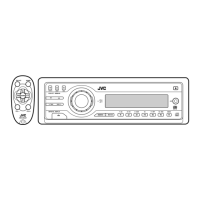
Describes the main elements and functions of the remote controller buttons.
Explains how to tune to stations manually and store them using SSM and manual methods.
Details the intelligent equalizer (iEQ) preset sound modes for different music genres.
Guides on adjusting bass, mid-range, treble, loudness, and balance.
Lists common general, radio, and disc playback problems and their solutions.
Resolves issues related to MP3/WMA discs and USB memory playback.
Addresses problems with CD changers and iPod/D. player connectivity and operation.
Details specifications for the audio amplifier, tuner sections, and general unit dimensions.
Critical warnings and precautions for safe power and speaker connections.
Illustrates the standard wiring procedure for power, antenna, and speakers.
Loading...