ENGLISH
26
Selecting a preset sound mode
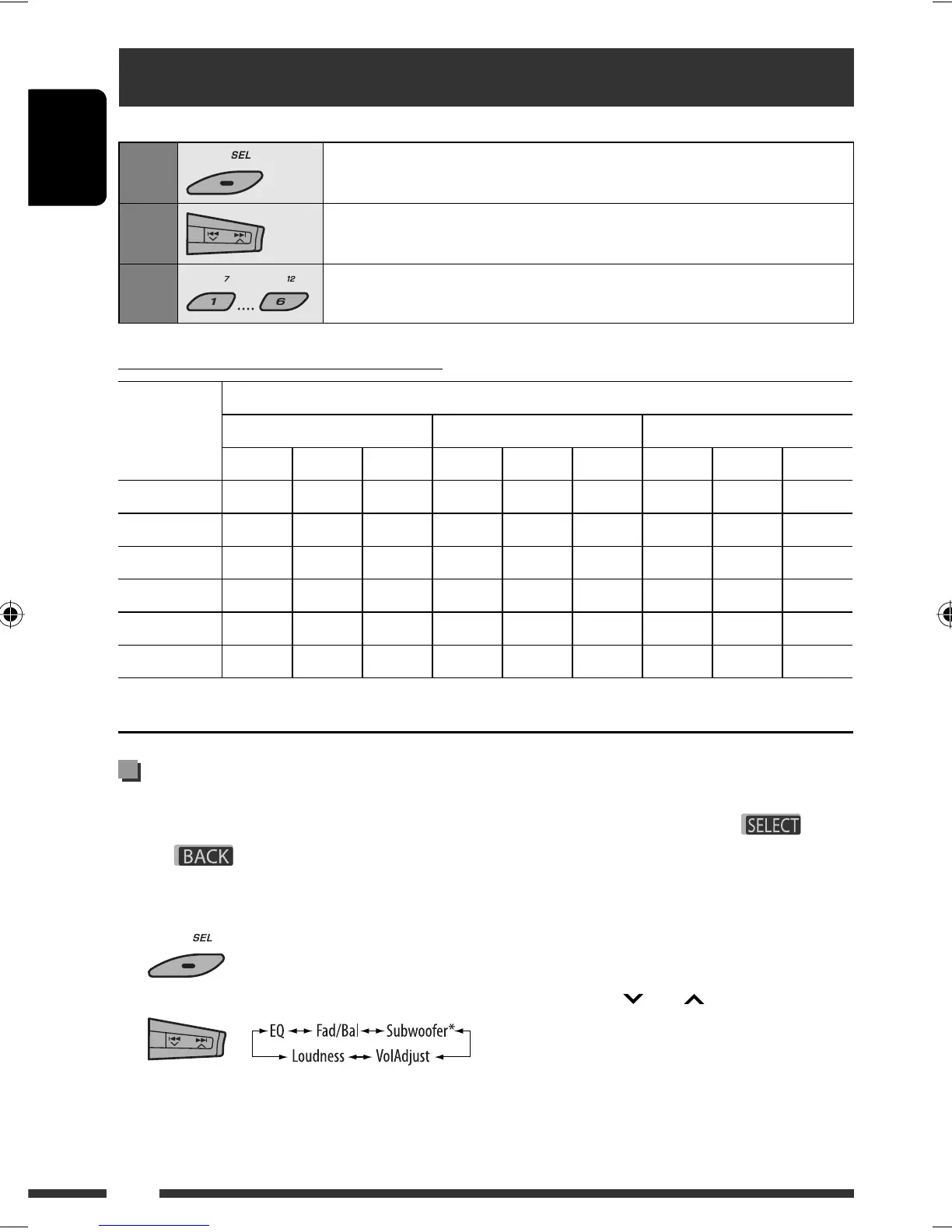
You can select a preset sound mode suitable to the music genre (iEQ: intelligent equalizer).
1
Enter setting menu.
2
Select “EQ.”
3
Select a sound mode.
USER, ROCK, CLASSIC, POPS, HIP HOP, JAZZ
Preset value setting for each sound mode
Sound mode
Preset value
Bass Mid (mid-range) Treble
Freq. Level Q Freq. Level Q Freq. Level Q
USER 60 Hz 00 Q1.25 1.0 kHz 00 Q1.25 10.0 kHz 00 –
ROCK 100 Hz +03 Q1.0 1.0 kHz 00 Q1.25 10.0 kHz +02 –
CLASSIC 80 Hz +01 Q1.25 1.0 kHz 00 Q1.25 10.0 kHz +03 –
POPS 100 Hz +02 Q1.25 1.0 kHz +01 Q1.25 10.0 kHz +02 –
HIP HOP 60 Hz +04 Q1.0 1.0 kHz –02 Q1.0 10.0 kHz +01 –
JAZZ 80 Hz +03 Q1.25 1.0 kHz 00 Q1.25 10.0 kHz +03 –
Freq.: Frequency Q: Q-slope
3 Adjust the selected setting item.
A Fad/Bal (Fader/Balance)
1 Press number button 1 ( )
to move to the “Fad/Bal” adjustment
display.
2 Adjust the speaker output balance by
pressing:
5 / ∞: between the front and rear
speakers. [F6 to R6]
4 /¢ : between the left and
right speakers. [L6 to R6]
Adjusting the sound
You can adjust the sound characteristics to your
preference.
• When is shown on the display, you can
move back to the previous screen by pressing number
button 3 or 6.
1
2
• For “EQ” setting, see above.
* Displayed only when “L/O Mode” is set to “Woofer”
(see page 30).
EN22-31_PDR61_003A_4.indd 26EN22-31_PDR61_003A_4.indd 26 12/31/07 11:08:49 AM12/31/07 11:08:49 AM








 To Next Page