ENGLISH
15
EXTERNAL DEVICES
Listening to the iPod
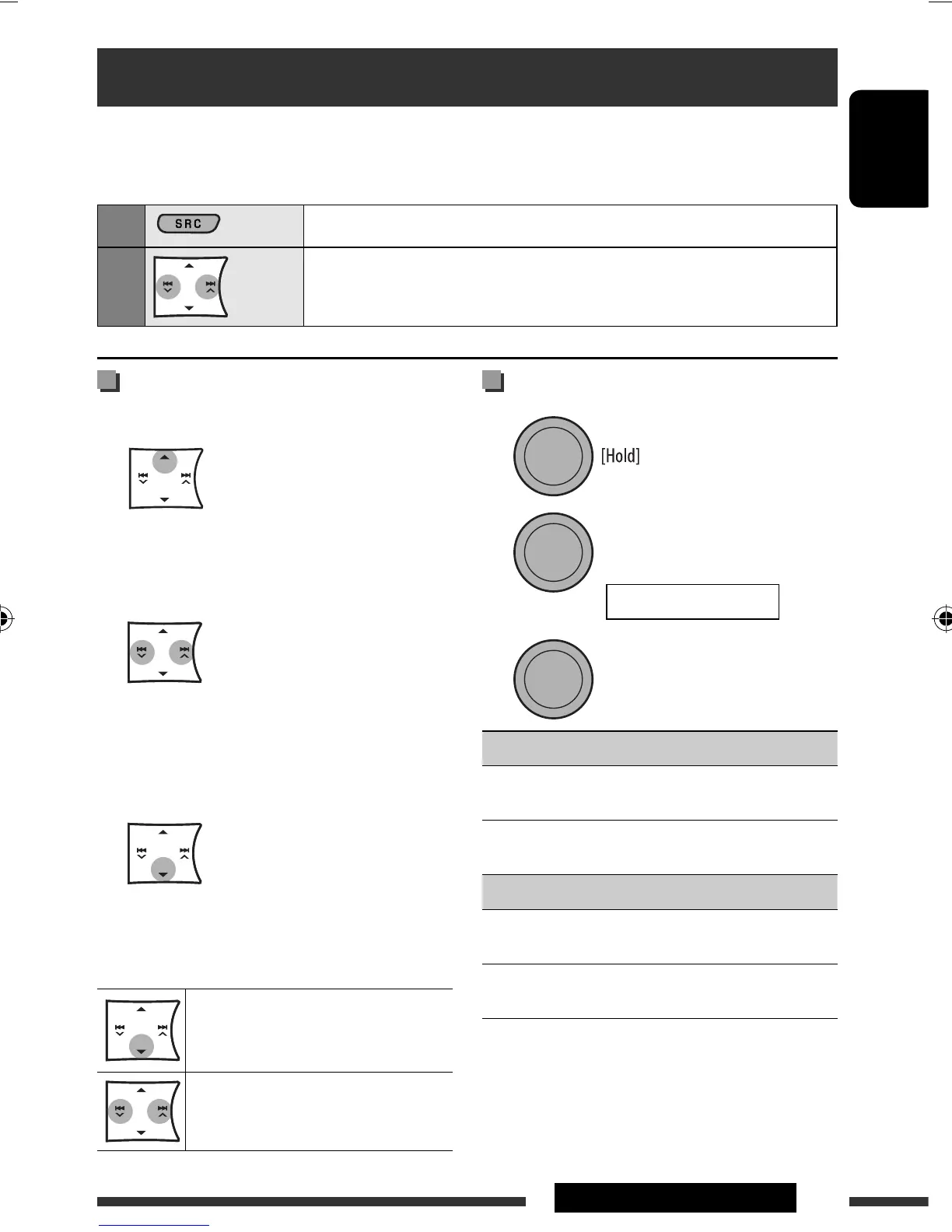
Selecting a track from the menu
1 Enter the main menu.
This mode will be canceled if no operations are
done for about 5 seconds.
2 Select the desired menu.
PLAYLISTS
Ô ARTISTS Ô ALBUMS Ô
SONGS Ô GENRES Ô COMPOSERS Ô (back
to the beginning)
3 Confirm the selection.
• To return to the previous menu, press 5.
• If a track is selected, playback starts
automatically.
Pause playback
• To resume playback, press the button
again.
[Press] Select tracks
[Hold] Reverse/fast-forward track
Before operating, connect the Interface adapter for iPod, KS-PD100 (separately purchased) to the CD changer
jack on the rear of the unit.
Preparation: Make sure “CH / IPOD” is selected in the “SRC SELECT” = “EXT IN” setting, see page 22.
1
Select “IPOD.”
2
Select a song.
Playback starts automatically.
Selecting the playback modes
1
2
3
REPEAT
ONE RPT : Functions the same as “Repeat
One” of the iPod.
ALL RPT : Functions the same as “Repeat
All” of the iPod.
RANDOM
ALBUM RND * : Functions the same as “Shuffle
Albums” of the iPod.
SONG RND : Functions the same as “Shuffle
Songs” of the iPod.
• To cancel repeat play or random play, select
“RPT OFF” or “RND OFF.”
• To return to the previous menu, press BACK.
* Functions only if you select “ALL” in “ALBUMS” of the
main “MENU.”
[Turn] = [Press]
[Turn] = [Press]
REPEAT Ô RANDOM
EN10-15_KD-R406_001A_5.indd 15EN10-15_KD-R406_001A_5.indd 15 22/8/08 2:42:41 PM22/8/08 2:42:41 PM



 To Next Page
 Loading...