Need help?
Do you have a question about the JVC KD-R441 and is the answer not in the manual?
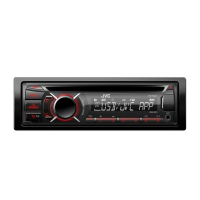
Details the front panel layout and controls of the JVC car stereo unit.
Explains the features and operation of the included remote control (RM-RK52).
Configure clock format, auto-setting, and display options.
Adjust display and button illumination for day/night and car headlights.
Manage scrolling, tag display, and iPod connection modes.
Enable or disable audio sources like AM and AUX for selection.
Instructions for inserting, playing, and ejecting audio CDs.
Connect and play audio files from a USB storage device.
Instructions for connecting and controlling iPod/iPhone for music playback.
Manage playback options like track selection, repeat, and random play.
Methods for searching, selecting, and storing radio stations.
Find radio stations broadcasting specific program types (PTY).
Enable Traffic Announcement standby reception for radio broadcasts.
Configure advanced radio settings like SSM, AF-REG, and P-SEARCH.
Connect and play audio from external devices via the auxiliary input jack.
Connect and stream audio wirelessly using a Bluetooth adapter.
Select preset EQs or customize your own sound settings.
Adjust Bass, Middle, and Treble frequencies, levels, and Q factors.
Configure Fader, Balance, Loudness, Subwoofer, and BEEP settings.
Select and set custom colors for Button, Display, and All zones.
Configure dynamic color changing effects for the illumination.
Set illumination colors based on headlight status.
Details on playable audio file formats and disc compatibility.
Information on USB device compatibility and file/folder limits.
Lists compatible iPod and iPhone models and usage notes.
Resolves common problems like no sound or unit errors.
Addresses issues with selecting sources or poor radio reception.
Troubleshoots playback order, unsupported tracks, and device detection.
Details on power output, impedance, and frequency response.
Information on FM/AM frequency ranges, sensitivity, and selectivity.
Specs for CD/USB player, dimensions, power requirements, and operating temp.
Step-by-step guide for installing the unit in the dashboard.
Detailed instructions for connecting wires for various car models and ISO terminals.
 General
| Brand | JVC |
|---|---|
| Model | KD-R441 |
| Category | Car Receiver |
| Language | English |


 To Next Page