Need help?
Do you have a question about the JVC KD-R447 and is the answer not in the manual?
General warnings, safe driving, volume control, and remote control usage guidelines.
Instructions for cleaning the unit, connector, and proper disc handling.
Explains how to read the manual, button references, and page cross-references.
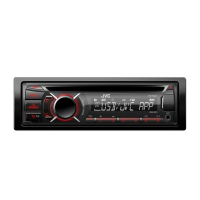
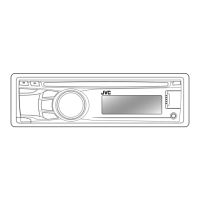
Identifies unit faceplate components and details the remote control, sensor, and battery.
Covers turning unit on/off, volume adjustment, source selection, and display changes.
Steps for canceling demonstration mode, setting the clock, and adjusting display brightness.
How to enable/disable sources (AM, AUX) and set up the Bluetooth adapter.
Instructions for playing audio, selecting tracks/folders, and managing playback modes.
How to find, save, and search for radio stations and programs by type.
Explains TA standby, AF-REG, NEWS-STBY, and P-SEARCH settings for better reception.
Guides for connecting portable audio players via AUX and Bluetooth devices.
How to use the equalizer, store custom sound settings, and adjust audio parameters.
Customize illumination colors, brightness, and day/night modes.
Details on supported discs, audio files, USB devices, and iPod/iPhone compatibility.
Guides users through diagnosing and fixing common problems with the unit.
Provides technical data for audio amplifier, tuner, CD/USB/iPod player sections.
Details on power, dimensions, operating temperature, and compatible file systems.
Step-by-step instructions for installing the unit into a vehicle dashboard.
Safety advice and fundamental steps for connecting the unit's wiring.
Illustrates wiring for different models and explains ISO connector usage.
Guides for modifying wiring for specific vehicle models like VW/Audi.
 General
| Brand | JVC |
|---|---|
| Model | KD-R447 |
| Type | Car Receiver |
| Maximum Output Power | 50W x 4 |
| RMS Power | 22W x 4 |
| CD Playback | Yes |
| MP3 Playback | Yes |
| WMA Playback | Yes |
| AAC Playback | Yes |
| USB Input | Yes |
| Bluetooth | No |
| AUX Input | Yes |
| Subwoofer Preamp Output | Yes |
| Display | LCD |
| Button Illumination | Red |
| Detachable Face Security | Yes |
| Tuner | AM/FM |
| Equalizer | 3-band |


 To Next Page