Need help?
Do you have a question about the JVC KD-R443 and is the answer not in the manual?
General safety warnings related to operation.
Cautions regarding volume, device usage, and maintenance.
Instructions for cleaning the unit and handling discs.
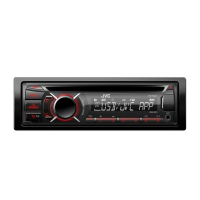
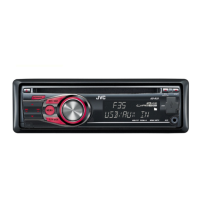
Unit interface.
Operation device.
Steps to turn off the unit's demonstration mode.
Guide to setting the clock format and time.
Steps for initial system setup and basic configurations.
How to select and start playback from CD, USB, or iPod/iPhone.
Methods for choosing specific tracks or files from media.
Options for repeating tracks or playing in random order.
How to find and save favorite radio stations.
Configuration of TA Standby, SSM, AF-REG, and P-SEARCH modes.
Steps to connect and play audio from a portable player via AUX.
Guide to connecting a Bluetooth adapter for wireless audio streaming.
How to select predefined sound equalizer settings.
Guide to saving personalized EQ and sound adjustments.
Adjustments for Fader, Balance, Bass, Treble, Subwoofer, and other parameters.
How to choose specific colors for different zones of the unit's lighting.
Setting custom colors for day and night illumination based on headlights.
Controls how illumination behaves during menu navigation.
Information on playable audio file formats and disc types.
Details on connecting USB devices and supported file systems.
Information on compatible iPod and iPhone models and usage.
A list of common symptoms and their corresponding remedies for unit malfunctions.
Instructions for physically installing the unit into the vehicle's dashboard.
Details on using the mounting sleeve for installation.
Steps on how to safely remove the unit from the vehicle.
A step-by-step guide for the fundamental installation process.
Diagram and explanation of the main wiring harness connections.
Information on connecting via the ISO connector for various vehicle types.
Notes on modifying wiring for specific European car models.
 General
| Brand | JVC |
|---|---|
| Model | KD-R443 |
| Category | Car Receiver |
| Language | English |


 To Next Page