EasyManua.ls Logo

JVC KD-R496 - User Manual

JVC KD-R496
84 pages
Print Icon
To Next Page IconTo Next Page
Loading...
Data Size: B6L (182 mm x 128 mm)
Book Size: B6L (182 mm x 128 mm)
ENGLISH

B5A-2123-00 [M]
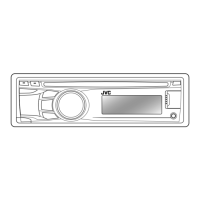
KD-R498 / KD-R496 / KD-R492 / KD-R491
CD RECEIVER
INSTRUCTION MANUAL

CD
คูมือการใชงาน
JS_JVC_KD_R498_M_C.indd 1JS_JVC_KD_R498_M_C.indd 1 7/10/2017 3:19:06 PM7/10/2017 3:19:06 PM

Other manuals for JVC KD-R496

Questions and Answers

  • J
    Jennifer GarzaAug 5, 2025
    How to fix JVC KD-R496 when sound cannot be heard?
    • M
      melvingibbsAug 5, 2025
      If you cannot hear any sound from your JVC Car Receiver, first, adjust the volume to the optimum level. If the sound is still not audible, check the cords and connections to ensure they are properly connected.
  • G
    Gabriela ReyesAug 9, 2025
    What to do if sound cannot be heard during playback on JVC KD-R496 Car Receiver?
    • G
      goodmanteresaAug 9, 2025
      If you're experiencing a lack of sound during playback on your JVC Car Receiver, try the following steps: * Reconnect your Android device. * If in [AUDIO MODE], launch any media player application. * If still no sound in [AUDIO MODE], relaunch the current media player application or try a different one. * Restart your Android device. If the problem persists, it's possible that the connected Android device is unable to route the audio signal to the unit.
  • H
    Hunter ThomasAug 14, 2025
    Why does my JVC KD-R496 Car Receiver flash “CANNOT PLAY”?
    • V
      Valerie RayAug 14, 2025
      If your JVC Car Receiver displays “CANNOT PLAY” or fails to detect your connected device, verify that the connected device is compatible with the unit and that your files are in a supported format. If compatibility is not an issue, try reattaching the device.
  • J
    Joseph HooverAug 17, 2025
    What to do if JVC Car Receiver keeps flashing “NO DEVICE” or “READING”?
    • O
      Omar AustinAug 18, 2025
      If your JVC Car Receiver continuously flashes “NO DEVICE” or “READING,” try these solutions: first, switch off the developer options on your Android device. If that doesn't work, reconnect the Android device. If the issue persists, the connected Android device may not support [AUTO MODE].
  • M
    Matthew ToddAug 22, 2025
    Why can't I playback at [AUTO MODE] on JVC KD-R496 Car Receiver?
    • V
      victoriatuckerAug 22, 2025
      If you cannot playback in [AUTO MODE] on your JVC Car Receiver, ensure that the JVC MUSIC PLAY APP is installed on your Android device. If it is, try reconnecting the Android device and selecting the appropriate control mode. If the problem continues, your connected Android device may not support [AUTO MODE].
  • M
    Melvin WongAug 27, 2025
    How to stop JVC Car Receiver playback from being intermittent?
    • R
      ronniejohnsonAug 27, 2025
      If you experience intermittent playback or skipping sounds on your JVC Car Receiver, try turning off the power saving mode on your Android device.
  • C
    Christopher LucasAug 31, 2025
    Why are correct characters not displayed on JVC Car Receiver?
    • A
      Allison BanksAug 31, 2025
      If your JVC Car Receiver is not displaying the correct characters, note that the unit can only display uppercase letters, numbers, and a limited number of symbols. Also, depending on the display language selected, some characters may not be displayed correctly.

Summary

INSTRUCTION MANUAL

Product Model Identification

Identifies the specific models covered by this manual.

BEFORE USE

Important Safety Information

Crucial information for safe and proper product use.

Warnings and Cautions

Serious safety hazards and precautions to avoid.

BASICS & GETTING STARTED

Basic Settings Configuration

Configuration of fundamental system, source, and update settings.

MEDIA SOURCE OPERATIONS

AUDIO SETTINGS

Speaker Output Configuration

Configuring how audio signals are routed to speakers.

TROUBLESHOOTING

General Troubleshooting Guide

Common issues and their solutions applicable to the entire system.

Source-Specific Issues

Solutions for problems related to specific media sources (Radio, CD/USB, Android).

INSTALLATION & CONNECTION

Installation Safety Precautions

Critical safety precautions during installation and wiring.

Wiring Connection Diagrams

Detailed instructions and diagrams for connecting the unit's wiring.

JVC KD-R496 Specifications

General IconGeneral
Maximum Output Power50W x 4
RMS Power Output22W x 4
Pre-Output Level2.5V
Speaker Impedance4-8 ohms
Frequency Response20Hz - 20kHz
Signal to Noise Ratio80dB
Display TypeLCD
Audio FormatsMP3, WMA
Tuner TypeAM/FM
BluetoothYes
USB PortYes
AUX InputYes
Remote ControlYes
Channels4
Detachable FaceplateYes
Steering Wheel Control CompatibleYes
Pre-Output Impedance10 kOhm
Playback MediaCD, USB, AUX
Preset Stations18 FM / 6 AM
Preamp Outputs2

Related product manuals