EasyManua.ls Logo

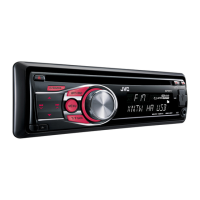
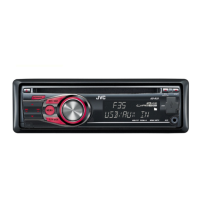
JVC KD-R492 - User Manual

JVC KD-R492
25 pages
Print Icon
To Next Page IconTo Next Page
Loading...
Data Size: B6L (182 mm x 128 mm)
Book Size: B6L (182 mm x 128 mm)
KD-R690S / KD-R492 / KD-R490
CD RECEIVER
INSTRUCTION MANUAL
JS_JVC_KD_R690S_K_C.indd 1JS_JVC_KD_R690S_K_C.indd 1 7/3/2017 3:41:48 PM7/3/2017 3:41:48 PM

Questions and Answers

  • D
    daniel53Sep 4, 2025
    How to stop “NO DEVICE” or “READING” flashing on JVC KD-R492?
    • A
      Alexis ChangSep 4, 2025
      If “NO DEVICE” or “READING” keeps flashing on your JVC Car Receiver, try switching off the developer options on your Android device. If that doesn't work, reconnect the Android device. If the issue continues, the connected Android device may not support [AUTO MODE].
  • P
    pricejeremySep 18, 2025
    How to stop JVC KD-R492 playback from being intermittent?
    • B
      Bradley HillSep 18, 2025
      If you experience intermittent playback or skipping sounds on your JVC Car Receiver, try turning off the power saving mode on your Android device.
  • A
    Allison HendersonSep 16, 2025
    Why can't I playback at [AUTO MODE] on JVC KD-R492 Car Receiver?
    • J
      Jacob LeeSep 16, 2025
      If you cannot playback in [AUTO MODE] on your JVC Car Receiver, ensure that the JVC MUSIC PLAY APP is installed on your Android device. If it is, try reconnecting the Android device and selecting the appropriate control mode. If the problem continues, your connected Android device may not support [AUTO MODE].
  • E
    Elizabeth TorresSep 14, 2025
    What to do if JVC KD-R492 Car Receiver keeps flashing “NO DEVICE” or “READING”?
    • T
      Theresa SantiagoSep 14, 2025
      If your JVC Car Receiver continuously flashes “NO DEVICE” or “READING,” try these solutions: first, switch off the developer options on your Android device. If that doesn't work, reconnect the Android device. If the issue persists, the connected Android device may not support [AUTO MODE].
  • C
    Christine SmithSep 12, 2025
    How to fix “CODE ERROR” on JVC KD-R492?
    • P
      perezbryanSep 13, 2025
      If the message “CODE ERROR” appears on your JVC Car Receiver, make sure you have entered the correct pass code.
  • A
    Adrian EdwardsSep 12, 2025
    How to fix source selection on JVC KD-R492?
    • J
      Jeffrey MaySep 12, 2025
      If a source cannot be selected on your JVC Car Receiver, check the [SOURCE SELECT] setting.
  • S
    Stacie CookSep 9, 2025
    Why are correct characters not displayed on JVC KD-R492?
    • W
      William HallSep 9, 2025
      The JVC Car Receiver can only display uppercase letters, numbers, and a limited number of symbols. Also, depending on the selected display language, some characters may not be displayed correctly.
  • K
    kristin10Sep 7, 2025
    What to do if “CANNOT PLAY” appears on JVC KD-R492?
    • N
      Nicholas OconnorSep 7, 2025
      If “CANNOT PLAY” appears on your JVC Car Receiver, ensure your Android device contains playable audio files. If it does, try reconnecting the Android device and restarting it.
  • H
    herbertlittleSep 5, 2025
    Why does the sound skip on Android with JVC KD-R492?
    • E
      Edwin FuentesSep 6, 2025
      If the playback is intermittent, or the sound skips when using Android with your JVC Car Receiver, turn off the power saving mode on your Android device.
  • S
    Sheri DanielAug 20, 2025
    How to fix no sound on JVC KD-R492?
    • W
      William NovakAug 21, 2025
      To resolve the issue of no sound from your JVC Car Receiver, first, adjust the volume to ensure it is at an audible level. If the sound is still not present, examine the cords and connections to confirm they are properly connected.

Summary

Before Use

Important Safety Information

Read through this manual before using the product for proper use and safety.

Driving Safety Warnings

Do not operate functions that distract from safe driving. Chemical burn hazard from battery.

Radio Functions

Search for Radio Stations

Instructions for automatically or manually tuning to radio stations.

Store Radio Stations

How to save favorite radio stations using preset buttons or memory mode.

Advanced Radio Settings

Tuner Settings (KD-R690 S;KD-R490)

Configuration for Radio Timer, SSM, IF BAND, MONO SET, AREA, and PTY SEARCH.

Advanced Media Control

Select Control Mode for iPod;Android

How to control iPod or Android devices from the unit or the device itself.

SiriusXM Radio Features

SiriusXM Preparation

Connect the optional SiriusXM Vehicle Tuner and check the Radio ID for activation.

Start SiriusXM Listening

Steps to select Sirius XM, choose categories, and tune to channels.

Advanced SiriusXM Functions

SmartFavorites and TuneStart

Explains how SmartFavorites channels buffer content and TuneStart plays from song beginning.

SiriusXM TuneScan and Settings

SiriusXM Settings Configuration

How to configure settings like CODE SET, LOCK SETTING, CHANNEL EDIT, CLEAR, TUNE START, SIGNAL LEVEL, BUFFER USAGE, SXM RESET.

Detailed Audio Settings

Equalizer (EQ) Settings

Detailed explanation of PRESET EQ, EASY EQ, and PRO EQ settings.

Audio Controls

Settings for BASS BOOST, LOUDNESS, SUB.W LEVEL, SPK-OUT, PRE-OUT.

Subwoofer Settings

Configuration for subwoofer output ON/OFF, LPF frequency, and phase.

Troubleshooting

General Troubleshooting

Common issues like no sound, wiring errors, or 'PROTECTING' messages.

Radio Troubleshooting

Issues related to radio reception, static noise, and source selection.

CD;USB;iPod Troubleshooting

Problems with disc ejection, 'IN DISC', 'PLEASE EJECT', playback order, and unsupported devices.

Device-Specific Troubleshooting

CD;USB;iPod Troubleshooting (cont.)

Issues with iPod/iPhone not working, incorrect characters, or sound skipping.

Android Troubleshooting

Problems like intermittent playback, 'CANNOT PLAY', or sound only from device.

Pandora Troubleshooting

Errors like 'ADD ERROR', 'CHK DEVICE', 'RATING ERR', 'LICENSE ERR'.

SiriusXM Radio Troubleshooting

Errors like 'CH LOCKED LOCK CODE?' and 'CHAN UNSUB'.

Installation and Connection

Installation Safety Warnings

Warnings about power supply, ground connection, and wire insulation.

Installation Cautions

Cautions regarding professional installation, hot parts, speaker power, and mounting angle.

Unit Installation Procedures

Installing the Unit (In-Dash)

Step-by-step guide for installing the unit into the dashboard.

Wiring Connections

Wiring Connection Guide

Detailed diagram and explanation of wiring connections for the unit.

Recommended Wiring Connection

Specific wiring recommendations for factory harnesses and amplifiers.

Specifications

Tuner Specifications

Technical specifications for FM and AM tuner performance.

CD Player Specifications

Specifications for laser, digital filter, spindle speed, and playback formats.

USB Specifications

USB standard, compatible devices, file system, and maximum current.

Audio Specifications

Specifications for output power, bandwidth, speaker impedance, and pre-out levels.

JVC KD-R492 Specifications

General IconGeneral
Audio systemMOSFET
MP3 playbackYes
Audio formats supportedAAC, FLAC, MP3, WAV, WMA
AM band range531 - 1611 kHz
FM band range87.5 - 108 MHz
Supported radio bandsAM, FM
Preset stations quantity24
DIN size1 DIN
Product colorBlack
Ready for iPodNo
Equalizer bands quantity15
Maximum power per channel50 W
Display typeLCD
Key illumination colorRed
Weight and Dimensions IconWeight and Dimensions
Weight1200 g
Dimensions (WxDxH)182 x 158 x 53 mm

Related product manuals